GPU Benchmarks 2026: How to Read a Graphics Card Ranking
 Bottleneck Calculator
7 min read
Bottleneck Calculator
7 min read
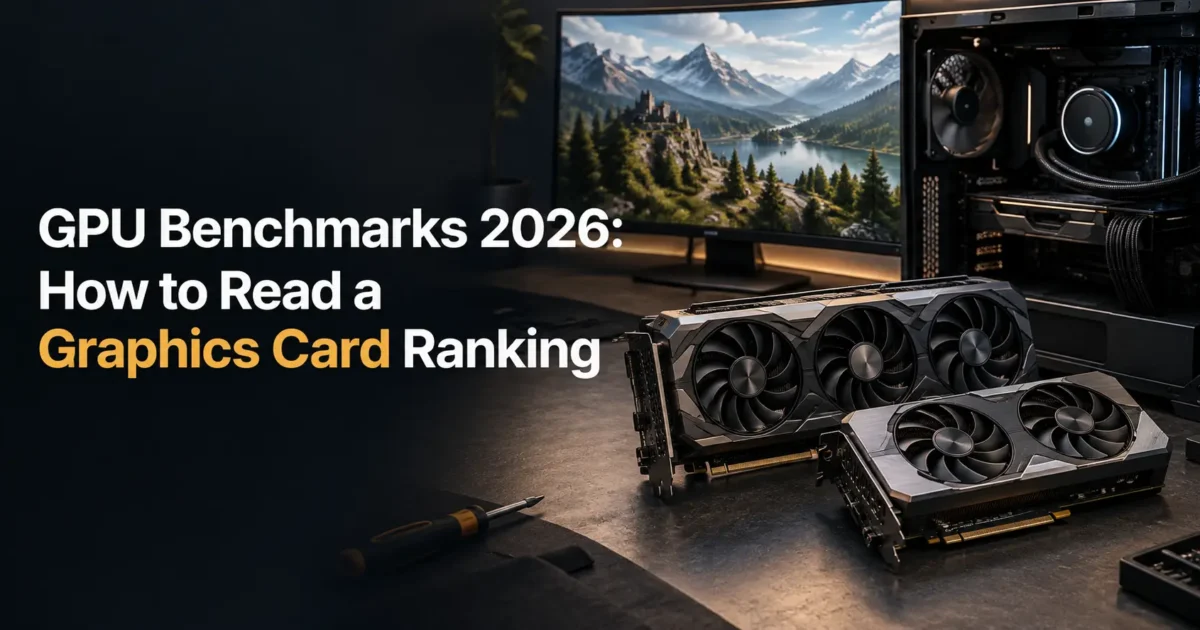
You open a graphics card ranking and find the top card scores 42,000. Yours scores 19,000. So yours is less than half as fast, right?
In the game you actually play, at the resolution you actually use, the gap is closer to 30 percent. Sometimes less.
Here is what benchmark charts do not tell you. A synthetic score measures raw throughput under a fixed artificial load. Games are not fixed artificial loads. They hit memory differently, lean on different features, and are frequently limited by something other than the card entirely.
Which is why two cards with a 20 percent score gap can deliver identical frame rates at 4K, and why the chart that looks authoritative can send you toward the wrong purchase.
This guide explains how to read a graphics card ranking properly, what the scores actually measure, and the three cases where the chart will mislead you.
Quick summary
You will finish able to use any gpu ranking list as a shortlisting tool rather than a verdict, and to translate a score gap into frames you will actually see.
I cover what synthetic scores measure, how resolution changes the real gap, why video memory capacity breaks the ranking entirely, where the charts are genuinely useful, and how to sanity check a card against your own processor before buying.
My blunt view. A gfx card comparison chart is a sorting tool, not a buying guide. Treat it the way you treat a league table, which tells you roughly who is good without telling you who wins on Saturday.
Not covered here: professional rendering cards and compute workloads. Rankings and pricing reflect September 2026 and shift with every driver release.
How should you read a GPU ranking list?
Use it to group cards into tiers rather than to rank them precisely. A 5 percent score difference is noise. A 25 percent difference is a genuine tier gap. Then check the card against your resolution, your processor and your video memory needs before deciding anything.
| Score gap | Real world meaning | Worth paying for? |
|---|---|---|
| Under 5 percent | Indistinguishable in games | No, buy the cheaper one |
| 5 to 15 percent | Measurable, rarely noticeable | Only if price is close |
| 15 to 30 percent | One meaningful tier | Usually yes |
| 30 to 50 percent | Clear generational step | Yes if budget allows |
| Above 50 percent | Different class of card | Yes, if the rest is balanced |
Most buying mistakes happen in the top two rows, where people pay a real premium for a difference they will never perceive.
What do graphics card benchmark scores actually measure?
Synthetic benchmarks run a fixed scene designed to load the card fully and consistently. That makes scores comparable across machines, which is their genuine value. It also means they ignore memory capacity limits, driver maturity in specific titles, and whether your processor can keep the card fed.
Consistency is the whole point and the whole limitation. The test is identical every time precisely because real games are not.
So treat a score as a measure of theoretical capability. What you get in practice depends on the rest of your machine.
Why does resolution change the ranking?
At 4K the card does nearly all the work, so score gaps translate fairly directly into frame rate gaps. At 1080p your processor often sets the ceiling, which compresses the difference between cards. Two cards 30 percent apart on paper can produce identical 1080p frame rates on a modest processor.
This is the single most common way a ranking misleads people. Someone buys a flagship card for a 1080p monitor and gains very little.
Check your own pairing before spending. Our bottleneck calculator shows whether your processor can actually feed the card you are considering at your resolution.
Where do benchmark charts break down completely?
VRAM is the big one. A card with a strong score but only 8GB will stutter badly in titles that exceed that capacity, while a slower card with 16GB runs smoothly. Benchmarks rarely stress memory capacity, so this failure is invisible in the ranking.
Three things the chart cannot see
- Memory capacity limits. Severe stutter the score never predicts.
- Upscaling quality. DLSS and FSR change real frame rates substantially.
- Driver maturity. New architectures often gain 5 to 15 percent over a year.
The memory problem is worth checking before any purchase. Our breakdown of how much video memory you need covers the capacities each resolution demands in 2026.
What is a realistic GPU ranking for 2026?
Any useful gpu ranking 2026 edition should group cards by the resolution they comfortably drive rather than by raw position. That framing survives new releases and price changes, while a numbered list goes out of date the moment a card is discounted or a driver matures.
| Tier | Comfortable at | Memory needed | Typical price |
|---|---|---|---|
| Entry | 1080p medium to high | 8GB | $180 to $280 |
| Mid range | 1080p ultra, 1440p high | 12GB | $300 to $450 |
| Upper mid | 1440p ultra, 4K with upscaling | 12 to 16GB | $450 to $650 |
| High end | 4K high with ray tracing | 16GB | $700 to $1000 |
| Flagship | 4K ultra, path tracing | 16 to 24GB | $1000 plus |
Buy for the monitor you own rather than the one you might buy. The tier above yours is almost always poor value.
Do benchmark scores predict frame rates?
Loosely, and only at high resolution. At 4K a 20 percent score advantage usually produces something close to a 15 to 20 percent frame rate advantage. At 1080p that same gap often collapses to under 8 percent because the processor becomes the constraint.
Genre matters too. Simulation and strategy titles lean heavily on the processor regardless of which card you fit.
Estimate what a pairing should deliver at your resolution with our FPS calculator rather than extrapolating from a score.
Are gaming benchmarks better than synthetic ones?
For buying decisions, yes. Game benchmarks reflect real engines, real memory pressure and real driver behaviour. Synthetic scores are better for comparing hardware consistently across different machines. Use synthetics to sort, game results to decide.
Look for results in the specific games you play, at your resolution and settings. A card that leads in shooters may trail in open world titles.
Pay attention to 1 percent lows rather than averages. They describe how a game feels far better than the headline number does.
How do AMD and NVIDIA compare on these charts?
AMD typically offers more raw performance and more memory per pound, while NVIDIA leads on ray tracing and upscaling maturity. Synthetic charts tend to flatter AMD because they rarely weight ray tracing heavily, which is a real limitation of the format.
Decide by the settings you actually use. If you never enable ray tracing, the AMD value argument is strong.
If you rely on upscaling and frame generation, weigh that more heavily than any position on a chart.
How often do these rankings change?
Positions shift meaningfully two or three times a year, driven by new releases, driver maturity and price changes. A ranking more than six months old should be treated as a rough guide, particularly for recently launched architectures that gain performance over time.
Price moves faster than performance. A card that was poor value at launch frequently becomes the sensible pick after a discount.
Check the date on any chart before trusting it. An undated ranking is close to worthless.
What do people get wrong reading these charts?
They treat small score gaps as real differences, they ignore video memory entirely, and they buy a card their processor cannot feed at the resolution they play. All three produce the same outcome, which is money spent for frames that never arrive.
The processor mismatch is the expensive one. A flagship card behind an older chip at 1080p wastes a large share of what you paid.
Price the whole machine rather than the card alone in our PC builder, which checks each part against the rest.
Frequently asked questions
How do I read a GPU benchmark chart?
Use it to group cards into tiers rather than rank them precisely. Under 5 percent is noise and above 25 percent is a genuine tier gap. Then check the card against your resolution, processor and memory needs before making any decision.
Do benchmark scores predict real FPS?
Loosely, and mainly at high resolution. At 4K a 20 percent score advantage roughly translates to 15 to 20 percent more frames. At 1080p the same gap often collapses below 8 percent because your processor becomes the limiting component.
Why do two cards with similar scores perform differently?
Synthetic tests run a fixed scene that ignores memory capacity limits, driver maturity and upscaling quality. A card with a strong score but only 8GB can stutter badly where a slower 16GB card runs smoothly, and no chart shows that.
What is a good graphics card ranking for 2026?
Group by the resolution a card comfortably drives rather than by position. Entry cards suit 1080p, mid range handles 1440p high, upper mid manages 1440p ultra, and only high end and flagship cards are comfortable at 4K with ray tracing.
Are gaming benchmarks better than synthetic ones?
For buying decisions, yes. Game results reflect real engines, memory pressure and driver behaviour. Synthetic scores are better for comparing hardware consistently across machines. Use synthetics to shortlist and game results to decide.
How much of a score difference is worth paying for?
Below 15 percent rarely justifies a meaningful price premium, since you will struggle to notice it in play. Between 15 and 30 percent is one real tier and usually worth it. Above 30 percent is a clear generational step.
Does AMD or NVIDIA rank higher on benchmark charts?
AMD often shows better raw numbers and more memory per pound, while NVIDIA leads on ray tracing and upscaling. Synthetic charts tend to flatter AMD because they rarely weight ray tracing heavily, which is a genuine limitation of the format.
How often do GPU rankings change?
Meaningfully two or three times a year, driven by launches, driver maturity and price moves. Treat any chart older than six months as a rough guide, especially for recent architectures that typically gain performance over their first year.
Should I buy the highest ranked card I can afford?
Not automatically. Buy for the monitor you own rather than the one you might buy. A card one tier above your resolution is usually poor value, and the money does more good spent on memory capacity or a better processor.
Why does my card score lower than the chart says?
Usually your processor, memory configuration or thermals. Charts test on high end systems with fast memory in dual channel. A single memory stick or a throttling card will both score well below the published figure for the same model.
Why do benchmark scores differ between review sites?
Different test systems, driver versions, game selections and settings. A card tested on a flagship processor scores higher than the same card on a mid range one, which is why cross site comparisons mislead.
Should I trust manufacturer benchmark claims?
Treat them as a best case. Manufacturers choose favourable titles, settings and comparison points. Independent testing across a broad game selection gives you a far more honest picture.
Do benchmarks account for upscaling?
Usually not in the headline figures, which is a significant limitation now that most people play with DLSS or FSR enabled. Look specifically for results tested with upscaling if that is how you play.
Where this leaves you
Back to that 42,000 against 19,000. In a game, at your resolution, on your processor, the gap you actually experience is almost always smaller than the chart implies.
So use the ranking to build a shortlist of three cards in your budget, then decide on memory capacity, your resolution, and whether your processor can feed them.
Your next step is to take the three cards you are considering and check each against your processor at your resolution rather than against each other on a chart.
Which cards are on your shortlist, and what resolution are you buying for?
Related reading
Best Low Profile Graphics Card in 2026 (Fit Comes First)
Small form factor cases, office machines and home theatre builds all share one constraint. The card has to be short, and often only two slots or even one.…
Read more about Best Low Profile Graphics Card in 2026 (Fit Comes First)
Best GPU for 4K Gaming in 2026 (16GB Is the Floor)
4K is four times the pixels of 1080p. Not twice, four times. Every frame asks your graphics card to do roughly four times the drawing work. Which is…
Read more about Best GPU for 4K Gaming in 2026 (16GB Is the Floor)
Best GPU for 1080p Gaming in 2026 (Stop Overspending)
1080p is where most PC gaming still happens, and it is the resolution people most often overspend on. The reason is simple. At 1080p your processor frequently becomes…
Read more about Best GPU for 1080p Gaming in 2026 (Stop Overspending)