PSU Calculator
Our hardware database is updated continuously
We maintain the processor and graphics card database ourselves and refresh it as new hardware ships, most recently in November 2026. It covers current AMD Ryzen and Ryzen AI processors, Intel Core and Core Ultra processors, and GeForce RTX 50-series and Radeon RX 9000-series graphics cards, alongside a deep back catalogue of older desktop parts. Every processor carries its real PL1 and PL2 power limits. Every graphics card carries its board power and its measured transient behaviour. That is what this PSU calculator sizes from, and it is why the number it gives you differs from the vendor tools.
Quick answer
Enter your processor, graphics card and the rest of your build, then buy the standard PSU size the calculator recommends. Choose a unit from a well-reviewed platform, and check that it has the connectors your graphics card needs.
What does this PSU calculator tell you?
Pick your processor, graphics card, motherboard, memory and drives. This PSU calculator returns four numbers: the sustained wattage your build draws, the peak it reaches including graphics card transients, the minimum power supply that will run it, and the size we actually recommend buying.
Most tools give you one number and leave you to guess how much of it is margin. This PSU calculator separates the two questions that actually matter, because they have different answers. What does the machine draw, and what should you buy. The first is physics. The second is a judgement about headroom, noise, efficiency and how long you plan to keep the unit.
It also shows you the arithmetic, which is the part a PSU calculator usually hides. Every line of the breakdown names the component, the watts attributed to it, and the basis for that figure, so you can see exactly where a 650 W recommendation came from. If you disagree with one of the assumptions, you can see which one it is.
This tool gets searched for under a dozen names, and a psu calculator for pc builds is the same thing as a computer psu calculator or a pc psu power calculator. A pc power supply calculator, a computer power supply calculator, a psu wattage calculator, a pc psu calculator, a psu power calculator, an online psu calculator, a pc wattage calculator, a computer wattage calculator. People also arrive wanting a power supply wattage calculator, a pc psu wattage calculator or just a wattage calculator pc owners can trust. They are all the same question asked in different words.
Some people type the question instead of the tool: what psu do i need, what watt psu do i need, or how many watts does my pc use right now. And underneath the wording, it is almost always one of four. Will this unit run the build I have planned. Is my current unit enough for the graphics card I want. Am I about to overpay for wattage I will never use. And is the reason my PC keeps restarting under load that the power supply cannot keep up.
All four come out of the same two figures, which is why this page gives you both rather than a single headline number.
How do you calculate the PSU wattage a PC needs?
Add the real power draw of each component under the workload you actually run, then add headroom for graphics card transients and for the unit ageing. The common shortcut of summing TDP figures and adding a round number is wrong in both directions at once: too generous on small builds, too thin on big ones.
The four steps this PSU calculator works through
The method this calculator uses has four steps.
- Take the processor between its sustained power limit and its boost ceiling, scaled by workload. A gaming load does not drive a desktop CPU to PL2, and an all-core render does not leave the graphics card at board power.
- Take the graphics card at its board power, scaled by the same workload, because gaming is the case where a card genuinely sits at its limit.
- Add the fixed draw that does not scale: motherboard, memory, drives, cooling, fans and USB devices.
- Add the transient allowance separately, because a spike is a different kind of requirement from a sustained load.
| Step | What it contributes | Typical mid-range figure |
|---|---|---|
| Processor between PL1 and PL2 | Scales with workload | 110 W to 170 W |
| Graphics card board power | Scales with workload | 200 W to 360 W |
| Motherboard and VRM losses | Fixed by form factor | 25 W to 80 W |
| Memory | 3 W per DDR4 module, 5 W per DDR5 | 6 W to 20 W |
| Storage | 7 W NVMe, 3 W SATA SSD, 9 W hard drive | 7 W to 30 W |
| Cooling and case fans | Fixed by what you fitted | 8 W to 60 W |
| USB and peripherals | Flat allowance | 15 W |
| Transient allowance | Depends on the card and the ATX spec | 15 W to 80 W |
If you would rather calculate psu wattage by hand than trust a form, the four steps above are the whole method. Power supply calculations are not difficult, they are just tedious, and the tedium is where mistakes creep in. People forget the motherboard, or they use a processor’s box TDP when calculating psu wattage for a render workload, or they add a round 100 W at the end and call it headroom.
Why it is worth doing once by hand
Doing this by hand is possible and it is worth doing once, because it teaches you where the watts live. If you want to know how to calculate psu requirements rather than just read a number off a tool, that is the sequence. To calculate psu watts for a specific build, or to calculate power supply for pc parts you have already bought, you only need two figures you cannot guess, the processor’s PL1 and PL2 and the card’s board power, and both are published. People are usually surprised that an ATX motherboard is worth 50 W before anything is plugged into it, and that eight RGB fans cost more than a second NVMe drive.
If you would rather see the same arithmetic for frame rates instead of watts, the FPS calculator uses the same hardware database, and the PC builder checks whether the parts physically fit together.
Why different PSU calculators give different results
Because they add up TDP stickers. We read the source of the three best-known PSU calculators and two of them do exactly that: Cooler Master sums the component figures with no headroom at all, and Newegg sums them and adds a flat 150 W to every build regardless of size. Neither models a CPU boost window or a GPU transient.
What their own source code says
This is not a guess about how they work. Their calculators run in your browser, so the formula is readable.
Cooler Master stores each component’s wattage in a data attribute on the dropdown option and totals them:
- total equals CPU plus GPU times quantity, plus motherboard, plus memory times quantity, plus SSD times quantity, plus hard drive times quantity, plus optical drive.
That is the whole calculation. No load factor, no boost, no spike allowance, no margin.
Newegg’s is the same sum with one addition, and the comment in their own source calls it “add an extra value”:
- total watts equals the sum of the selected components, plus 150.
A constant cannot be right at both ends of the range. On a Core i3-14100F with a GTX 1650, Newegg’s flat 150 W is a 77 percent margin over a machine that draws roughly 220 W. On a Core i9-14900K with an RTX 5090 the same 150 W is an 18 percent margin on a 795 W machine, and that is the build where margin actually matters.
| Calculator | Method | Headroom added | Models CPU boost | Models GPU transient |
|---|---|---|---|---|
| This PSU calculator | Load-scaled draw plus spike allowance | Tiered, 5 to 40 percent | Yes, PL1 to PL2 | Yes, per card |
| Newegg | Sum of TDP figures | Flat 150 W | No | No |
| Cooler Master | Sum of TDP figures | None | No | No |
| be quiet! | Server-side model, TDP-anchored | Built into recommendation | Partly | No |
| Corsair | Guidance tables by GPU class | Implied by the band | No | Advises ATX 3.1 |
The second failure: reading low on unlocked chips
The second consequence of the sticker method is that these tools read low on unlocked processors. Cooler Master lists the Core i9-14900K at 125 W. That is its PL1. Its PL2 is 253 W, and in a heavy all-core load it will sit there for as long as the cooling allows. A calculator that never sees the 253 W figure cannot size for a render workload.
What is a transient spike and why does it shut PCs down?
A transient is a microsecond current excursion well above a graphics card’s rated board power, caused by the card switching load faster than its own power delivery can smooth. A 360 W RTX 5080 can momentarily pull above 460 W. If the spike exceeds the power supply’s over-current protection threshold, the unit shuts down to protect itself and the PC restarts, even though the average draw looked completely safe.
This is the single most common reason a power supply sized correctly by a PSU calculator still fails in practice, and it is the one thing no competing calculator in the Google top ten models at all.
Where the spike comes from
The mechanism is simple enough. A modern graphics card changes its power draw thousands of times a second as the workload shifts between shader, memory and ray tracing work. Each of those transitions is a step change in current. The card’s capacitors absorb some of it, but a large fraction arrives at the power supply as a spike lasting tens of microseconds to a millisecond. Average it over a second and it disappears. Over-current protection does not average over a second.
| Graphics card class | Board power | Typical spike multiple | Momentary peak |
|---|---|---|---|
| Entry, GTX 1650 class | 75 W | 1.5x | 113 W |
| Mainstream, RTX 4060 class | 115 W | 1.2x | 138 W |
| Upper mainstream, RTX 5060 Ti class | 180 W | 1.5x | 270 W |
| Mid-range, RTX 4070 class | 200 W | 1.25x | 250 W |
| High, RTX 5070 Ti class | 300 W | 1.25x | 375 W |
| High, RTX 5080 class | 360 W | 1.3x | 468 W |
| Enthusiast, RX 7900 XTX class | 355 W | 1.4x | 497 W |
| Flagship, RTX 5090 class | 575 W | 1.3x | 748 W |
How much of the spike you actually have to pay for
The practical point is that you do not have to buy the whole spike as extra capacity. Every power supply tolerates brief excursions above its rating, and the ATX 3.x specifications require it explicitly. So this calculator buys only a fraction of the raw spike, and that fraction shrinks as the unit’s specification improves: 60 percent of it on an older ATX 2.x unit, 30 percent on ATX 3.0, and 20 percent on ATX 3.1.
That is why the same build asks for less capacity on a current unit than on a ten-year-old one of nominally identical wattage. The older unit is not worse at delivering watts. It is worse at tolerating the moments when you need more than its label says.
If your PC restarts under load rather than crashing to the desktop, a transient trip is high on the list of suspects, and checking GPU health will not find it because nothing is faulty.
How much power does a graphics card really draw?
A graphics card draws close to its board power rating whenever it is the limiting component, which under a gaming load it usually is. Board power is the whole-card figure including memory and fans, not just the GPU die, so it is the right number to size from. The figures below are the ones this power supply calculator uses.
Graphics cards are the easy half of any PSU calculator’s job and the dominant half of the total. Unlike a processor, a card under a graphics-limited load really does sit at its power limit continuously, because that is what a power limit is for. The complications are the transient behaviour covered above and the connector it expects.
| Graphics card | Board power | Connector | Recommended unit |
|---|---|---|---|
| GeForce RTX 5090 | 575 W | 12V-2×6 | 1200 W |
| GeForce RTX 5080 | 360 W | 12V-2×6 | 750 W |
| GeForce RTX 5070 Ti | 300 W | 12V-2×6 | 750 W |
| GeForce RTX 4080 SUPER | 320 W | 12VHPWR | 850 W |
| GeForce RTX 4070 Ti SUPER | 285 W | 12VHPWR | 750 W |
| GeForce RTX 4070 | 200 W | PCIe 8-pin | 600 W |
| GeForce RTX 5060 Ti 16GB | 180 W | PCIe 8-pin | 550 W |
| GeForce RTX 4060 Ti | 160 W | PCIe 8-pin | 500 W |
| GeForce RTX 4060 | 115 W | PCIe 8-pin | 400 W |
| GeForce RTX 3050 8GB | 130 W | PCIe 8-pin | 400 W |
| GeForce GTX 1650 | 75 W | None, slot powered | 350 W |
| Radeon RX 7900 XTX | 355 W | PCIe 8-pin x2 | 850 W |
| Radeon RX 7800 XT | 263 W | PCIe 8-pin x2 | 650 W |
| Radeon RX 7700 XT | 245 W | PCIe 8-pin x2 | 600 W |
| Radeon RX 6600 | 132 W | PCIe 8-pin | 450 W |
The recommended column is this calculator’s output for a representative mid-range build around each card, not a vendor figure. Change the processor or add drives and it moves.
Two caveats on these figures
Two honest caveats. First, partner cards vary. A heavily factory-overclocked version of a card can sit 10 to 15 percent above the reference board power, and the good ones publish it. TechPowerUp’s GPU database is the most reliable public source for per-model figures. Second, undervolting genuinely works on modern cards and can cut 15 to 20 percent off the draw for a low single-digit frame rate cost, which is the cheapest way to make a marginal unit comfortable.
If you are choosing the card rather than the unit, the best graphics card guide and GPU benchmarks for 2026 and PassMark’s own card rankings cover performance, and the best GPU for 4K gaming covers the tier where power draw starts to dominate the build budget.
How much power does a processor really draw?
Far less than its peak rating under a gaming load, and far more than its TDP under an all-core one. A Core i9-14900K is a 125 W part on paper and a 253 W part in a render. Which figure applies depends entirely on the workload, which is why this psu calculator asks what you do with the machine rather than assuming.
PL1, PL2 and why one TDP number cannot do the job
A processor has two power limits that matter. PL1 is the sustained limit, roughly what it will hold indefinitely. PL2 is the short-term boost ceiling. On modern desktop platforms the gap between them is large, and on unlocked parts with good cooling PL2 is effectively the real limit under a heavy load.
| Processor | PL1 sustained | PL2 boost | Gaming estimate | All-core estimate |
|---|---|---|---|---|
| Core i9-14900K | 125 W | 253 W | 195 W | 253 W |
| Core i7-14700K | 125 W | 253 W | 195 W | 253 W |
| Core Ultra 9 285K | 125 W | 250 W | 194 W | 250 W |
| Core i5-14600K | 125 W | 181 W | 156 W | 181 W |
| Core i5-13600K | 125 W | 181 W | 156 W | 181 W |
| Core i5-12400F | 65 W | 117 W | 94 W | 117 W |
| Core i3-14100F | 58 W | 150 W | 109 W | 150 W |
| Ryzen 9 9950X | 170 W | 200 W | 187 W | 200 W |
| Ryzen 9 7950X | 170 W | 230 W | 203 W | 230 W |
| Ryzen 7 9800X3D | 120 W | 162 W | 143 W | 162 W |
| Ryzen 7 7700X | 105 W | 142 W | 125 W | 142 W |
| Ryzen 7 5800X3D | 105 W | 142 W | 125 W | 142 W |
| Ryzen 5 7600X | 105 W | 142 W | 125 W | 142 W |
| Ryzen 5 5600 | 65 W | 88 W | 78 W | 88 W |
What the table says about X3D and about budget Intel
Two things in that table are worth pausing on.
The X3D parts are unusually well behaved. A Ryzen 7 9800X3D delivers top-tier gaming performance inside a 162 W ceiling, where an Intel flagship needs 253 W to compete. If you are sizing a unit for a gaming-first build, the extra cache buys you performance without buying you watts, and it is one of the few genuinely free lunches in PC building.
The budget Intel parts have a surprisingly wide window. A Core i3-14100F is a 58 W part with a 150 W ceiling. In practice a locked four-core chip cannot load those cores hard enough, for long enough, to approach 150 W in a game, and this is the one place our model is known to read high. We say so plainly further down this page rather than pretending otherwise.
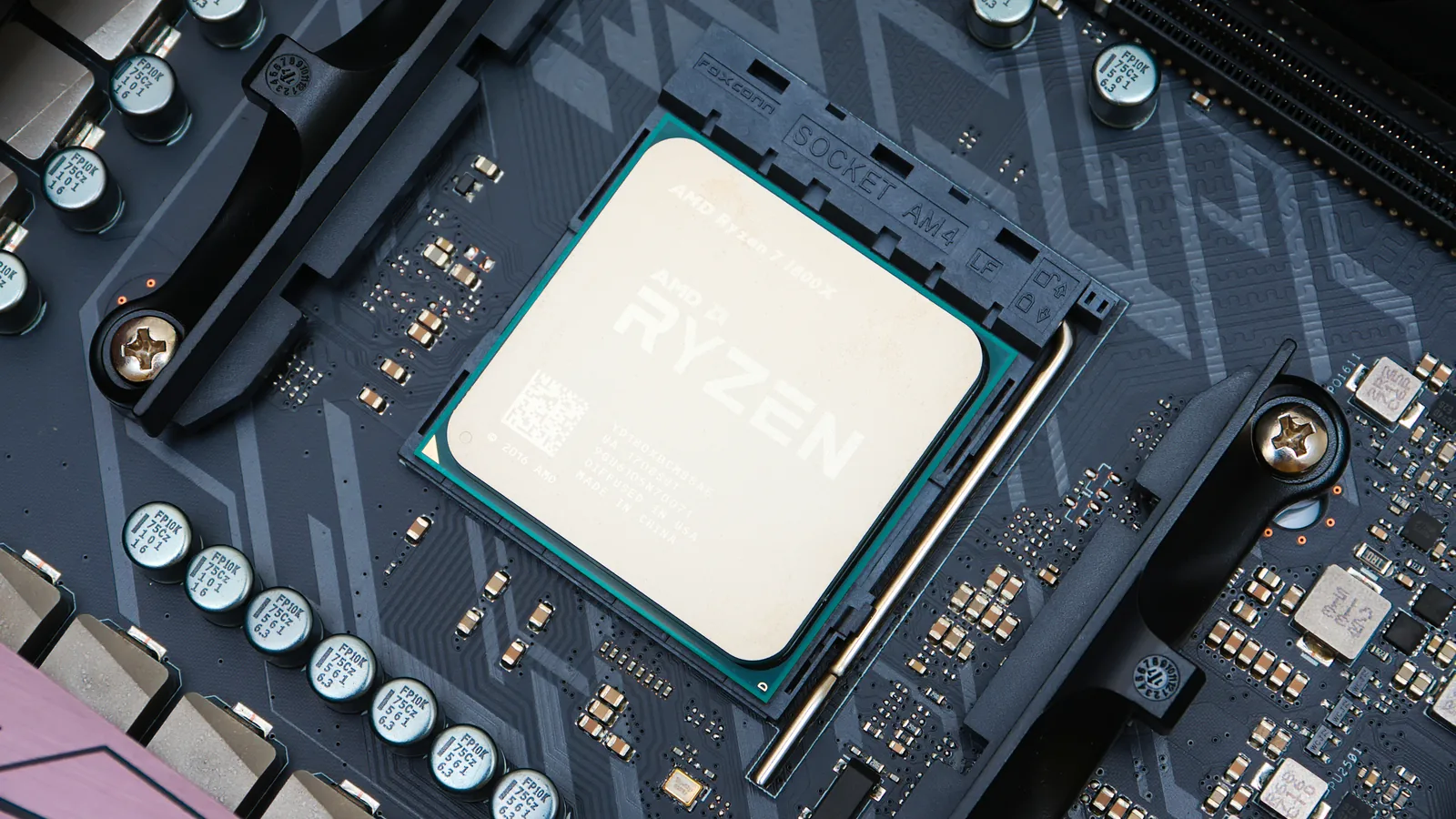
This is also why a tdp calculator, strictly speaking, cannot size a power supply. TDP is a thermal design figure for the cooler, not a power budget for the unit, and on Intel parts it corresponds to PL1 only. A cpu wattage calculator that reads the TDP number and stops will understate an unlocked chip by 50 to 100 W under load. A cpu power supply calculator has to read both limits, which is what the table above does.
Published per-part figures are on the AMD and PassMark CPU benchmark pages, and our own CPU benchmarks for 2026 covers which of these parts is worth the money.
Does a PSU efficiency rating change the wattage you need?
No, and this is the most widespread misunderstanding in power supply sizing. A wattage rating describes DC output to your components. Efficiency describes how much AC the unit pulls from the wall to produce that DC. A 650 W Bronze unit and a 650 W Titanium unit both deliver 650 W of DC. Efficiency changes your electricity bill and your case temperature, not the size you need to buy.
The same build on two different efficiency tiers
Put concretely: a build drawing 500 W of DC needs a unit rated for more than 500 W of DC, whatever its efficiency badge. On an 85 percent efficient unit it pulls about 588 W from the wall. On a 94 percent efficient unit it pulls about 532 W. Both deliver the same 500 W to the hardware, and both need the same capacity.
| 80 PLUS tier | Efficiency at 20 percent load | At 50 percent load | At 100 percent load |
|---|---|---|---|
| 80 PLUS | 80 percent | 80 percent | 80 percent |
| Bronze | 82 percent | 85 percent | 82 percent |
| Silver | 85 percent | 88 percent | 85 percent |
| Gold | 87 percent | 90 percent | 87 percent |
| Platinum | 90 percent | 92 percent | 89 percent |
| Titanium | 92 percent | 94 percent | 90 percent |
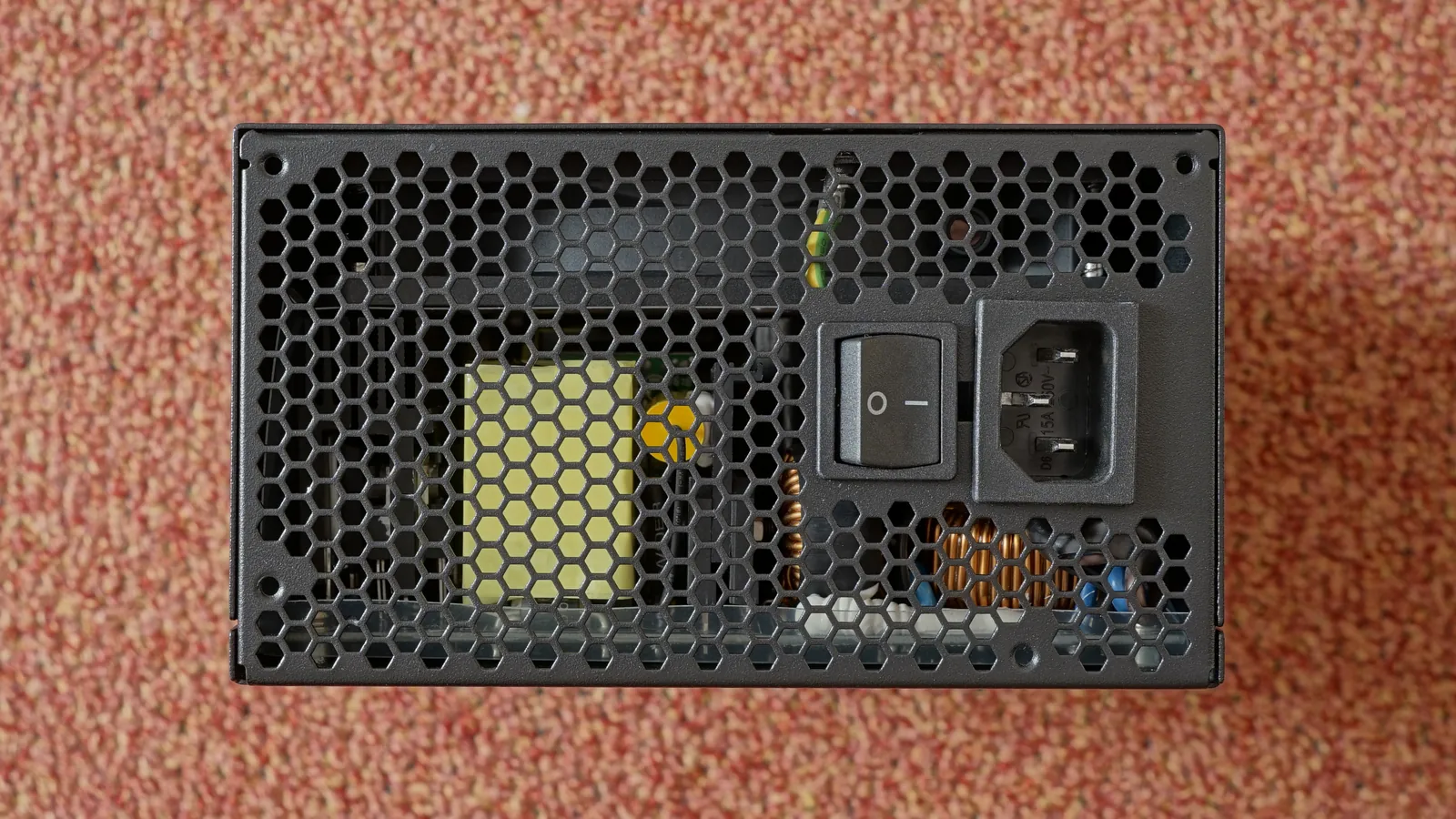
The figures above are the 115 V internal non-redundant standard published by the 80 PLUS certification programme. Note the shape of the curve: every tier peaks around half load and falls off at both ends. That is the real argument for headroom, and it is a better one than the vague advice to “leave room”. A unit running at 50 percent is at its efficiency peak, runs cooler, and on most modern designs has not spun its fan up yet.
Where efficiency does pay for itself
Where efficiency does earn its money is heat and noise. An 85 percent efficient unit delivering 500 W is dissipating about 88 W as heat inside your case. A 94 percent unit delivering the same 500 W dissipates about 32 W. That is 56 W of heat your case fans no longer have to move, which is worth more to most people than the electricity saving.
How many watts does a gaming PC use?
A current gaming PC draws between 250 W and 900 W depending almost entirely on the graphics card. An entry build with an RTX 4060 sits near 300 W. A mid-range build with an RTX 4070 or RX 7800 XT lands between 450 W and 500 W. A flagship build with an RTX 5090 reaches 860 W or more. Idle draw is 50 W to 90 W across all of them.
Why the range is so wide
How many watts does a pc use, how many watts does my pc need and how many watts do i need for my pc are three of the most searched versions of this question, and they have one answer: it depends on the graphics card and almost nothing else. The spread is wide because the graphics card is 50 to 70 percent of the total in any gaming build, and graphics cards span an eightfold range of power draw while processors span barely fourfold.
| Build tier | Example pairing | Idle | Gaming | All-core | Recommended unit |
|---|---|---|---|---|---|
| Entry | Core i3-14100F and GTX 1650 | 55 W | 277 W | 320 W | 350 W |
| Budget | Ryzen 5 5600 and RTX 3050 | 60 W | 297 W | 330 W | 400 W |
| Budget plus | Core i5-12400F and RTX 4060 | 62 W | 302 W | 340 W | 400 W |
| Lower mid | Ryzen 5 7600X and RTX 4060 Ti | 68 W | 378 W | 420 W | 500 W |
| Mid | Core i5-13600K and RTX 4070 | 72 W | 449 W | 530 W | 600 W |
| Mid plus | Ryzen 7 7700X and RX 7800 XT | 74 W | 481 W | 540 W | 650 W |
| High | Ryzen 7 9800X3D and RTX 5080 | 80 W | 596 W | 650 W | 750 W |
| High plus | Ryzen 9 7950X and RTX 4080 SUPER | 86 W | 616 W | 720 W | 850 W |
| Flagship | Core i9-14900K and RTX 5090 | 92 W | 863 W | 990 W | 1200 W |
Used as a wattage calculator for pc gaming builds specifically, that table is the shortcut: find your tier, read the recommended column. Used as a psu calculator for gaming pc work with unusual parts, put the actual components into the form above instead, because an X3D chip or a Mini-ITX board moves the total by more than a tier.
Every gaming figure in that table is this calculator’s output for a standard build: ATX board, two memory modules, one NVMe drive, tower air cooler, three case fans, no overclock, ATX 3.1 unit. The idle and all-core columns are the same build under the idle and rendering workloads.
If you want to know what your existing machine draws rather than a theoretical build, how many watts your PC uses covers measuring it with a wall meter, which is the only way to know for certain.
What size PSU do you need for a budget, mid-range or high-end build?
Budget builds with a 75 W to 130 W card are served by 400 W to 450 W. Mid-range builds with a 200 W to 265 W card want 600 W to 650 W. High-end builds with a 300 W to 360 W card want 750 W to 850 W. An RTX 5090 build wants 1200 W. Those bands already include sensible headroom, so you do not need to add more on top.
The useful way to read a PSU calculator result is that the card sets the band and everything else moves you within it.
| If your graphics card is | Buy at least | Comfortable choice | Why |
|---|---|---|---|
| Slot powered, under 80 W | 350 W | 450 W | Fixed overheads dominate the total |
| 100 W to 140 W | 400 W | 500 W | One PCIe 8-pin, no transient concern |
| 150 W to 200 W | 500 W | 600 W | Transients start to matter on ATX 2.x units |
| 220 W to 270 W | 600 W | 700 W | Two PCIe 8-pin, 1.35x spikes on Radeon parts |
| 280 W to 330 W | 650 W | 750 W | 12VHPWR territory, ATX 3.1 worth paying for |
| 340 W to 400 W | 750 W | 850 W | 1.3x spikes on a 360 W base is 468 W momentary |
| 450 W to 600 W | 1000 W | 1200 W | 12V-2×6 required, native cable only |
What moves you up or down a band
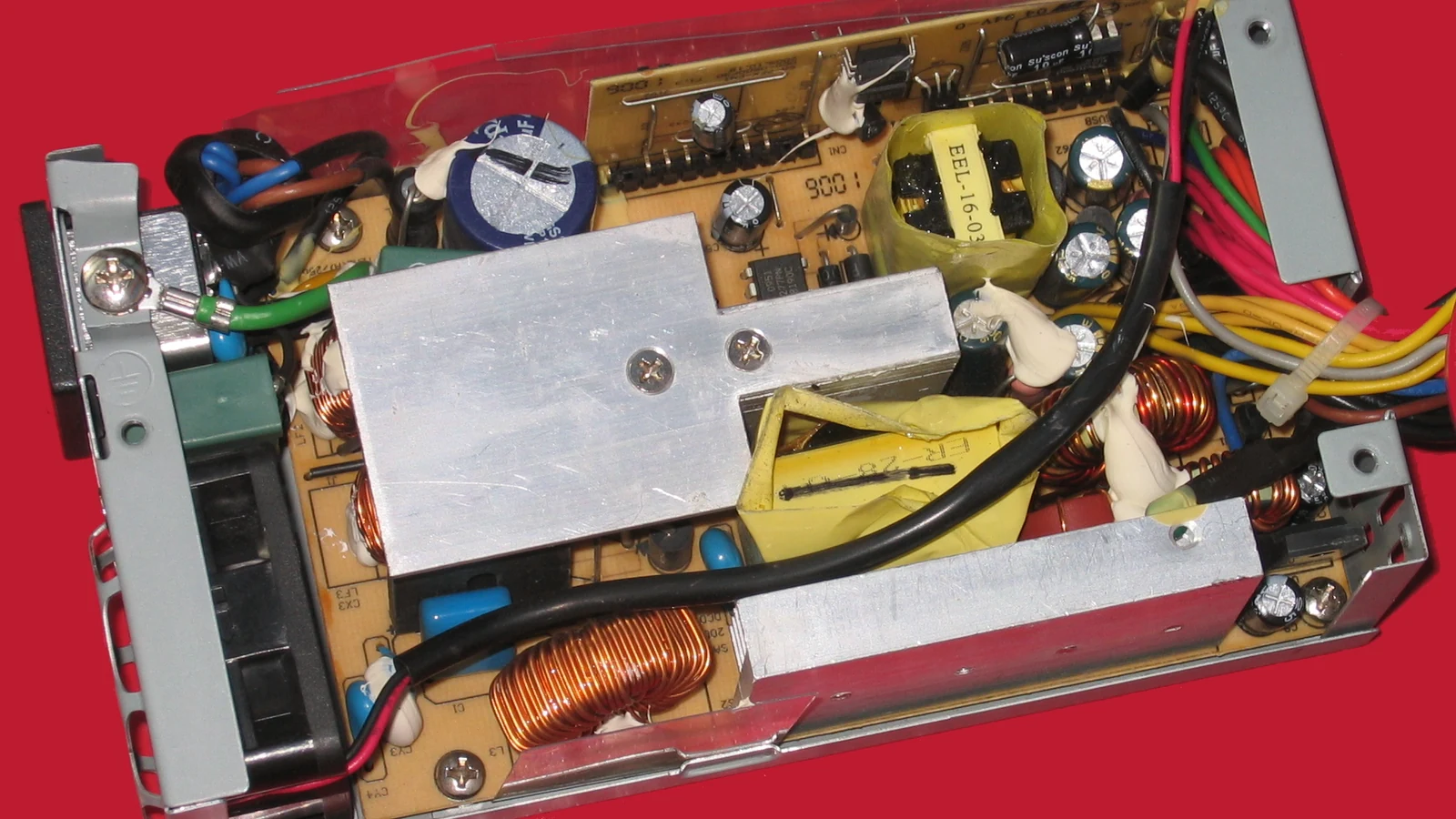
Three modifiers push you up a band. An unlocked Intel processor running an all-core workload adds 60 W to 130 W over its gaming figure. A custom water loop adds 35 W for pumps before fans. And a second graphics card, if you are still doing that, doubles the largest line in the breakdown and the spike with it.
Two modifiers let you stay put. An X3D processor is 60 W to 90 W below the Intel part it competes with. And a Mini-ITX board draws 25 W against an ATX board’s 50 W, which on a small build is a meaningful share of the total.
For specific card pairings we have build guides for the best CPU for an RTX 5090, the RTX 5080 and the RTX 5070, plus the best PSU for an RTX 5090 if you are at the top of the range.
How much headroom should you leave on a power supply?
Aim to sit between 50 and 70 percent of the unit’s rating at your normal load. That lands you on the efficiency peak, keeps the fan slow or stopped, leaves room for a future graphics card, and gives transients somewhere to go. Below 30 percent you are paying for capacity you will never use. Above 85 percent sustained, the unit runs hot, loud and short.
This calculator gives four tiers rather than one number, because “how much headroom” has a different answer depending on what you are optimising for.
| Tier | Duty cycle target | What it is for |
|---|---|---|
| Minimum | 95 percent of rating | The smallest unit that will not fault. Not a recommendation. |
| Recommended | 80 percent of rating | The sensible buy. Headroom for transients and ageing. |
| Comfortable | 65 percent of rating | Efficiency peak, quiet fan, room for one upgrade. |
| Future proof | 60 percent plus upgrade allowance | Survives a graphics card upgrade without replacement. |
Why the minimum tier is not a recommendation
The minimum tier exists to be honest, not to be followed. It is the figure below which the unit will shut down or fault, and running a power supply at 95 percent of its rating continuously is how you turn a five-year unit into a two-year one. Capacitor life roughly halves for every 10 degrees Celsius of temperature rise, and load is what drives that temperature.
The case against too much headroom
Where people get this wrong is assuming more headroom is always better. It is not free. A 1000 W unit running a 250 W build sits at 25 percent load, below the efficiency peak, and costs two to three times what a well-chosen 500 W unit costs. You have paid a premium to be slightly less efficient.
The one case for deliberate overcapacity is a planned upgrade. If you are buying a 650 W unit today for a build that draws 450 W, and you intend to fit a 350 W card in two years, buy the 850 W now. Power supplies outlast two or three graphics cards, and replacing one means unplugging everything.
What does ATX 3.1 actually change?
ATX 3.0 and 3.1 require a power supply to survive defined transient excursions above its rating rather than merely tolerating them by luck. A compliant 850 W unit must hold up through a 200 percent excursion for 100 microseconds. That is why this psu calculator asks which specification your unit meets, and why the same build needs less nameplate wattage on an ATX 3.1 unit than an older one.
What the specification changed
Before ATX 3.0, transient tolerance was an implementation detail. Good units had generous protection thresholds and held on. Cheap ones tripped. Nothing in the specification required either behaviour, so you could not tell from the label.
| Specification | Transient requirement | Native 12V-2×6 | Practical effect |
|---|---|---|---|
| ATX 2.x | None defined | No | Buy 15 to 25 percent more nameplate wattage |
| ATX 3.0 | 200 percent excursion, 100 microseconds | 12VHPWR on most | Spikes mostly absorbed by the unit |
| ATX 3.1 | Same, with tightened connector and sensing rules | 12V-2×6 | Current standard, buy this |
In this calculator the specification you pick changes how much of the raw graphics card spike has to be bought as extra capacity: 60 percent of it on ATX 2.x, 30 percent on ATX 3.0, 20 percent on ATX 3.1. On an RTX 5080 build that is the difference between a 750 W recommendation and an 850 W one, on identical hardware.
The upshot is that an older unit is not automatically unsafe, but it needs more margin to do the same job. If you have a good quality 850 W ATX 2.x unit from 2019, it will very likely run a 360 W card. If you have a budget 650 W ATX 2.x unit, it probably will not, even though 650 W is numerically sufficient.
What is the 12V-2×6 connector and do you need it?
It is the 16-pin connector that replaced three or four PCIe 8-pin cables on high-end cards, carrying up to 600 W through one plug. 12V-2×6 is the revised version of 12VHPWR with shorter sense pins so a partly seated plug cannot draw full current. If your card has one, use a native cable from an ATX 3.x unit rather than an adapter, and push it in until it clicks.
Why the connector exists and why it got a bad name
The engineering reason for the connector is straightforward: an RTX 5090 at 575 W needs more current than three 8-pin cables comfortably provide, and a single plug is tidier than four. The reason it became notorious is that the original 12VHPWR design tolerated partial insertion, and a partly seated plug concentrates the full current through fewer contacts than intended. That is enough to melt a connector.
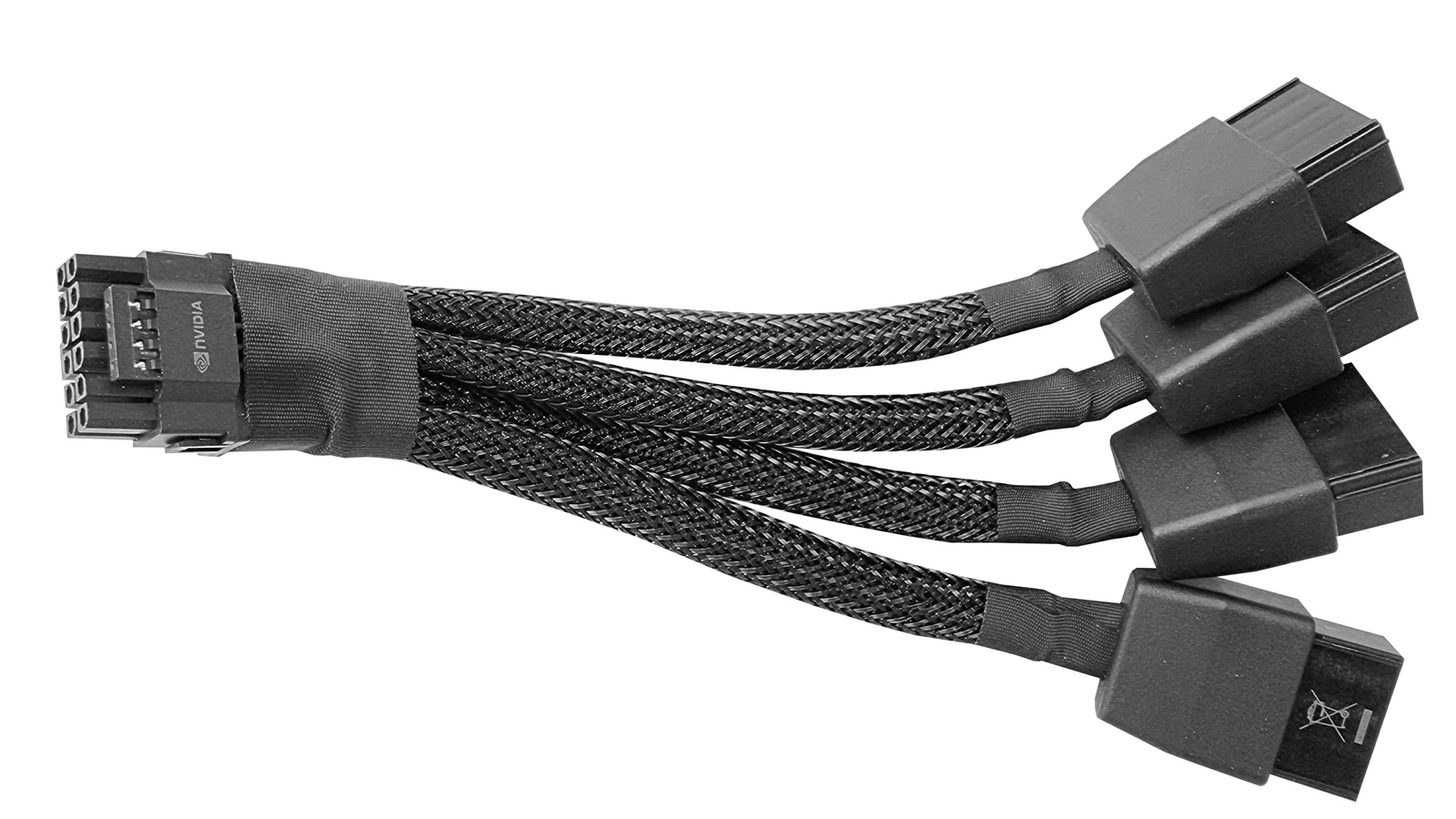
12V-2×6 fixes the mechanism rather than the user, and is the connector NVIDIA ships on the RTX 50-series cards. The sense pins are recessed 1.5 mm further, so an under-seated plug reports itself as unseated and the card limits its draw instead of pulling 600 W through a bad contact.
How to fit one without melting it
Practical rules, in order of how much they matter.
- Seat it fully. You should feel and hear a click. If the latch is not flush, it is not in.
- Prefer a native cable. An ATX 3.x unit with a 12V-2×6 cable in the box is the clean answer.
- If you must use the bundled adapter, support the cable so its weight is not levering the plug out of the socket, and do not bend it within 35 mm of the connector.
- Check it again after moving the PC. This is the failure that shows up a week later.
- Do not daisy-chain two 8-pin connectors from one PSU cable on a card that wants two separate feeds.
| Connector | Rated power | Pins | Found on |
|---|---|---|---|
| PCIe 6-pin | 75 W | 6 | Older mid-range cards |
| PCIe 8-pin | 150 W | 8 | Most cards up to 300 W |
| 12VHPWR | 600 W | 16 | RTX 40-series, ATX 3.0 units |
| 12V-2×6 | 600 W | 16 | RTX 50-series, ATX 3.1 units |
| EPS 8-pin | 235 W | 8 | Processor power on the motherboard |
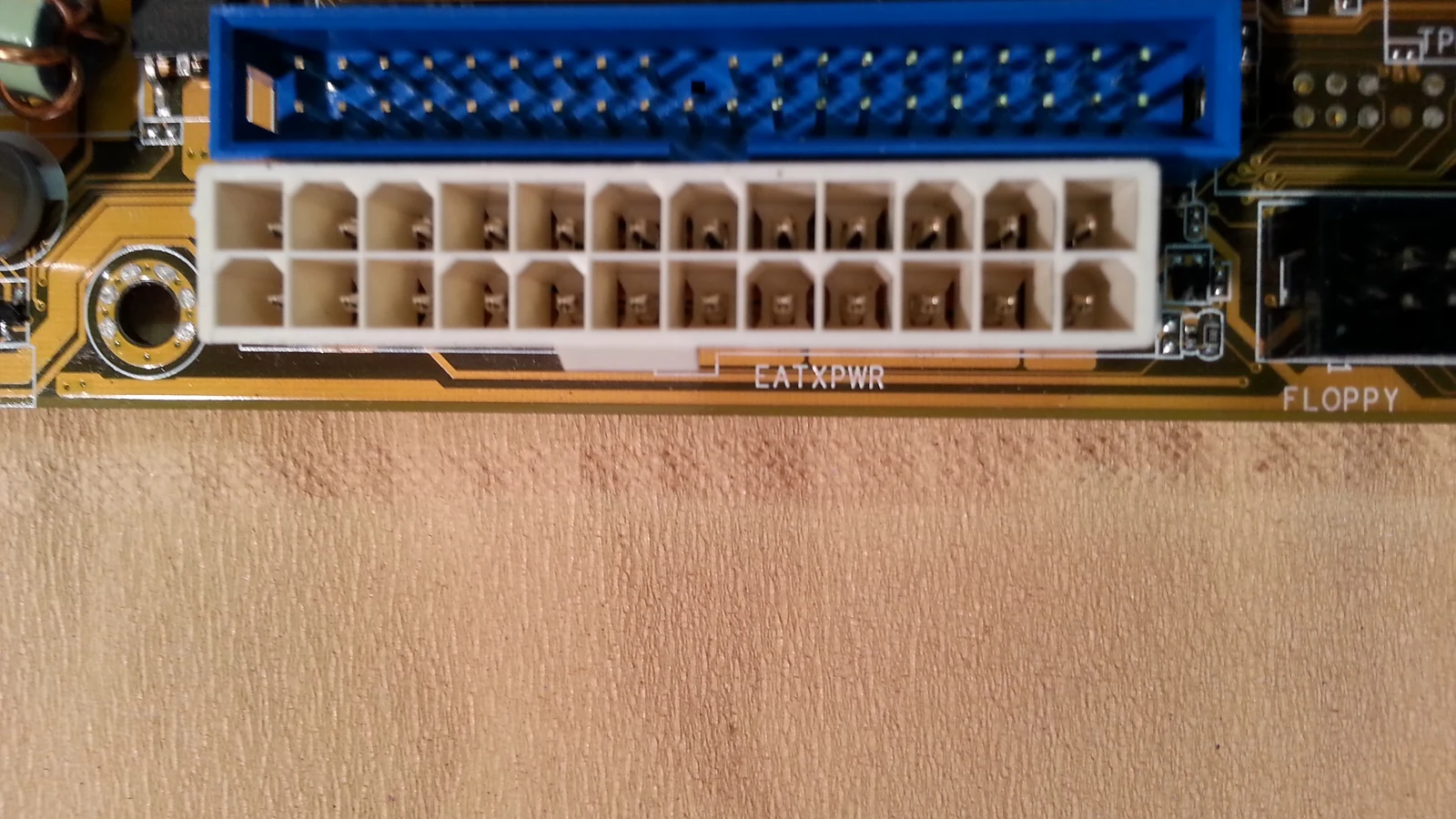
| ATX 24-pin | Varies by rail | 24 | Main motherboard connector |
Which cables and connectors does your build need?
Count them before you buy. A high-end card needs one 12V-2×6 or up to four PCIe 8-pin feeds. The motherboard needs a 24-pin plus one or two EPS 8-pin for the processor. Every SATA drive and every fan hub needs a feed. Running out of a particular cable is a more common reason for a return than running out of watts.
Wattage gets all the attention and connectors cause most of the actual problems, and no PSU calculator anywhere will warn you about them. A 750 W unit with one PCIe 8-pin cable cannot run a card that needs two, however many watts it has spare.
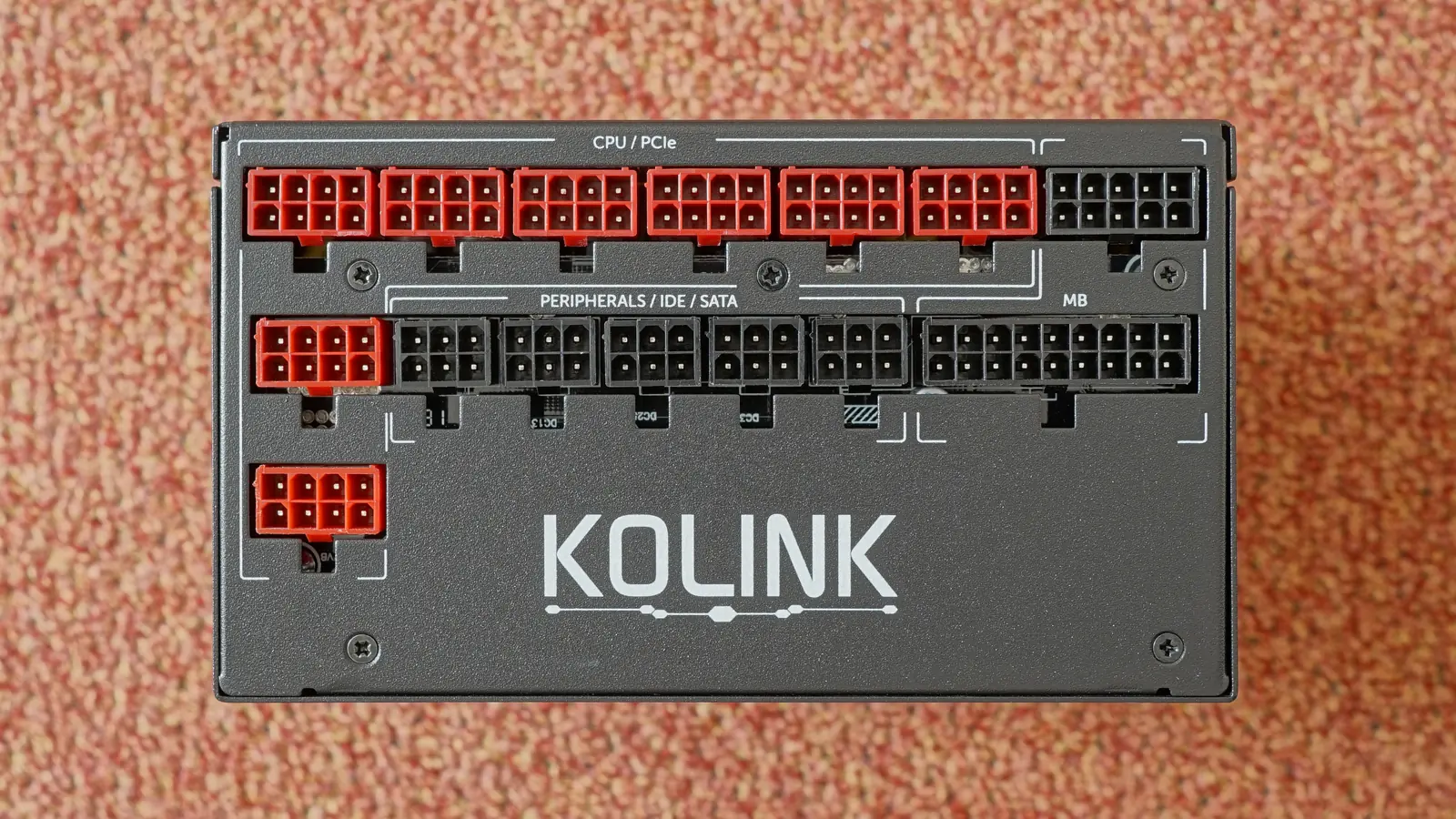
| What needs power | Connector | How many |
|---|---|---|
| Motherboard main | ATX 24-pin | Always one |
| Processor | EPS 8-pin | One on mainstream boards, two on high-end and HEDT |
| Graphics card, up to 300 W | PCIe 8-pin | One or two |
| Graphics card, 300 W and above | 12VHPWR or 12V-2×6 | One, native cable |
| SATA SSD or hard drive | SATA power | One each |
| NVMe drive | None, slot powered | Zero |
| Case fans on a hub | SATA or Molex | One per hub |
| AIO cooler pump | SATA or Molex, sometimes fan header | One |
| RGB controller | SATA or Molex | One |
A modular unit is worth the small premium on any build you will open again, which is all of them. Not for the cable tidiness, although cable management is easier, but because you can replace a single damaged cable instead of the unit, and because you are not stuffing eight unused SATA leads behind the motherboard tray.

How much do the rest of the parts add up to?
More than people expect. A standard ATX board, two DDR5 modules, one NVMe drive, an air cooler, three fans and the USB allowance come to 93 W before the processor and graphics card are counted. On a 300 W budget build that is nearly a third of the total, which is why sizing a small build by its CPU and GPU alone underestimates it badly.
This is the part of a PSU calculator where the TDP-sticker tools actually do reasonably well, because these figures genuinely are roughly fixed. It is also where the biggest single surprise lives: the motherboard.
| Component | Draw | Note |
|---|---|---|
| Mini-ITX motherboard | 25 W | VRM losses, chipset, onboard controllers |
| Micro-ATX motherboard | 35 W | |
| ATX motherboard | 50 W | The standard case |
| HEDT or workstation board | 80 W | More VRM phases, more controllers |
| DDR4 module | 3 W each | |
| DDR5 module | 5 W each | On-module power management |
| NVMe SSD | 7 W each | Peaks higher on write bursts |
| SATA SSD | 3 W each | |
| Hard drive | 9 W each | Spin-up draws more briefly |
| Stock cooler | 3 W | |
| Tower air cooler | 5 W | |
| 240 mm AIO | 15 W | Pump plus two fans |
| 360 mm AIO | 20 W | Pump plus three fans |
| Custom water loop | 35 W | Pumps only, add fans separately |
| Case fan | 2 W each | |
| RGB case fan | 4 W each | Lighting roughly doubles it |
| USB and peripherals | 15 W | Flat allowance for keyboard, mouse, devices |
Three things worth acting on
Three observations worth acting on.
RGB costs real watts. Eight RGB fans at 4 W is 32 W, against 16 W for the same fans without lighting. That is an NVMe drive and a half, for lighting.
Hard drives are the only component here with a meaningful inrush. A drive that draws 9 W running pulls noticeably more for the second or two it takes to spin up, and four of them starting together is a real load. Staggered spin-up exists for exactly this reason.
Memory choice barely matters for power. The difference between two DDR4 modules and two DDR5 modules is 4 W, which is less than one case fan. Choose memory on DDR4 versus DDR5 performance grounds, not power.
What does running your PC actually cost?
A 450 W mid-range build gaming four hours a day costs roughly 27 US dollars a year at 17 cents per kWh. A 860 W flagship build on the same schedule costs about 52 dollars. The electricity is rarely the deciding factor, but the heat it puts into a small room in summer genuinely is.
The arithmetic, and what it settles
The arithmetic is worth seeing because it settles a lot of arguments. Convert DC draw to AC draw by dividing by the efficiency, multiply by hours, and multiply by your rate.
| Build | DC draw gaming | AC draw at 90 percent | 4 hours a day | Per year at 17 cents |
|---|---|---|---|---|
| Entry, RTX 4060 | 302 W | 336 W | 1.34 kWh | 83 dollars |
| Mid, RTX 4070 | 449 W | 499 W | 2.00 kWh | 124 dollars |
| High, RTX 5080 | 596 W | 662 W | 2.65 kWh | 164 dollars |
| Flagship, RTX 5090 | 863 W | 959 W | 3.84 kWh | 238 dollars |
Those annual figures assume gaming for four hours every day of the year, which almost nobody does. Halve the hours and halve the cost. The calculator’s own running-cost panel takes your rate and your hours rather than these assumptions.
What the table does show clearly is the gap between tiers. Moving from a mid-range card to a flagship costs about 114 dollars a year in electricity on top of the 1,500 dollar price difference. Over three years that is another graphics card’s worth of running cost, which is a fair thing to know before you buy.
The efficiency tier changes this less than people hope. The same flagship build on a Titanium unit instead of a Bronze one saves roughly 25 dollars a year. A Titanium unit costs 60 to 100 dollars more than a Bronze one of the same capacity, so it pays back in three to four years on heavy use and never on light use. Buy Gold, which is the point on the curve where price and efficiency stop fighting.
Can a power supply be too big?
Only for your wallet, not for your hardware. A 1200 W unit will not force extra current into a 300 W build, because components draw what they need. The real costs of overbuying are money, a fan that never reaches its quiet operating point on some designs, and efficiency slightly below the peak at very low load.
The myth that an oversized unit damages components, which no PSU calculator will correct for you, comes from a misunderstanding of how a power supply works. It is a voltage source, not a current source. It holds the 12 V rail at 12 V and supplies whatever current the load pulls. Rated capacity is a ceiling, not a target.
The three real downsides of overbuying
There are three genuine downsides, none of them dangerous.
Money is the obvious one. A good 1000 W unit costs roughly twice a good 550 W unit. On a build that draws 300 W that is 80 to 120 dollars spent on nothing.
Efficiency at very low load is the second. The 80 PLUS curve is measured at 20, 50 and 100 percent load, and below 20 percent it falls away. A 1200 W unit idling a build at 80 W is at 6.7 percent load, well off the chart, where efficiency can drop into the 70s. In practice this costs pennies.
Fan behaviour is the third and it cuts both ways. Most modern units have a semi-passive mode that keeps the fan stopped below 30 or 40 percent load, so an oversized unit is often quieter. But a few designs tie fan speed to a curve that never settles properly at very low load and cycles on and off instead, which is more annoying than a constant low hum.
The sensible conclusion is to buy one tier above what you need, not three. That is what the comfortable tier in this calculator is for.
How do you tell whether your current PSU is enough?
Read the label for the 12 V rail rating rather than the headline wattage, then run your build through this psu calculator and compare. If the calculator’s peak figure is above 85 percent of your 12 V capacity, or above your total rating on an ATX 2.x unit, you are too close. A wall meter settles it for certain.
A PSU calculator can only tell you what you need. Matching that against what you own starts with the label. The headline wattage on the box is the total across all rails. What a modern PC actually uses is almost entirely the 12 V rail, and on a good unit that is 95 percent or more of the total. On a cheap or old unit it can be considerably less, with capacity wasted on 3.3 V and 5 V rails that nothing needs any more.
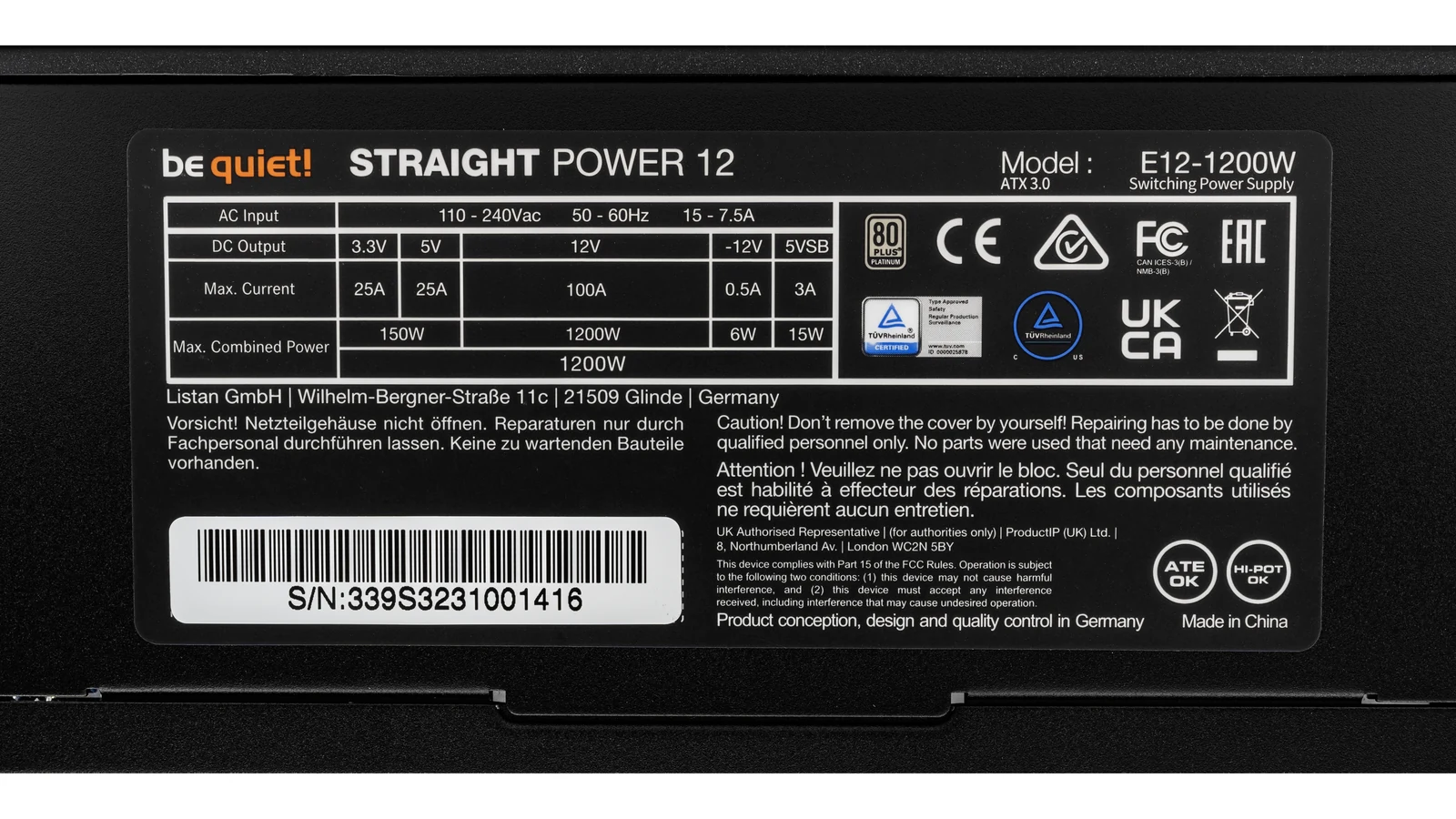
Reading the 12 V rail off the label
The label is on the side of the unit, which means looking inside the case. What you want is the row marked plus 12 V and its amperage. Multiply amps by 12 to get the real capacity.
- A unit listing 12 V at 54 A has 648 W of usable 12 V capacity.
- A 650 W unit listing 12 V at 40 A has only 480 W of usable capacity, and is a unit to replace.
- Multiple 12 V rails listed separately, each with its own amperage, means a multi-rail design and the per-rail limit applies to whatever is plugged into that rail.
Four signs your unit is marginal
That multiplication is the whole of what a psu watt calculator does on the supply side. Our form handles the demand side. Put the two together and you have your answer: if the peak figure from this psu power supply calculator sits above 85 percent of the 12 V capacity on the label, the unit is too small for the build.
Four signs your current unit is marginal, in rough order of how diagnostic they are.
- The PC restarts rather than freezing, specifically under load, and specifically in graphically heavy moments. That is a protection trip.
- It happens in one or two games and nothing else, which points at a transient rather than a sustained load.
- It started when you fitted a new graphics card and nothing else changed.
- The unit makes an audible click at the moment of shutdown. That is the relay.
What is not diagnostic: random blue screens, crashes to desktop, and artefacting. Those are usually memory, drivers or the card itself, and checking GPU health or monitoring temperatures is a better use of your time.
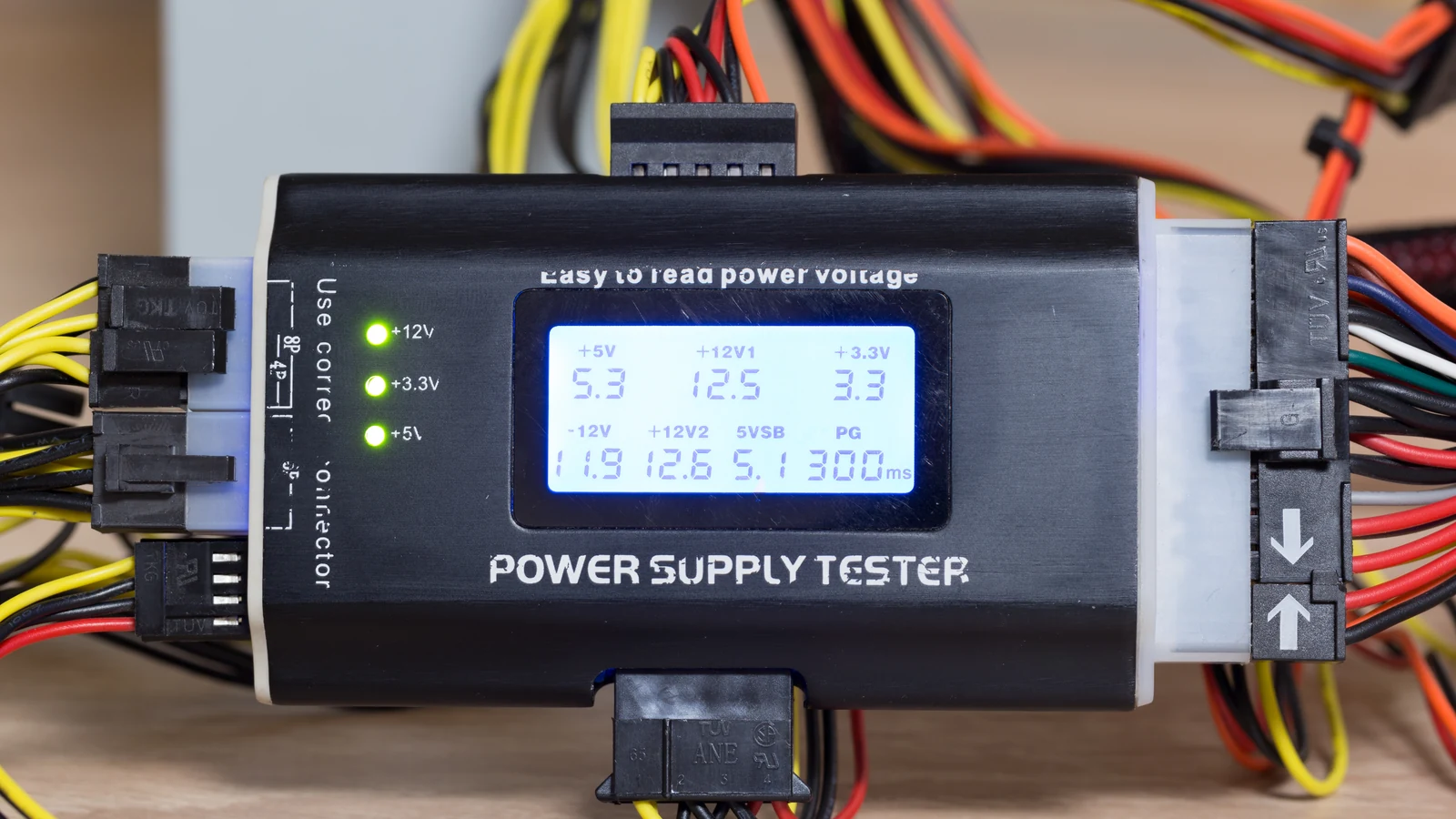
A 15 dollar power supply tester tells you whether a unit powers up and roughly holds its rails with nothing attached. It cannot tell you whether the unit sags under a 500 W load, which is the question you actually have. For that you need a wall meter on the input side and HWiNFO reading rail voltages on the output side, under a real load.
What happens when a power supply is undersized?
It trips its protection and the PC shuts down instantly, usually without a blue screen and usually mid-game. Chronic undersizing is worse than dramatic: a unit held at 95 percent load runs hot, its capacitors degrade faster, and its capacity falls until a build that worked for a year stops working with no hardware change at all.
The two patterns of failure
Undersizing shows up in two distinct patterns and they have different fixes.
The abrupt pattern is a protection trip. Over-current, over-power or over-temperature protection fires, the unit cuts output, and the machine goes dark. There is no crash dump because the CPU lost power mid-instruction. Power cycling brings it straight back, which is what makes people think it is software.
| Symptom | Likely cause | Not likely |
|---|---|---|
| Instant shutdown under load, no blue screen | Protection trip, undersized or transient | Driver fault |
| Shutdown only in specific games | Transient spike on an ATX 2.x unit | Memory fault |
| Shutdown that started with a new GPU | Insufficient capacity or wrong connector | Coincidence |
| Audible click then dark | Relay opening, protection fired | Thermal throttle |
| Gradual onset over months | Capacitor ageing, capacity loss | Software rot |
| Blue screen with a stop code | Memory, storage or driver | Power supply |
| Artefacts on screen but no shutdown | Graphics card or VRAM | Power supply |
The slow one that catches people out
The gradual pattern is the one that catches people. Electrolytic capacitors lose capacitance over time, and the rate roughly doubles for every 10 degrees Celsius of operating temperature. A unit run at 90 percent load in a warm case is hot, and a hot unit ages fast. Three years in, a nominal 650 W unit might deliver 550 W before its ripple goes out of specification. The build did not change. The unit did.
This is the strongest practical argument for the comfortable tier rather than the minimum. A unit at 65 percent load runs 15 to 20 degrees cooler than the same unit at 95 percent, and that difference is most of its service life.
Cheap units fail in a third way worth naming: they lie. A unit badged 600 W that delivers 380 W before its protection fires is not undersized by your arithmetic, it is undersized by the label. This is why the PSU tier list is worth reading before you buy anything unfamiliar, and why capacity is not a substitute for build quality.
How does this computer power supply calculator compare with the vendor tools?
We tested it. Fifteen CPU and GPU pairings, identical inputs, run through this calculator and through be quiet!, Cooler Master and Newegg. Mean absolute difference on system draw is 8.9 percent against be quiet! and 8.4 percent against Cooler Master. On recommended unit size against Newegg it is 6.8 percent. We also found one case where we read high, and we are telling you which.
The full fifteen-build comparison
Agreement across independent engines is the only external check available for a tool like this, so here is the whole comparison rather than a summary.
| Build | This calculator | be quiet! | Cooler Master | Newegg |
|---|---|---|---|---|
| Core i3-14100F and GTX 1650 | 277 W | 217 W | 228 W | 389 W |
| Ryzen 5 5600 and RTX 3050 | 297 W | 308 W | not listed | 436 W |
| Ryzen 5 5500 and RX 6600 | 333 W | 338 W | 300 W | 446 W |
| Core i5-12400F and RTX 4060 | 302 W | 351 W | 275 W | 426 W |
| Ryzen 5 7600X and RTX 4060 Ti | 378 W | 414 W | not listed | 511 W |
| Core i5-14600K and RTX 5060 Ti | 429 W | 393 W | 400 W | 546 W |
| Ryzen 7 5800X3D and RX 7700 XT | 459 W | 483 W | 445 W | 591 W |
| Core i5-13600K and RTX 4070 | 449 W | 513 W | 420 W | 616 W |
| Ryzen 7 7700X and RX 7800 XT | 481 W | 539 W | 463 W | 634 W |
| Ryzen 7 9800X3D and RTX 5080 | 596 W | 614 W | 575 W | 721 W |
| Core i7-14700K and RTX 4070 Ti SUPER | 573 W | 655 W | 505 W | 666 W |
| Ryzen 9 7950X and RTX 4080 SUPER | 616 W | 662 W | 585 W | 761 W |
| Core i9-14900K and RTX 5090 | 863 W | 885 W | 795 W | 966 W |
| Ryzen 9 9950X and RX 7900 XTX | 635 W | 683 W | 620 W | 831 W |
| Core Ultra 9 285K and RTX 5070 Ti | 587 W | 647 W | 520 W | 666 W |
Newegg’s column is not directly comparable to the other three, because its flat 150 W makes it a recommended unit size rather than a draw figure. Against our recommended tier instead of our draw figure it agrees to 6.8 percent on average.
Where we are strongest is the middle and top of the range. On the Ryzen 7 9800X3D with an RTX 5080, three independent engines land on 575 W, 596 W and 614 W, a spread of under 7 percent. That is about as much agreement as this kind of estimate supports.
Where we are weakest, stated plainly: on the Core i3-14100F with a GTX 1650 we read 277 W against 217 W and 228 W. That is 21 to 28 percent high and it is the only pairing outside 15 percent anywhere in the set. The cause is our processor model. We scale the chip between its 58 W sustained limit and its 150 W boost ceiling and land on 109 W, where both competitors use the 58 W figure. For a locked four-core part in a game, they are closer to reality than we are, because a game cannot load four cores hard enough for long enough to approach that ceiling.
We would rather publish that than quietly round it away. A fix is drafted, capping the gaming processor figure at a multiple of the sustained limit, and it will ship when it has been validated across a proper spread of low-end pairings rather than fitted to one. In the meantime, if you are sizing an entry build around a locked Core i3 or Core i5, treat our figure as the conservative end and knock 30 to 50 W off it.
Every other engine’s figures above were taken from that engine’s own calculation on the same inputs, not transcribed from a screenshot.
Does PSU quality matter as much as wattage?
More. A 550 W unit from a good platform will outperform a 750 W unit from a bad one on every measure that matters: ripple, voltage regulation under transient load, protection that fires correctly, and whether it reaches its rated output at 45 degrees Celsius rather than 25. Wattage is the easy half of the decision.
No PSU calculator can measure build quality, so this part is on you. Three or four factories build most of the power supplies on the market, and brands buy platforms from them. TechPowerUp’s PSU reviews are the most consistent public source of load-tested numbers. The badge on the outside tells you less than the platform inside, which is what tier lists exist to document.
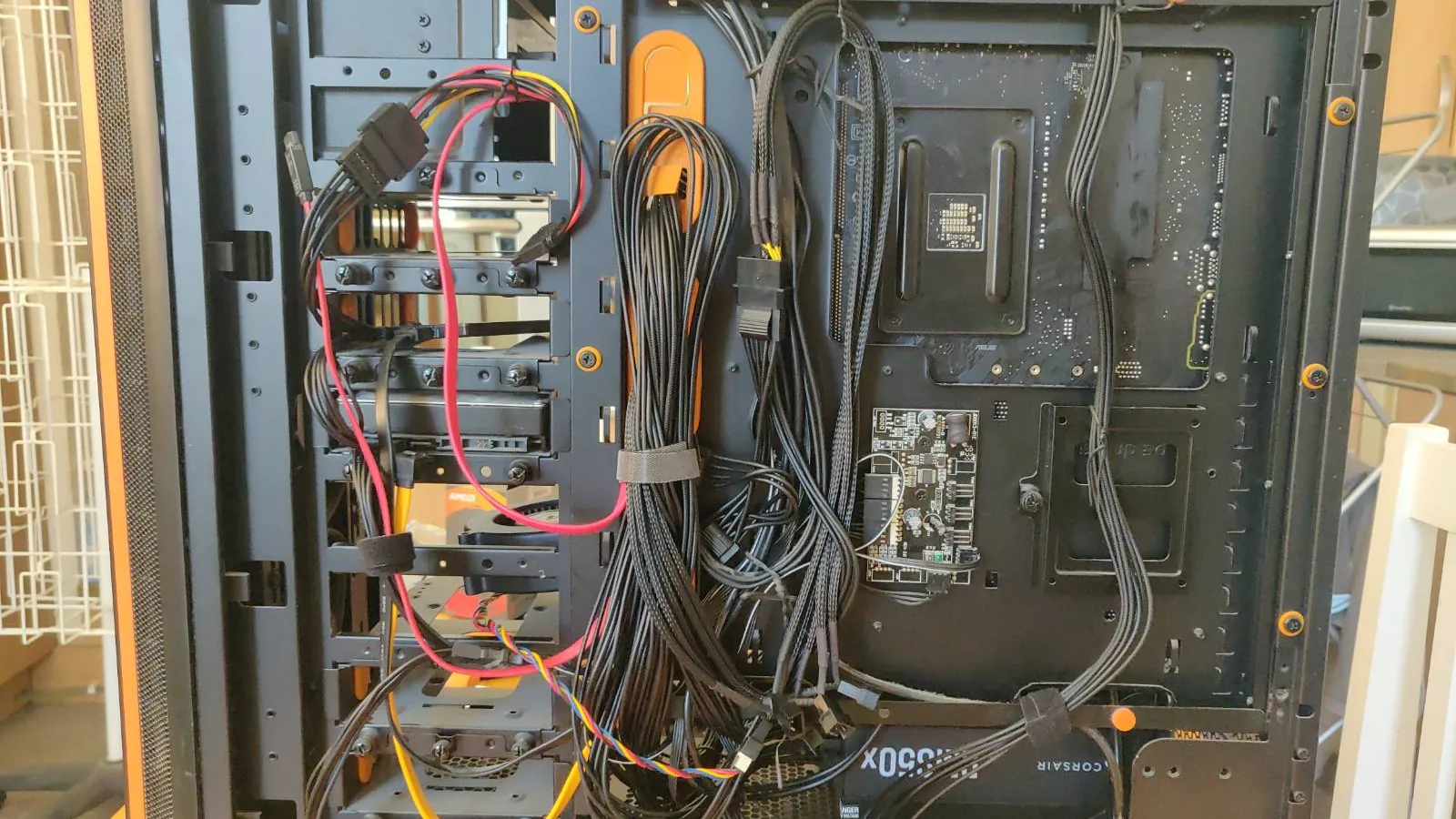
What to check, in order
What to actually check, in order.
- Platform and tier. Look the specific model up on a tier list rather than trusting the brand. Good brands ship budget platforms too.
- Rated temperature. A unit rated for continuous output at 50 degrees Celsius is a serious design. One rated at 25 degrees will not hold its label in a real case.
- Single 12 V rail with adequate amperage. Multi-rail is not inherently bad but it adds a per-rail limit you have to think about.
- ATX 3.1 compliance if you are running a card above roughly 280 W.
- Warranty length. It is the manufacturer betting its own money on the capacitors. Seven to twelve years means something. Two years means something too.
- Native connectors for your card, counted before purchase.
What not to weight heavily: the efficiency badge above Gold, the colour of the cables, and the fan size. A 120 mm fan in a good design is quieter than a 140 mm fan in a bad one.
Does a power supply lose capacity as it ages?
Yes, and more than most people allow for. Electrolytic capacitors lose capacitance with heat and time, so a unit’s usable output falls over its service life. A five-year-old unit run hard may deliver 10 to 20 percent less than its label before ripple leaves specification. Size a new build on the label and an old unit on the label minus 15 percent.
Why heat decides the ageing rate
The ageing rate is not linear and it is dominated by temperature. The rule of thumb among power supply engineers is that capacitor life halves for every 10 degrees Celsius rise. A unit sitting at 40 degrees internal on a light load lasts far longer than the same unit at 70 degrees on a heavy one.
| Unit age and duty | Derate by | Practical reading of a 650 W label |
|---|---|---|
| New, any load | 0 percent | 650 W |
| 3 years, light load under 50 percent | 5 percent | 618 W |
| 3 years, heavy load over 80 percent | 10 percent | 585 W |
| 5 years, light load | 10 percent | 585 W |
| 5 years, heavy load | 15 to 20 percent | 520 W to 553 W |
| 8 years or more, any load | 20 percent and replace it | 520 W |
This is the quiet reason behind a very common support story: a build that ran perfectly for two years starts shutting down in games, nothing has changed, and a new power supply fixes it. Nothing was faulty. The unit simply stopped being big enough.
Two things extend the life materially. Keeping the load in the 50 to 70 percent band, which is the same advice as the headroom section for a different reason. And keeping the unit’s intake clear, which on a bottom-mounted unit means not standing the case on carpet and cleaning the dust filter twice a year.
Does the motherboard change how much power you need?
By 25 W to 55 W depending on form factor, which matters on a small build and disappears on a large one. An ATX board draws about 50 W for its VRM losses, chipset and onboard controllers before anything is attached. A Mini-ITX board draws 25 W. A workstation board with more VRM phases draws 80 W.
The motherboard is the line item people forget entirely, and the one most PSU calculator forms bury, and on a 300 W build 50 W is 17 percent of the total.

Where a bare motherboard’s watts actually go
Where the watts go on a board nothing is plugged into: the voltage regulator module converting 12 V down to the roughly 1.2 V the processor core needs, at 85 to 92 percent efficiency, so a 150 W processor costs 12 to 26 W in VRM losses alone. Then the chipset, the network controller, the audio codec, the USB controllers and the onboard lighting.
This is also why an overclocked processor costs more than the overclock itself: pushing a VRM harder pushes it further down its efficiency curve.
Two practical notes. A high-end board does not need a better power supply than a cheap one of the same size, but it does tend to need two EPS 8-pin feeds rather than one. And picking the board on VRM quality matters far more for sustained processor power than for the headline wattage of your unit.
What should you do after the calculator gives you a number?
Take the recommended tier, not the minimum. Check that the unit has the connectors your graphics card needs. Check it is ATX 3.1 if your card is above 280 W. Look the specific model up on a tier list. Then buy the next standard size up if you expect to upgrade the card within the unit’s warranty.
A twenty-five minute buying checklist
To calculate pc psu requirements properly you need the parts list first, which is why this sits at the end rather than the beginning. Treat the psu calculator pc builders bookmark as the second-to-last step, after the parts are chosen and before the order goes in.
A sensible order of operations, with rough time costs.
- Run your build through this psu calculator and note the recommended figure, not the minimum. Two minutes.
- Count the connectors: one 24-pin, one or two EPS 8-pin, and whatever the card needs. Two minutes.
- Filter retailer listings to that wattage and above, ATX 3.1, modular. Five minutes.
- Check each candidate against a tier list and discard anything below tier B. Ten minutes.
- Check the warranty. Under five years, move on. Two minutes.
- Check physical length against your case, especially in small form factor builds. Five minutes.
Twenty-five minutes of work, most of it after the PSU calculator has done its part, to avoid the one component whose failure can take other components with it.
Two final judgements that this calculator cannot make for you. Whether to spend the difference between Gold and Platinum, which almost always comes out as no. And whether to buy capacity for a graphics card you have not chosen yet, which comes out as yes if you expect to upgrade inside three years, because power supplies outlive graphics cards and swapping one means stripping the build.
If you are still putting the parts list together, the bottleneck calculator will tell you whether your processor and graphics card are a sensible match before you worry about powering them, the FPS calculator will estimate what the pair actually delivers in a given game, and the PC builder checks socket, memory and physical compatibility across the whole list.
How big a UPS does your PC need?
A UPS battery backup is sized from the load your PC draws, not from the PSU rating on the label. Start with the sustained figure from the calculator. Choose a UPS rated in watts above that figure, with room for its own conversion losses, and check the run time at your load on its specification sheet.
A UPS will not keep a gaming PC running for long. It gives you time to save your work and shut down cleanly during a short outage.
Small form factor builds: SFX and SFX-L
Compact cases usually take an SFX or SFX-L power supply rather than a standard ATX unit. The wattage target stays the same, but the unit you buy must physically fit the case. Check the maximum PSU length and form factor in the case specification before you order.
Many SFX units have shorter cables, so count the connectors your graphics card needs before you buy.
PSU calculator questions
How accurate is this PSU calculator?
Within about 9 percent of the vendor calculators on identical inputs. We ran 15 CPU and GPU pairings through this tool and through be quiet!, Cooler Master and Newegg: mean absolute difference was 8.9 percent against be quiet!, 8.4 percent against Cooler Master, and 6.8 percent against Newegg on recommended size. The one weak spot is entry-level locked processors, where we read 21 to 28 percent high, and the comparison section on this page names the build and explains why.
What wattage PSU do I need?
Take your graphics card’s board power, add 150 W to 250 W for a mainstream processor and the rest of the build, then add 20 to 30 percent headroom. For a 200 W card that lands near 600 W. For a 360 W card, near 750 W. For a 575 W RTX 5090, near 1200 W. The calculator above does this properly from your actual parts rather than from these bands.
Is a 650W PSU enough for an RTX 4070?
Yes, comfortably, for a mainstream build. An RTX 4070 draws 200 W and a Core i5-13600K pairing comes to roughly 449 W sustained with a 459 W peak. A 650 W unit puts that at 71 percent load, which is inside the efficiency band and leaves headroom. A 600 W unit also works. Below 550 W you are relying on the unit being a good one.
Does an 80 PLUS rating affect the wattage I need?
No. Wattage describes DC output to your components and efficiency describes how much AC the unit draws from the wall to produce it. A 650 W Bronze and a 650 W Titanium both deliver 650 W of DC. The badge changes your electricity bill and how much heat the unit dumps into your case, not the capacity you need to buy.
Can a PSU be too powerful for my PC?
Not in any way that harms the hardware. A power supply holds its rails at voltage and delivers whatever current the load pulls, so a 1200 W unit cannot force extra power into a 300 W build. The real costs are money, and efficiency slightly below the peak at very low load. Buy one tier above what you need rather than three.
Why does my PC shut down instantly when I play games?
That pattern, instant shutdown under load with no blue screen, is the signature of a power supply protection trip rather than a software fault. The usual cause is a graphics card transient spike exceeding the over-current threshold on an older ATX 2.x unit. A blue screen with a stop code points at memory or drivers instead. The undersized power supply section on this page lists which symptoms point where.
What is a transient spike?
A microsecond current excursion above a graphics card’s rated board power, caused by the card switching load faster than its capacitors can smooth. A 360 W card can momentarily pull above 460 W. Averaged over a second it is invisible, but over-current protection does not average over a second, so a spike can shut down a unit whose average load looked completely safe.
Do I need an ATX 3.1 power supply?
If your graphics card draws above roughly 280 W, yes, it is worth paying for. ATX 3.0 and 3.1 require the unit to survive defined transient excursions above its rating, which older units were never specified to do. Below 280 W a good quality ATX 2.x unit is fine. This calculator asks which specification you have because it changes the recommendation on the same hardware.
What is the difference between 12VHPWR and 12V-2×6?
12V-2×6 is the revised connector with sense pins recessed 1.5 mm further than the original 12VHPWR. The result is that a partly seated plug reports itself as unseated and the card limits its draw, instead of pulling up to 600 W through a bad contact. Both carry 600 W. 12V-2×6 ships on ATX 3.1 units and RTX 50-series cards.
How many watts does a gaming PC use?
Between 250 W and 900 W, decided almost entirely by the graphics card. An RTX 4060 build sits near 300 W. An RTX 4070 or RX 7800 XT build lands at 450 W to 500 W. An RTX 5080 build is near 600 W. An RTX 5090 build reaches 860 W. Idle is 50 W to 90 W across the whole range.
Should I use the minimum or recommended figure?
Recommended. The minimum is the smallest unit that will not fault, which is a different thing from the right purchase. Running a power supply at 95 percent of its rating keeps it hot, ages its capacitors fast, and leaves nothing for transients or for the unit losing capacity over five years. The recommended tier targets 80 percent, the comfortable tier 65 percent.
Does overclocking change the PSU I need?
Yes, and mostly through the processor. A moderate overclock adds 15 percent to the processor and graphics card ceilings and a heavy one adds 30 percent. On a Core i9 that is 38 W to 76 W on top of a 253 W figure. Graphics card overclocking adds less than people expect, because modern cards are power limited rather than frequency limited.
How do I check what PSU I already have?
Read the label on the side of the unit, which means opening the case. Ignore the headline wattage and find the row marked plus 12 V, then multiply its amperage by 12. That is your real usable capacity. A 650 W unit listing 12 V at 40 A has only 480 W where it counts and is worth replacing.
Is my PSU failing or is it something else?
Instant shutdowns under load, especially in specific games, especially since fitting a new graphics card, point at the power supply. Blue screens with stop codes, crashes to the desktop and visual artefacts generally do not. A gradual onset over months fits capacitor ageing. A 15 dollar tester confirms a unit powers up but cannot tell you whether it sags under a 500 W load.
What size PSU do I need for an RTX 5090?
Around 1200 W for a flagship build. An RTX 5090 draws 575 W with spikes above 740 W, and paired with a Core i9-14900K the build reaches 863 W sustained and 898 W peak. A 1000 W unit is the honest minimum and puts you at 90 percent load. ATX 3.1 with a native 12V-2×6 cable is not optional at this level.
Do NVMe drives need a power connector?
No. An M.2 NVMe drive draws its power through the slot from the motherboard, so there is no cable to run. It still costs about 7 W in the calculation, more on sustained writes. SATA SSDs and hard drives do need a cable each, at roughly 3 W and 9 W respectively.
How much power does RGB lighting use?
Roughly double what the same fans use without it. A non-RGB case fan is about 2 W and an RGB one about 4 W, so eight RGB fans cost 32 W against 16 W. Add a controller and a strip or two and a heavily lit build can spend 40 W to 50 W on lighting, which is more than an NVMe drive and a memory kit together.
Can I run two graphics cards on one PSU?
Physically yes if it has the connectors, but you are doubling the largest line in the breakdown and the transient spike with it. Two 300 W cards is 600 W of card alone, pushing a build past 850 W, and the spikes can coincide. Multi-GPU gaming support has also effectively ended, so for gaming this is no longer worth planning around.
What does the 12 V rail amperage mean?
It is the real capacity of your power supply for everything that matters. A modern PC draws almost all its power from the 12 V rail, so multiplying its rated amperage by 12 gives you usable watts. Good units put 95 percent or more of their total rating on 12 V. Cheap and old ones waste capacity on 3.3 V and 5 V rails nothing uses.
Is a modular PSU worth it?
Yes, on any build you will open again. Not mainly for tidiness, though u003ca href=’/best-pc-cases/’u003ecable routingu003c/au003e is easier, but because you can replace one damaged cable rather than the whole unit, and because you are not packing eight unused SATA leads behind the motherboard tray where they block airflow. The price premium is usually 10 to 20 dollars.
Does the PSU affect FPS?
Not unless it is failing or undersized. A power supply delivers power, it does not make anything faster, and a 1200 W unit will not give you a single extra frame over an adequate 650 W one. What an undersized unit can do is cause shutdowns and, in rare cases, let rail voltage sag enough to make a card downclock. Use the u003ca href=’/fps-calculator/’u003eFPS calculatoru003c/au003e for frame rate questions.
How long does a power supply last?
Seven to twelve years for a good unit at a sensible load, and three to five for a cheap one run hard. Warranty length is a decent proxy because it is the manufacturer betting on its own capacitors. Capacity falls over that life, so derate an old unit by 10 to 20 percent when you size a new build around it.
Should I buy a bigger PSU now for a future GPU?
Yes if you expect to upgrade the card within three years. Power supplies outlive two or three graphics cards, and replacing one means stripping the build back to the case. If today’s build wants 650 W and you expect a 350 W card later, buy 850 W now. The future proof tier in the calculator above does this arithmetic for you.
What is PL1 and PL2 on a processor?
PL1 is the sustained power limit, roughly what the chip holds indefinitely. PL2 is the short-term boost ceiling. On a Core i9-14900K they are 125 W and 253 W. The gap is why a single TDP number cannot size a power supply: a gaming load sits between them and an all-core render sits at PL2 for as long as the cooling allows.
Why do vendor PSU calculators give bigger numbers?
Because several of them add a flat margin and because they sell power supplies. Newegg’s calculator adds 150 W to every build, which its own source code calls adding an extra value. That is a 77 percent margin on an entry build and 18 percent on a flagship. Cooler Master’s adds nothing at all and sums TDP figures, which reads low on unlocked processors.
How much does it cost to run a gaming PC?
A 450 W mid-range build gaming four hours a day costs roughly 124 dollars a year at 17 cents per kWh. An 860 W flagship on the same schedule is about 238 dollars. Halve the hours and halve the cost. A Titanium unit instead of Bronze saves around 25 dollars a year, which rarely repays its price premium.
What happens if I plug a 12VHPWR adapter in wrong?
On the original 12VHPWR design, a partly seated plug concentrates full current through fewer contacts than intended, which is enough to melt the connector. The 12V-2×6 revision recesses the sense pins so the card detects the bad seat and limits its draw instead. Either way: push until it clicks, support the cable weight, and do not bend it within 35 mm of the plug.
Is 550W enough for a gaming PC in 2026?
For a mainstream build, yes. A Ryzen 5 7600X with an RTX 4060 Ti draws 378 W, and a Core i5-14600K with an RTX 5060 Ti draws 429 W, both of which a good 550 W unit handles at 69 to 78 percent load. It is not enough for anything above roughly a 265 W graphics card, and it has no room for a card upgrade.
Do I need to count the CPU cooler?
Yes, but it is small. A tower air cooler is about 5 W, a 240 mm all-in-one 15 W, a 360 mm all-in-one 20 W, and a custom loop 35 W for pumps before you add fans. The reason it appears at all is that pumps are a constant load that does not scale with anything else in the build.
What is the difference between peak and sustained wattage?
Sustained is what your build draws continuously under a given workload and it is what the unit has to carry comfortably. Peak includes the microsecond graphics card transients on top, and it is what the unit’s protection has to tolerate without tripping. This calculator reports both because they set different requirements, and no competing tool in the top ten separates them.
Should I size for gaming or for stress testing?
Gaming, unless you genuinely run all-core workloads. A synthetic stress test drives both the processor and the graphics card to their ceilings at once, which no real workload does, and sizing for it typically costs you a whole PSU tier. If you render, encode or compile for hours, pick the rendering workload instead, which loads the processor fully and the card partly.
Does my PSU need to match my motherboard brand?
No. Power supplies are standardised on the ATX specification, so any ATX unit works with any ATX board regardless of brand. What does need checking is the number of EPS 8-pin processor feeds the board wants, which is one on most mainstream boards and two on high-end and workstation ones, and the physical length of the unit against your case.
How do I calculate PSU wattage by hand?
Take the processor between its PL1 and PL2 scaled by workload, add the card’s board power, add 25 W to 80 W for the motherboard by form factor, 3 W per DDR4 or 5 W per DDR5 module, 7 W per NVMe drive, 3 W per SATA SSD, 9 W per hard drive, 3 W to 35 W for cooling, 2 W to 4 W per fan and 15 W for USB. Then divide by 0.8 for the recommended size.
Do I need a UPS, and how big should it be?
A UPS battery backup is sized separately from the PSU. The PSU result shows what your PC draws under load. Choose a UPS rated in watts above that figure, with room for its own losses, rather than picking by its VA rating alone.
Does a small form factor PC need an SFX power supply?
Many small cases need an SFX or SFX-L power supply instead of a standard ATX unit. Check your case specification for the supported PSU size before you buy, and select the form factor your case supports before reading the result.
How much headroom should I leave on my PSU?
Most guides suggest 20 to 30 percent above your estimated load, and the calculator adds this for you. Going much higher adds cost without using more power, so stick close to the recommended size unless you plan a major upgrade.
Do I need a new PSU after a GPU upgrade?
Check the new card against the calculator before buying. If the recommended size is above your current PSU rating, upgrade the PSU first. If it is within your current rating with headroom to spare, the old unit can stay.
My result is higher than my current PSU. What now?
Upgrade the PSU before adding parts. Choose a unit rated at or above the calculator result, with a standard size and the connectors your graphics card needs.
How do I read the wattage on a PSU label?
The big number is the maximum total output. For a GPU and CPU, the 12V rail matters most. Multiply the amps listed on the 12V rail by 12 to get the watts that rail can supply, and check that figure against your calculator result.
Is 80 PLUS Gold worth paying extra for?
It is worth it if your PC runs for long hours, because less energy is lost as heat. It does not change how many watts you need, so size the PSU first and then choose the efficiency rating that fits your budget.
Does PSU brand matter?
Yes, but the model matters more than the name. Check the internal design, warranty and protections, and read reviews of the specific model before buying, rather than choosing by brand alone.
Should I trust a PSU tier list?
Tier lists rank specific models by build quality. Use one after the calculator has given you the size you need, to choose a unit that is well built at that wattage.
How much power does a gaming PC use when idle?
Far less than under gaming load. The calculator sizes the PSU for peak load, because that is the figure that matters for stability.
Hardware photography via Wikimedia Commons, reused under the licences shown: Dmitry Makeev (CC BY-SA 4.0), PantheraLeo1359531 (CC BY 4.0), Hans Haase (CC BY-SA 3.0), Benlisquare (CC BY-SA 4.0), The Perfectionnist (CC BY-SA 4.0), D-Kuru (CC BY-SA 3.0 AT), Brian Wong (CC BY-SA 2.0), Hans Haase (CC BY-SA 4.0), Tobias ToMar Maier (CC BY-SA 3.0), Tim Sheerman-Chase (CC BY 4.0). Images were cropped and resized only.
