Best Low Profile Graphics Card in 2026 (Fit Comes First)
 Tayyab Rehman
6 min read
Tayyab Rehman
6 min read
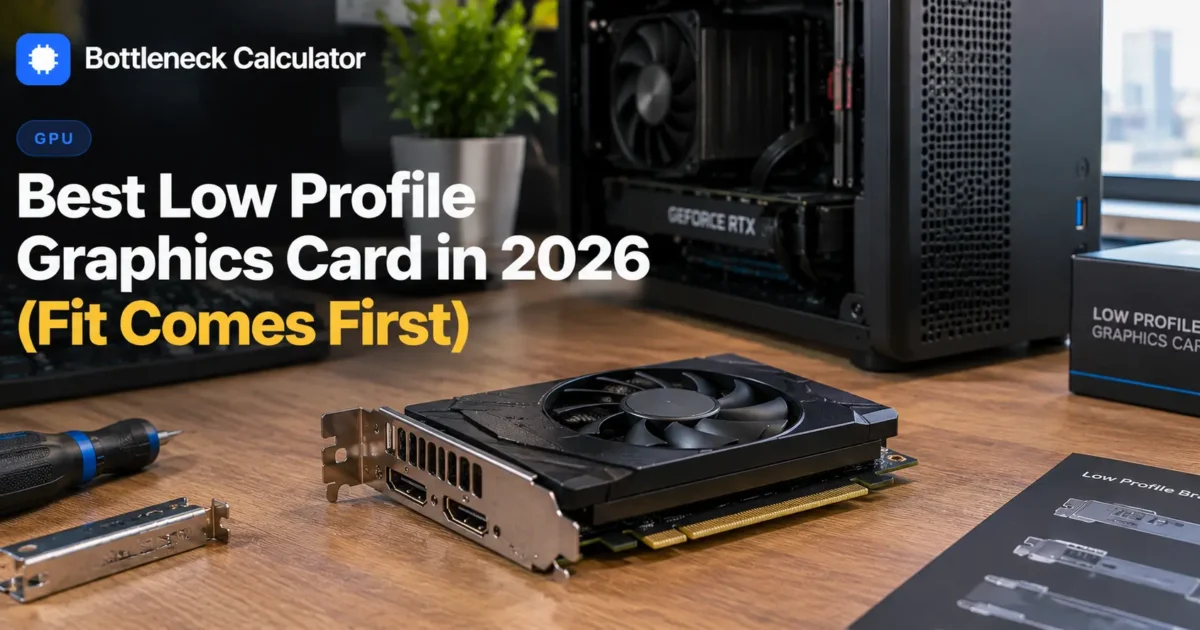
Small form factor cases, office machines and home theatre builds all share one constraint. The card has to be short, and often only two slots or even one.
That rules out roughly 90 percent of the graphics card market immediately.
Here is what makes this category genuinely tricky. Low profile cards are constrained by physics rather than price. There is only so much cooling you can fit in a 69mm bracket, which caps how much power the card can dissipate, which caps performance regardless of budget.
So the realistic question is not which low profile card is fastest. It is whether a low profile card can do what you need at all, and what the next step up costs in case size.
This guide covers what the format can deliver, the power and clearance limits, and when a slightly larger case solves the problem better than any card choice.
What you need to know first
You will finish knowing whether a low profile graphics card suits your build, what performance to expect, and which measurements to check before ordering.
I cover the difference between low profile and half height, realistic gaming performance, power limits without a connector, bracket swapping, and the office PC upgrade case specifically.
My honest position. If your case can take a full height dual slot card, buy one. The low profile tax in performance per pound is steep, and it is only worth paying when the constraint is genuinely unavoidable.
Not covered here: workstation and professional cards. Prices reflect September 2026 and move weekly.
What is a low profile graphics card?
A low profile card uses a shorter bracket, roughly 69mm tall rather than the standard 120mm, so it fits slim cases and office desktops. The term is often used interchangeably with half height graphics card, and most ship with both bracket types in the box.
Length matters separately. Many low profile cards are also short front to back, which is what actually stops them colliding with drive cages.
Slot thickness is the third dimension. Single slot cards exist but are rarer and run hotter than dual slot versions.
What performance can a low profile GPU deliver?
Realistically entry level to lower mid range. The format caps power dissipation at roughly 75 to 150 watts depending on whether the card has a power connector, which limits performance to 1080p medium settings in modern titles and comfortable 1080p in older ones.
| Card type | Power | Realistic target | Approx price |
|---|---|---|---|
| Slot powered, no connector | Up to 75W | 1080p low to medium, esports | $120 to $200 |
| Single 6 or 8 pin | 75 to 150W | 1080p medium to high | $200 to $350 |
| Single slot low profile | Up to 75W | Light gaming, media | $120 to $220 |
| Full height dual slot | 150W plus | 1080p ultra and above | $180 plus |
Compare the last two rows. A full height card at 180 dollars outperforms a low profile card at 300, which is the cost of the constraint.
Do low profile cards need a power connector?
Many do not, which is the whole point for office machine upgrades. A card drawing under 75 watts runs entirely from the slot, so it works in prebuilt desktops with small power supplies and no spare cables. Cards with a connector perform better but need a supply that has one.
This is the single most important specification for the office upgrade case. Check whether your supply has a spare 6 or 8 pin cable before shortlisting anything.
Confirm your headroom with our power supply calculator, since prebuilt machines frequently ship with 240 to 300 watt units.
Will a low profile card fit your case?
Measure three dimensions before ordering. Bracket height determines whether it fits a slim case at all, length determines whether it clears drive cages, and slot thickness determines whether it blocks adjacent ports. All three stop builds independently.
- Measure from the slot opening to whatever blocks the way inside.
- Check whether your case needs the low profile bracket fitted.
- Count how many slot widths are free below the graphics slot.
- Confirm your power supply has the connector the card needs.
- Check the card specification for all three figures in millimetres.
Most cards ship with both brackets. Swapping takes two screws and five minutes, so a card sold with a full height bracket fitted is usually still suitable.
Can you game properly on a low profile GPU?
At 1080p with sensible settings, yes. Esports titles run comfortably at high frame rates, and modern games are playable at medium settings. What you cannot expect is 1440p, ray tracing, or ultra settings in demanding releases.
Set expectations by genre. Competitive shooters and older titles run well. Current open world games need compromises.
Check what a given pairing should deliver with our FPS calculator before buying, since the gap between expectation and reality is wider in this category than any other.
Is a low profile card right for an office PC upgrade?
It is the main reason this category exists. A slot powered low profile card turns an office desktop into a capable 1080p gaming machine without touching the power supply, which is usually the blocking constraint in those builds.
Check the processor too though. Office machines often pair a weak four core chip with a small case, and the card will not fix that.
Our guide on whether a PC is good enough for gaming covers how to assess the rest of the machine before buying a card for it.
How much VRAM do low profile cards have?
Typically 6 to 12GB, and capacity matters as much here as anywhere. Given the format already limits performance, a card with 8GB or more avoids compounding that with memory stutter in modern titles.
Prefer more memory over slightly more processing power at this tier. The performance ceiling is low either way, but stutter is far more annoying than a slightly lower frame rate.
Our breakdown of how much video memory you need covers why capacity limits bite harder than raw speed.
What mistakes do people make buying these?
They measure only height and forget length, they buy a card needing a connector their supply lacks, and they expect full height performance from a format that physically cannot deliver it.
The length mistake is the most common. A card with the right bracket can still collide with a drive cage two centimetres in.
Consider whether a different case solves it better. A compact full height case often costs less than the premium you pay for low profile hardware.
Price both routes in our PC builder before deciding the constraint is fixed.
Frequently asked questions
What is the best low profile graphics card?
The best choice depends on whether your power supply has a spare connector. Slot powered cards under 75 watts suit office machines with small supplies, while cards with a 6 or 8 pin connector perform noticeably better if your supply can feed one.
What is a low profile graphics card?
A card using a shorter bracket, roughly 69mm rather than the standard 120mm, so it fits slim cases and office desktops. The term is used interchangeably with half height graphics card, and most ship with both brackets included.
Can you game on a low profile GPU?
At 1080p with sensible settings, yes. Esports titles run comfortably at high frame rates and modern games are playable at medium. Do not expect 1440p, ray tracing or ultra settings in demanding recent releases.
Do low profile graphics cards need extra power?
Many do not. Cards drawing under 75 watts run entirely from the slot, which is why they suit prebuilt desktops with small supplies and no spare cables. Cards with a connector perform better but need a supply that has one.
How do I know if a low profile card will fit?
Measure three things. Bracket height for slim cases, length to clear drive cages, and slot thickness to avoid blocking adjacent ports. All three stop builds independently, and length is the one people forget.
Is half height the same as low profile?
Yes, the terms describe the same bracket format and are used interchangeably. Most cards in this category ship with both a low profile and a full height bracket in the box, and swapping takes two screws.
How much VRAM do low profile GPUs have?
Typically 6 to 12GB. Prefer more memory over slightly more processing power at this tier, since the performance ceiling is low either way and memory stutter is far more annoying than a slightly lower frame rate.
Where this leaves you
This is a category defined by a constraint rather than a preference. Buy into it when your case genuinely demands it, and not otherwise.
If the constraint is real, decide first whether your supply has a spare connector. That single answer splits the market in half and sets your performance ceiling.
Start here is to measure the three dimensions inside your case and check your supply for a spare cable.
What case are you working with, and does your supply have a spare 6 pin?
Related reading
Best GPU for 4K Gaming in 2026 (16GB Is the Floor)
4K is four times the pixels of 1080p. Not twice, four times. Every frame asks your graphics card to do roughly four times the drawing work. Which is…
Read more about Best GPU for 4K Gaming in 2026 (16GB Is the Floor)
Best GPU for 1080p Gaming in 2026 (Stop Overspending)
1080p is where most PC gaming still happens, and it is the resolution people most often overspend on. The reason is simple. At 1080p your processor frequently becomes…
Read more about Best GPU for 1080p Gaming in 2026 (Stop Overspending)
How to Check GPU Usage While Gaming (Free Methods)
Your game runs at 48 frames and you have no idea why. Is the graphics card maxed out? Is the processor choking? Is something throttling? Without numbers you…
Read more about How to Check GPU Usage While Gaming (Free Methods)