Best Motherboard for Ryzen 7 9800X3D (You Need Less Than You Think)
 Bottleneck Calculator
8 min read
Bottleneck Calculator
8 min read
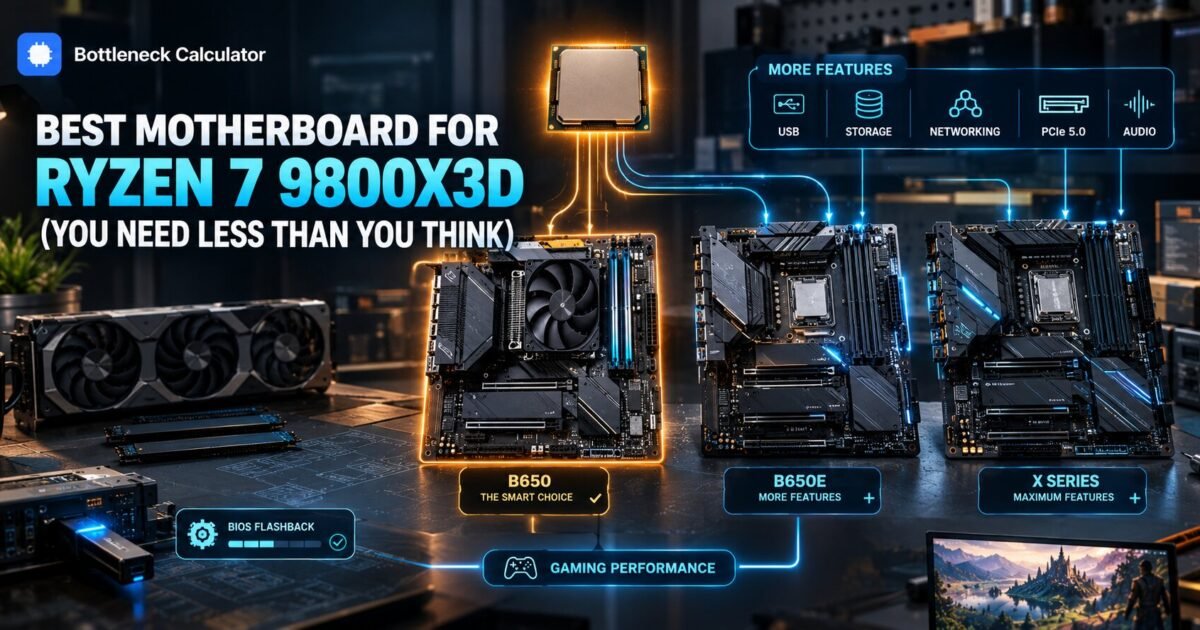
You just spent 450 dollars on the fastest gaming processor made. Now you are staring at forty motherboards between 130 and 700 dollars, and every one of them claims to be built for exactly this chip.
Here is the part the product pages will not tell you. The 9800X3D draws about 120 watts. Almost every current AM5 board can feed that comfortably.
Which means the expensive board does not make your processor faster. It gives you more ports, better networking, and more memory headroom. Those are real things, but they are not performance.
So the honest version of this guide is shorter than most. Buy a solid B650 board unless you have a specific reason to spend more, and put the difference toward your graphics card.
Below I explain which chipsets actually matter, the three features worth paying for, and the one specification people consistently overlook.
Before we get into it
You will finish with a chipset decision, a price band, and a short list of what to check on any specific board before ordering.
I cover the difference between B650, B650E, X670 and X870, why power delivery matters far less for this chip than for Intel flagships, the memory configuration that actually affects your frame rate, and the BIOS step that stops a new board refusing to boot.
Here is the opinion that cuts against most buying guides. Spending 400 dollars on a motherboard for a gaming build is close to wasted money. The board does not render frames. It connects things.
What this skips: overclocking records, workstation storage arrays and server features. Prices reflect September 2026 and move weekly, so read them as ranges.
What is the best motherboard for 9800X3D builds?
The best motherboard for 9800X3D gaming builds is a mid range B650 in the 160 to 220 dollar range. Step up to B650E or X670E only if you need PCIe 5.0 for a graphics card or multiple fast drives. The chip is efficient enough that premium power delivery buys you nothing in games.
| Chipset | Approx price | PCIe 5.0 GPU | Best for |
|---|---|---|---|
| A620 | $90 to $130 | No | Avoid for this chip |
| B650 | $140 to $220 | No | Most gaming builds |
| B650E | $200 to $280 | Yes | Future proofing on a budget |
| X670 | $250 to $350 | No | Heavy storage and USB needs |
| X670E | $300 to $500 | Yes | Enthusiast builds |
| X870E | $350 to $700 | Yes | Latest standard, premium pricing |
Note the A620 row. Those boards technically accept the chip but often limit power delivery and memory speed, which is exactly the wrong compromise on a premium processor.
Which AM5 motherboard for 9800X3D makes sense at each budget?
Under 180 dollars take a reputable B650 with a proper heatsink on the primary drive slot. Between 180 and 280 take a B650E for PCIe 5.0 headroom. Above 300 you are buying connectivity and networking rather than speed, so only spend it if you will use those ports.
The budget pick
A B650 board from a mainstream manufacturer with at least an eight plus two phase power stage. That is already more than this processor will ever ask for.
The sensible middle
B650E adds PCIe 5.0 to the graphics slot. Whether that matters is genuinely debatable today, and our guide on what actually drives gaming performance explains why the processor cache matters far more than slot generation.
When premium is justified
Three real reasons. You need four or more fast drives, you want 10 gigabit networking, or you are building in a case where rear connector layout genuinely matters.
Does power delivery matter for the 9800X3D?
Far less than for most flagship processors. The chip has a 120 watt package power target, which nearly every current AM5 board handles without strain. Stacked cache also locks the core multiplier, so you cannot push power the way an unlocked chip allows.
This is the single biggest reason the premium boards are poor value here. Their main selling point is headroom you are structurally prevented from using.
Check your total system draw including the graphics card with our power supply calculator, because the card will account for far more of your power budget than the processor does.
What memory should you run with it?
Two matched DDR5 sticks at 6000 with CL30 timings is the sweet spot for AM5. Running four sticks usually forces lower speeds. A single stick halves your bandwidth and will cost you more frames than choosing a cheaper motherboard ever would.
This is the specification people overlook while agonising over chipsets. Memory configuration affects real frame rates. Chipset choice mostly does not.
Enable EXPO in the BIOS after installing. Kits sold as 6000 commonly run at 4800 until you switch the profile on, which quietly wastes what you paid for.
Two sticks, correct slots, profile enabled. That sequence matters more than any board feature on the box.
Do you need a BIOS update before installing?
Possibly, and it is the one step that can leave you unable to boot. Boards manufactured before the 9000 series launched may need a firmware update to recognise the chip. Check the support page for your exact model and look for BIOS Flashback, which updates without a processor installed.
- Find the exact board model, including any suffix.
- Open the manufacturer CPU support page.
- Confirm the minimum BIOS version for the 9800X3D.
- Check whether the board offers BIOS Flashback.
- Update before fitting the processor if you have an older chip available.
Flashback is worth paying a little extra for. It turns a potential dead build into a fifteen minute job with a USB stick.
What cooler does the 9800X3D need?
A decent tower air cooler is enough, and the chip ships without one. The stacked cache sits between the cores and the heat spreader, which slows heat transfer, so these chips run warmer than their modest wattage suggests. Budget 40 to 80 dollars.
Liquid cooling is optional rather than necessary. A well regarded dual tower air cooler keeps this processor comfortable in a normally ventilated case.
Check physical clearance against your case and your memory height before ordering. Tall heatsinks and large coolers frequently conflict.
Does the motherboard affect gaming performance at all?
Barely, in any way you can perceive. Identical processors on a budget B650 and a premium X870E land within one or two percent of each other in games, which is inside normal run to run variance. Boards differ in features and build quality, not in frame rates.
Where a board can genuinely hurt you is memory support. A weak board that cannot run your kit at its rated speed costs real performance.
Check the memory qualified vendor list for your intended kit rather than assuming any DDR5 will run at full speed.
Which graphics card should you pair with this build?
The 9800X3D can feed anything currently made, so pick your card by resolution and budget rather than worrying about balance. At 1440p and 4K it will never be your limiting component. At 1080p high refresh it is the correct choice precisely because it leads.
This is one of the few builds where the processor genuinely outruns every card available. That is the point of buying it.
Confirm the pairing at your resolution with our bottleneck calculator and price the full build in our PC builder before ordering parts.
What should you check before buying any board?
Confirm BIOS support for the chip, count the drive slots you actually need, check rear port layout against your peripherals, and verify the board size fits your case. Those four checks prevent almost every regret people report after building.
- Form factor. ATX, Micro ATX or Mini ITX must match your case.
- Drive slots. Two is normal, three or four if you store games locally.
- Rear ports. Count USB ports against what you actually plug in.
- Networking. 2.5 gigabit is standard, Wi-Fi is worth having.
- Memory slots. Four is common, but plan to fill only two.
What mistakes do people make choosing this board?
They overspend on power delivery for a chip that cannot use it, they fill all four memory slots and lose speed, and they skip the BIOS check and end up with a machine that will not post. All three are avoidable in ten minutes of reading.
The second mistake is the quiet one. Four sticks look better and perform worse, because AM5 memory controllers prefer two.
Buy a two stick kit at the capacity you want rather than two kits bought separately. Mixing kits is a reliable way to end up below rated speed.
Frequently asked questions
What is the best motherboard for the 9800X3D?
A mid range B650 board between 160 and 220 dollars suits most gaming builds. Step up to B650E or X670E only if you need PCIe 5.0 for the graphics slot or several fast drives. The chip is efficient enough that premium power delivery adds nothing in games.
Which AM5 motherboard do I need for a 9800X3D?
Any current B650, B650E, X670, X670E or X870E board will run it after a BIOS check. Avoid A620 boards, which often limit power delivery and memory speed in exactly the way you do not want on a premium processor.
Do I need an expensive motherboard for the 9800X3D?
No. The chip draws about 120 watts, which nearly every AM5 board handles easily. Expensive boards buy ports, networking and build quality rather than frame rates. Identical chips on budget and premium boards land within one or two percent in games.
Does the 9800X3D need a BIOS update?
Possibly, on boards manufactured before the 9000 series launched. Check your exact model on the manufacturer support page. Look for BIOS Flashback, which lets you update without a processor installed and turns a potential dead build into a short job.
What RAM speed is best for the 9800X3D?
Two matched DDR5 sticks at 6000 with CL30 timings is the sweet spot on AM5. Avoid filling all four slots, which usually forces lower speeds. Enable EXPO in the BIOS afterwards, since kits often run at 4800 until you switch the profile on.
Does the motherboard affect FPS?
Almost never in a way you can perceive. Budget and premium boards land within one or two percent with the same processor. The exception is memory support, since a board that cannot run your kit at rated speed does cost real performance.
Back to those forty boards between 130 and 700 dollars. Thirty of them will run this processor identically in every game you own.
So buy a solid B650 around 180 dollars, pair it with two sticks of DDR5 6000 CL30, enable EXPO, and spend what you saved on the graphics card.
What to do now is the BIOS support page for whichever board you are considering. Five minutes there prevents the one failure mode that actually matters.
Which board are you looking at, and what is pushing you above the B650 tier?
Related reading
PCIe 5.0 vs PCIe 4.0: Does It Matter for Gaming?
Your motherboard lists PCIe 4.0. The graphics card you want says PCIe 5.0. The forum thread you found insists you will lose performance. You will lose roughly 2…
Read more about PCIe 5.0 vs PCIe 4.0: Does It Matter for Gaming?