What Is a GPU Bottleneck? How to Spot One in Two Minutes
 Tayyab Rehman
11 min read
Tayyab Rehman
11 min read
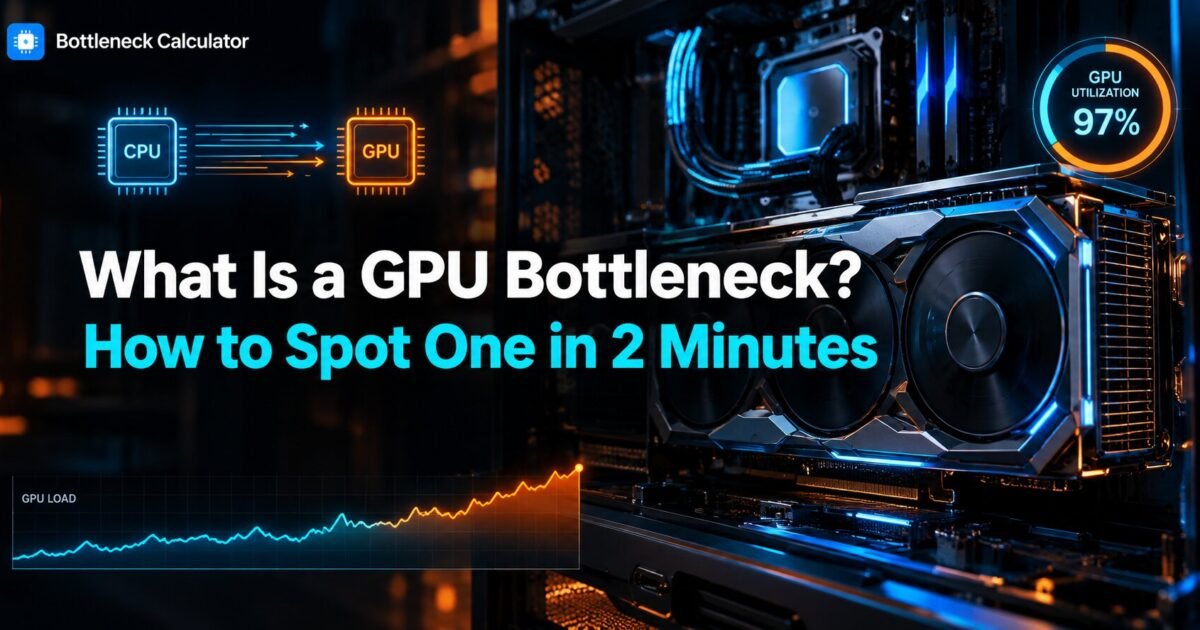
You save for four months. The RTX 4070 arrives, you drop it in, and you launch Cyberpunk at 1440p expecting a transformation. You gain eleven frames.
Eleven. Your old card cost a third as much.
Nothing went wrong with the card. You hit a bottleneck, and probably not the one you assumed. Here is the part most guides skip. A bottleneck is not a defect. Every gaming PC has one. Some component always reaches its limit first, and the whole craft of building a balanced machine is choosing which component that should be.
A GPU bottleneck means your graphics card is the component working hardest. Your processor feeds it work faster than it can draw. For most gamers that is the right outcome. It means you are getting full value from the most expensive part in the box.
This guide shows you how to confirm a GPU bottleneck in about two minutes. You will learn what it costs you in real frames, why the answer flips when you change resolution, and the three situations where fixing it wastes your money.
What you need to know first
You will finish this page able to name your own limiting component and decide whether to spend money on it. No guesswork and no forum folklore.
First I cover the two minute diagnostic using tools you already have. Second, why a bottleneck at 1440p and one at 1080p mean completely different things for your wallet. Third, the honest math on how many frames you actually lose, which is usually far less than forum posts claim.
I will also make a claim that annoys people. Chasing a zero percent bottleneck is the most expensive mistake in PC building. A perfectly balanced system does not exist. The people selling you that idea are usually selling you parts.
You also get a comparison table separating GPU and processor symptoms, a troubleshooting order that starts with the free fixes, and ten questions pulled from what people actually ask.
What this guide skips: synthetic benchmark chasing and overclocking. Those deserve their own pages. This one stays on diagnosis and decisions. Prices quoted are approximate as of September 2026 and move weekly, so treat them as ranges.
What is a GPU bottleneck in plain language?
A GPU bottleneck happens when your graphics card reaches full load before any other part does. Your processor prepares frames faster than the card can draw them, so the card sets your frame rate. You see this as graphics card usage sitting near 100 percent while processor usage stays well below it.
Think of a kitchen during a dinner rush. The prep cook chops faster than the grill cook can cook. Plates stack up at the grill. The grill sets how fast food leaves the kitchen, so the grill is the bottleneck.
Your graphics card is the grill. Adding a second prep cook changes nothing. That is why a processor upgrade often does nothing for a GPU bound system.
How do you know if your GPU is the bottleneck?
Open a demanding game, play normally for two minutes, and watch load on both parts. If graphics card usage holds above 95 percent while processor usage stays under 70 percent, your graphics card is the limit. If the numbers flip, your processor is.
The two minute check
- Open Task Manager and switch to the Performance tab. It is free and already installed.
- For better detail, install MSI Afterburner with RivaTuner. Both are free.
- Launch a game you actually play. Menus do not count.
- Play a busy scene for two minutes. A crowded city or a firefight works best.
- Read both load figures while the action runs, not while you stand still.
Our full walkthrough on checking a CPU and GPU pairing covers the same process with your exact parts filled in.
What the numbers actually mean
Graphics card at 97 percent and processor at 55 percent means a healthy GPU bottleneck. You are using the card you paid for.
Card at 60 percent and one processor core pinned at 100 percent means the opposite problem. Your processor cannot feed the card. That costs you money you already spent.
Both parts under 80 percent points at something else entirely. Check your frame rate cap, your power settings, or a thermal limit.
Why does resolution change the answer?
Resolution decides which part works harder. At 4K your graphics card draws far more pixels per frame, so it becomes the limit. At 1080p the card finishes each frame quickly and waits on your processor. The same two parts can be GPU bound and processor bound in the same afternoon.
This single fact explains most arguments online. Two people compare the same pairing and reach opposite conclusions. Both are right. They play at different resolutions.
Raising resolution is the cheapest bottleneck fix that exists. It costs nothing. If you sit at 1080p with a strong card, moving to 1440p often gives you a sharper picture at a nearly identical frame rate. You were wasting that card anyway.
Is being GPU bound actually bad?
Usually no. Being GPU bound is the outcome most builders should want. Your graphics card is normally the most expensive part in the machine, so running it at full load means your money is working. A processor bottleneck is the one that should worry you, because it leaves paid performance unused.
Here is the opinion that gets me argued with. The bottleneck panic online is mostly manufactured. Percentage scores get treated like a grade on a report card, and people spend hundreds chasing a smaller number that changes nothing they can see.
Ask a better question. Does the game feel smooth at the settings you play? If yes, you do not have a problem. You have a number you dislike.
What is the difference between a GPU and a CPU bottleneck?
A graphics card limit lowers your frame rate evenly and responds to graphics settings. A processor bottleneck causes stutter in crowded scenes and ignores graphics settings entirely. If dropping from Ultra to Medium gains you nothing, your processor is the limit.
| Symptom | GPU bound | CPU bottleneck |
|---|---|---|
| Graphics card load | 95 to 100 percent | 40 to 70 percent |
| Processor load | Moderate, spread across cores | One or two cores pinned |
| Lowering settings helps | Yes, clearly | Almost never |
| Raising resolution | Frame rate drops | Frame rate barely moves |
| Feel in game | Lower but steady frames | Sudden stutter in crowds |
| Worst case | Open areas with heavy effects | Cities, strategy, simulation |
| Usual fix | Settings, upscaling, new card | Faster processor, more cache |
The resolution row is the one to remember. It separates the two faster than any tool. If we cover the opposite case in detail, see our guide on how a processor limits your frame rate.
How many frames does being GPU bound actually cost you?
Far less than most people expect. A card held back by a slightly slower processor typically loses 5 to 12 percent of its frames at 1440p. At 4K the loss usually falls under 5 percent. Those numbers rarely justify a new platform on their own.
Run the arithmetic before you spend. Say you average 90 frames and a faster processor returns 8 percent. That is seven frames. On a 144 hertz monitor you will not feel it.
Now change the case. You average 45 frames and sit below your monitor refresh rate. The same 8 percent matters far more, because you are fighting for playability rather than bragging rights.
Context decides everything. The percentage alone tells you almost nothing useful.
What causes a GPU bottleneck?
High resolution, heavy visual settings, ray tracing, and demanding effects all push the graphics card toward full load. Video memory limits, thermal throttling, and power limits create the same symptom for different reasons, so check those before you blame the card itself.
Settings that hit hardest
- Ray tracing, which can halve frame rates on mid range cards
- Shadow quality, consistently among the most expensive settings
- Volumetric fog and screen space reflections
- Anti aliasing at high multipliers
When it is not really the card
Running out of video memory looks identical to a card at its limit but behaves worse. You get sudden severe stutter rather than a steady low frame rate. Our breakdown of how much video memory you need covers the thresholds.
Heat is the other impostor. A card above 83 degrees will reduce its own clocks to protect itself. Clean the dust filters first. That fix is free and works more often than people admit.
An undersized power supply causes the same confusion. Check your headroom with our power supply calculator before assuming the card is at fault.
How do you fix a GPU bottleneck?
Work from free to expensive. Lower two or three heavy settings, enable upscaling such as DLSS or FSR, then clean your cooling and confirm power headroom. Only after those steps should you consider a faster graphics card, because that is the costliest fix by a wide margin.
- Drop shadows and ray tracing one notch each. Expect 15 to 30 percent back.
- Turn on DLSS, FSR, or XeSS in quality mode. Often 20 to 40 percent for little visible loss.
- Clean filters and check temperatures. Free, and takes 20 minutes.
- Update graphics drivers. Occasionally worth double digit gains in new releases.
- Buy a faster card only if the first four steps left you short.
Upscaling is the underrated step here. Quality mode on a 1440p screen is close to invisible in motion, and it hands back frames a 400 dollar upgrade would struggle to match.
When should you ignore it completely?
Ignore it when you already exceed your monitor refresh rate, when you play at 4K where the card is supposed to lead, and when the fix costs more than the enjoyment it returns. A bottleneck you cannot perceive is not a problem worth funding.
Three cases where I would spend nothing at all. You run 90 frames on a 60 hertz panel. You play strategy or slower titles where 60 frames feels fine. Or your next monitor upgrade will change the whole calculation anyway.
Buy the monitor first in that last case. People do this backwards constantly.
Does full graphics card load damage your hardware?
No. Running a graphics card at 100 percent load is normal operation, not abuse. Modern cards manage their own clocks, voltage, and temperature, and they reduce performance automatically long before anything is at risk. Sustained full load is exactly what the card was designed to do.
The only real concern is heat over years, and that comes from poor airflow rather than high usage. Keep intake filters clean and keep the case away from a radiator or a thick carpet.
How do you plan a build that avoids the wrong bottleneck?
Start with the monitor, not the parts. Your resolution and refresh rate decide which component needs to be strongest. Pick the graphics card to match that target, then choose a processor that can feed it, and check the pairing before you order anything.
Rough guidance that holds up well. At 1080p high refresh, weight your budget toward the processor. At 1440p, split it fairly evenly. At 4K, put the money in the graphics card and accept a mid range processor.
Price the whole machine in our PC builder before committing, and check expected frame rates for your target resolution with the FPS calculator. Ten minutes of planning beats a year of regret.
What do most people get wrong about bottlenecks?
They treat the percentage as a verdict instead of a starting point. A bottleneck figure describes one pairing at one resolution in one workload. Change any of those and the number changes. Nobody should spend money on a single percentage without checking their own settings first.
The second mistake is upgrading the wrong half. Someone reads GPU bottleneck, panics, and buys a processor. That fixes nothing, because the card was already the limit.
The third is ignoring memory. Running a single stick instead of two cuts bandwidth sharply and creates stutter people then blame on the graphics card. Two matched sticks cost very little and fix more complaints than any other cheap change.
Frequently asked questions
Is a GPU bottleneck good or bad?
Usually good. It means your graphics card is the part working hardest, and the card is normally the most expensive component you own. Full load means your money is working. A processor bottleneck is the one worth worrying about, because it leaves performance you already paid for sitting unused.
What percentage counts as a GPU bottleneck?
Graphics card usage above 95 percent during real gameplay, with processor usage well below it, indicates a GPU bound system. Treat single percentage scores from online calculators as a starting point rather than a verdict, because they cannot see your settings or your resolution.
How do I check my GPU usage while gaming?
Task Manager works and costs nothing. For an overlay you can read mid game, install MSI Afterburner with RivaTuner Statistics Server. Both are free. Read the figures during a busy scene rather than in a menu, because idle numbers tell you nothing.
Does a GPU bottleneck cause stuttering?
Rarely. Being GPU bound normally gives you a lower but steady frame rate. Sudden stutter in crowded scenes usually points at the processor or at running out of video memory. If lowering graphics settings changes nothing, your processor is the likely cause.
Will a better CPU fix a GPU bottleneck?
No. If the graphics card is already at full load, a faster processor gives you almost nothing. Lower a few heavy settings, enable upscaling, or move to a faster card instead. Spending on the processor here is the most common upgrade mistake people make.
Is 100 percent GPU usage safe?
Yes. Full load is normal operation for a graphics card, not abuse. Modern cards manage their own clocks and temperatures and throttle automatically well before damage is possible. Keep airflow clean and the card will run at full load for years.
Does resolution change whether I am GPU bottlenecked?
Enormously. Higher resolution shifts work onto the graphics card, so 4K almost always produces a GPU bottleneck. Lower resolution shifts work back to the processor. The same pair of parts can swap roles simply by changing from 1080p to 1440p.
How much performance do I lose to a GPU bottleneck?
Less than most forums suggest. Typical losses run 5 to 12 percent at 1440p and often under 5 percent at 4K. Work out what that means in actual frames at your average before spending, because a few frames above your refresh rate change nothing you can feel.
Where this leaves you
Remember that eleven frame upgrade at the start? That reader did not buy the wrong card. He bought it for the wrong resolution. Moving to 1440p would have turned a disappointing purchase into an obvious one, and it would have cost him nothing.
That is the whole lesson. A GPU bottleneck is a description of where your system spends its effort, not a fault report. Find your limit, decide whether it sits where you want it, and spend only when the answer is no.
The thing to do first takes two minutes. Run your own pairing through the bottleneck calculator at the resolution you actually play, then compare it against what you measured in Task Manager.
What does your split look like right now, and which part are you tempted to blame?
Related reading
Hardware-Accelerated GPU Scheduling: On or Off in 2026?
A Reddit thread tells you to turn it on. The next reply says it tanked their frame rate. A YouTube comment swears it fixed their stutter. Someone else…
Read more about Hardware-Accelerated GPU Scheduling: On or Off in 2026?
How Much VRAM Do You Need for Gaming in 2026?
The game loads. You set textures to High because your card handles everything else fine. Ten minutes later the world starts hitching, textures turn to mud, and your…
Read more about How Much VRAM Do You Need for Gaming in 2026?