NVIDIA GeForce RTX 5070: Specs That Actually Matter


Specification sheets are written to sell cards, not to help you decide. They lead with the numbers that look largest and bury the ones that determine how the card actually performs three years from now.
So rather than reprinting the table NVIDIA published, this page explains what each figure on the NVIDIA GeForce RTX 5070 specifications sheet actually means for your games, and which ones you can safely ignore.
Two numbers matter more than the rest. Memory capacity, because it decides how long the card stays comfortable. And memory bandwidth, because it decides how well the card holds up at higher resolutions.
Core counts and clock speeds get the headlines and tell you remarkably little on their own.
This guide walks the specification line by line, explains what it means in practice, and covers which resolution this card is genuinely built for.
You will finish able to read this card’s specification critically, and to compare it against alternatives on the figures that matter rather than the ones that market well.
I cover memory and bandwidth, what the core counts actually indicate, power requirements and connectors, realistic performance by resolution, and how it compares to the tiers above and below.
My position. This card is built for 1440p and that is where it should be judged. Comparing it against flagships at 4K tells you nothing useful about whether it suits you.
Not covered here: synthetic benchmark leaderboards. Specifications and pricing reflect September 2026 and vary by board partner.
What are the key RTX 5070 specs?
The figures that matter are memory capacity, memory bandwidth, power draw and connector type. Core counts and boost clocks only become meaningful when comparing cards within the same architecture, and they mislead badly across generations.
| Specification | Why it matters | How much to weight it |
|---|---|---|
| Memory capacity | Decides longevity and stutter | Highest |
| Memory bandwidth | Decides scaling to 1440p and 4K | High |
| Power draw | Decides supply and case needs | High, practical |
| Power connector | 12V-2×6 or 8 pin compatibility | High, practical |
| Core count | Only comparable within a generation | Low |
| Boost clock | Marketing figure, brief peak | Low |
| Card length | Decides whether it fits at all | Check before ordering |
Notice how the two most heavily marketed figures sit at the bottom. That ordering is deliberate on the manufacturer side and worth inverting on yours.
How much VRAM does the RTX 5070 have and is it enough?
Memory capacity is the single specification that decides how long this card stays pleasant to own. At 1440p, 12GB is adequate today and comfortable for the next few years. Anything less would force texture compromises within two years at this performance level.
Check the exact capacity of the specific variant you are buying, since board partners occasionally ship different configurations under similar names.
Our breakdown of how much video memory each resolution needs covers why this matters more than raw performance at this tier.
What resolution is the RTX 5070 designed for?
1440p at high settings is its design target. It handles 1080p at high refresh comfortably and reaches 4K only with upscaling enabled. Judging it against 4K native performance misrepresents what the card is for.
If 1440p is your resolution, this tier represents the cheapest comfortable entry point into it.
Our 1440p card guide covers where this sits against the alternatives at that resolution.
What power supply does the RTX 5070 need?
Plan for roughly 750 watts in a typical build, though your exact requirement depends on the processor and the rest of the system. Check the connector type as well, since newer cards use 12V-2×6 which older supplies lack entirely.
Adapters work but add a failure point where the most current flows. A supply with the native cable is the better purchase.
Total your actual draw with our power supply calculator rather than relying on the figure printed on the box.
Do core counts and clock speeds tell you anything?
Only within the same architecture. Comparing core counts across generations is meaningless because architectural efficiency changes, and boost clocks describe a brief peak on one core rather than sustained performance. Both figures are marketing first and information second.
Use real game results at your resolution instead. They account for architecture, drivers and memory in a way no specification can.
Our guide to reading a graphics card ranking covers how to translate a benchmark figure into something meaningful.
What processor should you pair with it?
A current mid range processor is sufficient at 1440p, where this card belongs. A Ryzen 5 7600 or Core i5 14600K feeds it properly. Spending flagship money on a processor for this card returns very little.
At 1080p high refresh the processor matters more, so a stronger chip becomes worthwhile there.
Our pairing guide for this card covers the right choice at each resolution.
Will it fit in your case?
Check length and slot thickness against your case before ordering, since board partners produce dramatically different sizes of the same card. A compact dual slot version and a triple slot overclocked model can differ by 80mm in length.
Measure from the rear bracket to whatever blocks the way, usually a drive cage or front fan.
The specification you need is on the board partner page rather than the NVIDIA reference listing.
What do people get wrong reading GPU specs?
They compare core counts across generations, they treat boost clocks as sustained performance, and they ignore memory capacity because it is the least exciting number on the sheet. All three lead to buying the wrong card.
Memory capacity is the figure that decides whether you still like the card in three years. Treat it as the headline.
Price the complete build in our PC builder so the card sits in context against the rest of the machine.
Frequently asked questions
What are the most important RTX 5070 specs?
Memory capacity, memory bandwidth, power draw and connector type. Core counts and boost clocks only mean something when comparing cards within the same architecture, and they mislead badly across generations.
Is the RTX 5070 good for 1440p?
Yes, that is its design target. It handles 1440p at high settings comfortably, manages 1080p at high refresh easily, and reaches 4K only with upscaling. Judging it on native 4K misrepresents what it is for.
How much VRAM does the RTX 5070 need to have?
At 1440p, 12GB is adequate today and comfortable for the next few years. Anything less would force texture compromises within two years at this performance level, so check the exact capacity of the variant you buy.
What PSU do I need for an RTX 5070?
Plan for roughly 750 watts in a typical build, though your exact figure depends on the processor and the rest of the system. Check connector type too, since newer cards use 12V-2×6 that older supplies lack.
Do GPU core counts matter?
Only within the same architecture. Comparing across generations is meaningless because architectural efficiency changes. Use real game results at your resolution instead, since they account for architecture and drivers.
Is boost clock an important specification?
Not really. It describes a brief peak on one core rather than sustained performance under load. It is a marketing figure first and an informative one second, which is why cards with lower clocks often perform better.
Can the RTX 5070 handle 4K?
With upscaling enabled, yes at reasonable settings. Native 4K at high settings is beyond this tier. If 4K is your target, budget for the high end tier instead rather than relying on upscaling to close the gap.
What CPU pairs with an RTX 5070?
A current mid range processor such as a Ryzen 5 7600 or Core i5 14600K feeds it properly at 1440p. Spending flagship money on a processor for this card returns very little unless you run 1080p high refresh.
Where this leaves you
Read this specification sheet backwards. Start at memory capacity and bandwidth, move to power and connector, and treat core counts and boost clocks as the least informative lines on the page.
Judged as a 1440p card, which is what it is, this tier does the job well and at a price that makes sense.
My prediction is that memory capacity becomes the headline specification on these sheets within a few years, simply because it is the figure that now decides a card’s useful life.
What to do now is to check the board partner model length against your case, then confirm your supply has the right connector.
Which board partner version are you looking at, and what resolution will it drive?
Related reading
How to Check GPU Health (Before Assuming It Is Dying)
Wondering is my gpu dying? It usually starts the same way. Artifacts appear in a game. Or the screen goes black for a second and recovers. Or a…
Read more about How to Check GPU Health (Before Assuming It Is Dying)
GPU Temperature Range: What Is Normal and What Is Not
Someone posts a screenshot showing 78 degrees and asks whether their card is dying. Three people say it is fine. Two say to repaste it immediately. One says…
Read more about GPU Temperature Range: What Is Normal and What Is Not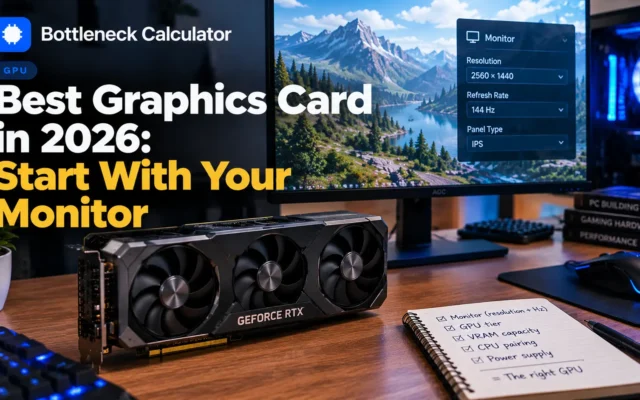
Best Graphics Card in 2026: Start With Your Monitor
Every graphics card guide opens the same way. A ranked list, the fastest card at the top, prices that assume you have no budget. That list is almost…
Read more about Best Graphics Card in 2026: Start With Your Monitor