Best Graphics Card in 2026: Start With Your Monitor


Every graphics card guide opens the same way. A ranked list, the fastest card at the top, prices that assume you have no budget.
That list is almost useless, because the best graphics card is not a single product. It is whichever card matches your monitor, your processor and your budget, and those three things differ for everyone reading this.
The card that is perfect for a 1080p 144 hertz setup is a waste of money behind a 4K panel, and vice versa.
So this guide works the other way round. Start from what you actually own, narrow to a tier, then apply three checks that matter far more than chart position: memory capacity, your processor, and your power supply.
Get those right and almost any card in the correct tier will serve you well.
The short version
You will finish with a card tier chosen for your actual setup, and three checks that prevent the expensive mistakes people make at every budget.
I cover how to pick a tier from your monitor, memory capacity by resolution, when your processor becomes the limit, AMD against NVIDIA, and whether last generation or used makes sense.
My position, stated plainly. Most people should buy one tier lower than they think and spend the difference on memory capacity or a better monitor. The tier above yours is nearly always poor value.
Not covered here: professional rendering and compute cards. Prices reflect September 2026 and move weekly.
What is the best graphics card for you?
The best gpu for you comes from your monitor, not from a ranking. Entry level cards suit 1080p 60, mid range handles 1080p ultra and 1440p high, upper mid manages 1440p ultra, and only high end and flagship cards are comfortable at 4K with ray tracing.
| Your monitor | Card tier | Memory floor | Approx budget |
|---|---|---|---|
| 1080p 60Hz | Entry level | 8GB | $180 to $260 |
| 1080p 144Hz | Lower mid range | 8 to 12GB | $260 to $380 |
| 1440p 60 to 100Hz | Mid range | 12GB | $300 to $450 |
| 1440p 144Hz | Upper mid range | 16GB | $450 to $650 |
| 4K 60Hz | High end | 16GB | $700 to $1000 |
| 4K 120Hz+ | Flagship | 16 to 24GB | $1000 plus |
| Resolution | Memory floor | Comfortable | Why |
|---|---|---|---|
| 1080p | 8GB | 12GB | Manageable on 8GB at high textures |
| 1440p | 12GB | 16GB | Several titles pass 8GB already |
| 4K | 16GB | 16 to 24GB | Ray tracing adds 1 to 3GB more |
Find your monitor row and stop there. Everything else in this guide is about confirming that choice rather than second guessing it.
How much VRAM should the card have?
Memory capacity decides how long the card stays comfortable, and running short produces severe stutter rather than a gently lower frame rate. Eight gigabytes works at 1080p today, 12GB is the 1440p floor, and 16GB is realistic for 4K.
This is the specification I would refuse to compromise on. A slower card with more memory ages far better than a faster card that runs out.
Our full breakdown of how much video memory each resolution needs covers the thresholds in detail.
Will your processor hold the card back?
At 1080p, very possibly. At 1440p, sometimes. At 4K, almost never. Low resolution means the card finishes frames quickly and waits on the processor, so a flagship card behind an older chip at 1080p wastes a large share of what you paid.
Check your specific pairing before ordering with our bottleneck calculator at the resolution you actually play.
If it names your processor as the limit, our guide to the best processors for gaming covers where that money goes furthest.
Can your power supply feed it?
This is the most common genuine blocker, especially in prebuilt machines. Modern cards draw 150 to 450 watts, and higher tiers need a native 12V-2×6 connector that older supplies lack entirely. Total your whole system rather than trusting the figure on the card box.
An undersized supply produces shutdowns under load that look exactly like a faulty card, which sends people chasing the wrong fault for weeks.
Check headroom with our power supply calculator and judge the unit itself against our psu tier list guide.
AMD or NVIDIA in 2026?
AMD typically offers more raw performance and more memory per pound, which suits rasterised gaming at 1080p and 1440p. NVIDIA leads on ray tracing, upscaling maturity and frame generation. Decide by the settings you genuinely use rather than the ones you might.
Plenty of people buy for ray tracing and then disable it for the frame rate. Be honest about which camp you are in.
At the mid range, memory capacity usually decides it, and that often points at AMD.
Is last generation better value?
Frequently yes, particularly below the high end tier. A previous generation card with more memory often beats a current generation one with less at the same price, because capacity limits bite harder than raw performance gaps.
Check the memory figure before the generation badge. It is the specification that decides useful life.
Our budget card guide covers the specification traps that are most common below 350 dollars.
How much does upscaling change the decision?
Substantially, and more each year. DLSS or FSR in quality mode typically returns 20 to 50 percent more frames, which can let a mid range card handle a resolution tier above its native capability. It also shifts load back toward your processor.
Treat upscaling support as a genuine buying factor rather than a bonus feature, particularly at the lower tiers where the proportional gain is largest.
Frame generation needs hardware scheduling enabled, which our guide on hardware-accelerated GPU scheduling covers.
Will the card physically fit?
Measure length, slot thickness and height before ordering. Board partners produce dramatically different sizes of the same card, and a compact dual slot version can be 80mm shorter than a triple slot overclocked model.
- Length. Measure to the drive cage or front fan, not the case length.
- Thickness. Three slot cards block everything below them.
- Height. Catches people with glass side panels.
- Connector. Confirm your supply has the right cable natively.
If your case is genuinely small, our low profile card guide covers that constraint properly.
What mistakes do people make buying a graphics card?
They buy for a monitor they do not own, they ignore memory capacity because it is the least exciting specification, and they forget the power supply until the machine starts shutting down. All three are avoidable in ten minutes of checking.
The monitor mistake runs both ways. Buying a flagship card for a 60 hertz panel wastes it, and buying a 4K panel before the card that drives it guarantees disappointment.
Price the whole machine including the monitor in our PC builder before committing to any single part.
Frequently asked questions
What is the best graphics card in 2026?
There is no single answer, because the right card depends on your monitor, processor and budget. Pick the tier from your resolution and refresh rate first, then confirm memory capacity, processor pairing and power supply before choosing a specific model.
Which graphics card should I buy for 1440p?
A mid range card with 12GB for 60 to 100 frames, or an upper mid range card with 16GB for 144 frames. Avoid 8GB cards at this resolution regardless of how strong their raw performance looks on a chart.
How much VRAM do I need in a graphics card?
Eight gigabytes works at 1080p today, 12GB is the floor for 1440p, and 16GB is realistic for 4K. Running short produces severe stutter rather than a lower frame rate, which is why capacity matters more than it looks.
Will my CPU bottleneck a new graphics card?
At 1080p very possibly, at 1440p sometimes, and at 4K almost never. Low resolution means the card finishes frames quickly and waits on the processor, so check your pairing at your resolution before ordering.
Is AMD or NVIDIA better for gaming?
AMD typically offers more performance and memory per pound, suiting rasterised gaming. NVIDIA leads on ray tracing, upscaling and frame generation. Decide by the settings you genuinely use rather than the ones you might.
Should I buy a last generation graphics card?
Often yes below the high end tier. A previous generation card with more memory frequently beats a current one with less at the same price, since capacity limits bite harder than raw performance gaps.
What power supply do I need for a new GPU?
Depends on the whole system, not the card alone. Modern cards draw 150 to 450 watts and higher tiers need a native 12V-2×6 connector. Total your own components and leave 20 to 30 percent headroom.
Does DLSS or FSR change which card I should buy?
Yes, increasingly. Quality mode upscaling typically returns 20 to 50 percent more frames, which can let a mid range card handle a resolution tier above its native capability. Treat support as a real buying factor.
The bottom line
Start at your monitor, pick the tier, then run three checks. Memory capacity for your resolution, processor pairing at that resolution, and power supply headroom.
Those three decide whether a card works for you far more reliably than its position on any ranking.
Your next step is to write down your resolution, refresh rate and current processor before you look at a single product page.
What monitor are you buying for, and what is feeding it now?
Related reading
How to Check GPU Health (Before Assuming It Is Dying)
Wondering is my gpu dying? It usually starts the same way. Artifacts appear in a game. Or the screen goes black for a second and recovers. Or a…
Read more about How to Check GPU Health (Before Assuming It Is Dying)
GPU Temperature Range: What Is Normal and What Is Not
Someone posts a screenshot showing 78 degrees and asks whether their card is dying. Three people say it is fine. Two say to repaste it immediately. One says…
Read more about GPU Temperature Range: What Is Normal and What Is Not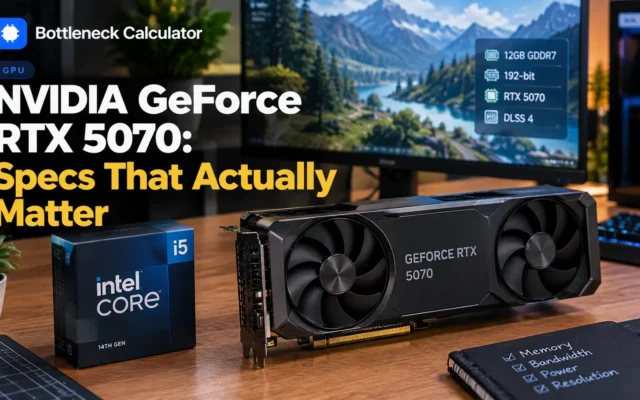
NVIDIA GeForce RTX 5070: Specs That Actually Matter
Specification sheets are written to sell cards, not to help you decide. They lead with the numbers that look largest and bury the ones that determine how the…
Read more about NVIDIA GeForce RTX 5070: Specs That Actually Matter