How to Fix a CPU Bottleneck Without Buying a New CPU
 Tayyab Rehman
11 min read
Tayyab Rehman
11 min read
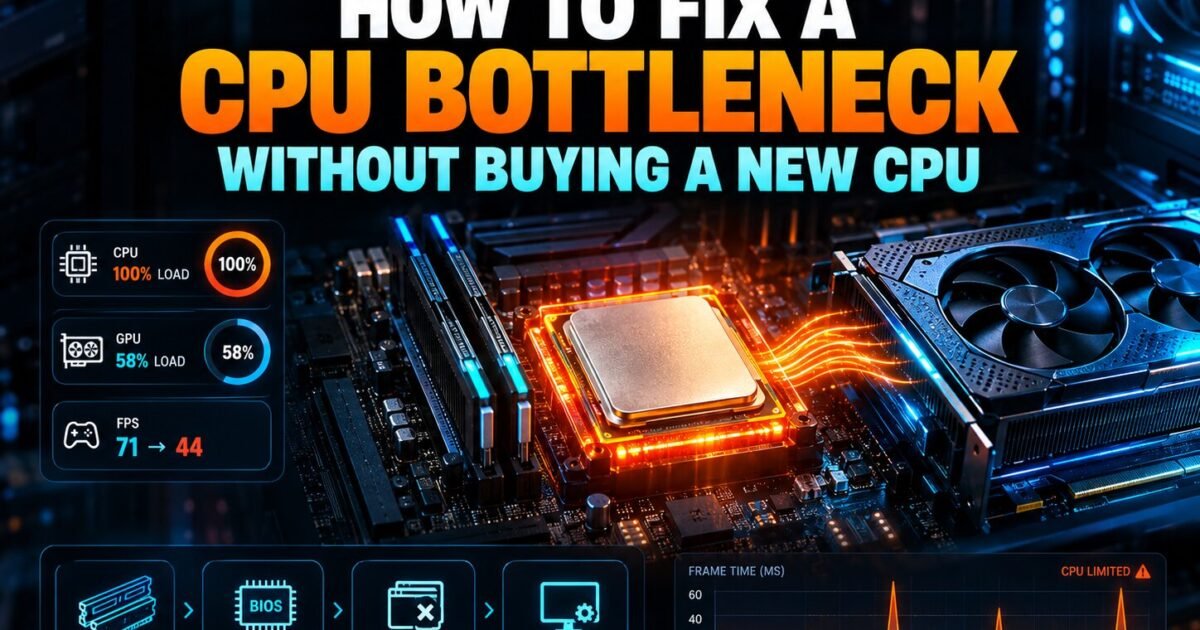
Your graphics card sits at 58 percent while one processor core pins at 100. The frame counter reads 71. In the open world it climbs to 95, then collapses to 44 the moment you walk into the market district.
You drop from Ultra to Medium. Nothing changes. You drop to Low, feeling slightly ridiculous, and the frame rate moves by three.
That is a CPU bottleneck, and the settings menu cannot save you. Here is the part that costs people money. The obvious response is to buy a faster chip, and roughly half the time that purchase was avoidable.
I have watched this play out enough times to have a firm opinion. Most people skip the first four fixes entirely, because those fixes are unglamorous and free. Then they spend 300 dollars solving a problem a memory stick would have solved.
This guide gives you seven fixes in strict order of cost, from nothing to a new platform, with an honest estimate of what each one returns.
Before we get into it
You will finish with a ranked action list and a clear sense of where to stop. No vague advice about upgrading, and no pretending that every problem needs a purchase.
I cover how to confirm the processor is genuinely the limit, the four free fixes that people skip, why memory configuration matters more than memory speed, and the point where a new chip really is the only honest answer.
One contrarian position up front. Resolution is a legitimate fix for a processor bottleneck, not a cheat. Raising it shifts work onto your graphics card and often gives you a better picture at the same frame rate. People treat that as cheating. It is simply using hardware you already paid for.
What this skips: extreme overclocking, delidding, and custom loops. Prices reflect September 2026 and move weekly, so treat every figure as a range.
What causes a CPU bottleneck in the first place?
A processor bottleneck happens when your chip cannot prepare frames fast enough to keep the graphics card busy. Low resolution, high refresh targets, and simulation heavy games all increase processor load. Weak single core speed, small cache, and single channel memory make it far worse.
Games lean on one or two cores far harder than the rest. That is why a sixteen core chip can lose to an eight core chip with better cache.
Crowded scenes are where it shows. Every character, vehicle, and light source adds work your processor must handle before the card draws anything.
How do you confirm the processor is really the problem?
Watch both components during a busy scene. If graphics card usage sits below 80 percent while your frame rate disappoints, the card is waiting on something. Then lower your graphics settings. If the frame rate barely moves, your processor is confirmed as the limit.
The settings test
This takes 30 seconds and beats any calculator. Drop from Ultra to Low and watch the counter.
A large jump means your graphics card led all along. A change of two or three frames confirms a processor limit, because you just removed most of the graphics workload and nothing improved.
Run your exact pairing through our bottleneck calculator as a cross check, and read the result alongside our guide to what a good bottleneck percentage actually means.
What is the correct order to fix a CPU bottleneck?
Work from free to expensive. Check memory configuration, raise resolution, close background software, and update chipset drivers first. Then consider faster memory, then a processor swap on your existing board, and only then a new platform. Most people invert this order and overpay.
| Fix | Cost | Time | Typical gain |
|---|---|---|---|
| Enable dual channel memory | 0 to 60 dollars | 20 minutes | 10 to 25 percent |
| Raise resolution | Free | 1 minute | Shifts load, better image |
| Close background software | Free | 5 minutes | 2 to 8 percent |
| Update chipset and drivers | Free | 20 minutes | 0 to 10 percent |
| Enable memory profile | Free | 5 minutes | 5 to 15 percent |
| Faster memory kit | 60 to 130 dollars | 30 minutes | 3 to 10 percent |
| Processor swap, same board | 150 to 350 dollars | 1 hour | 20 to 60 percent |
| New platform | 500 dollars plus | Half a day | 40 to 90 percent |
| Symptom | Likely cause | First thing to try |
|---|---|---|
| Stutter only in cities | Processor limit | Check dual channel memory |
| Low but steady frames | Graphics card limit | Lower two heavy settings |
| Frames sag after 10 minutes | Thermal throttling | Clean dust filters |
| Sudden hard shutdowns | Power supply | Total your real draw |
| Textures load late | Out of video memory | Lower texture quality |
Notice the top row. The cheapest fix on the list returns more than a faster memory kit and sometimes more than a chip swap.
Is single channel memory really that bad?
Yes, and it is the most common hidden cause of a processor bottleneck. Running one memory stick instead of two halves your available bandwidth. That starves the processor in exactly the crowded scenes where you already struggle, and it produces stutter people routinely blame on the graphics card.
Check it in 30 seconds. Open Task Manager, go to Performance, click Memory, and look for the slots used figure.
Prebuilt machines are the usual offender. Manufacturers ship a single 16GB stick because it costs them less and leaves an upgrade path they can sell you later.
Add a second matching stick and run them in the correct slots, which your motherboard manual will name. This is the highest return per pound in the entire hobby.
Does raising resolution fix a CPU bottleneck?
It does not remove the bottleneck, but it makes it irrelevant. Higher resolution gives your graphics card far more work per frame, so the card becomes the limit instead. Your frame rate often stays close to identical while the image improves noticeably.
Try it before you dismiss it. If you run 1080p with a capable card, switch to 1440p and compare.
Plenty of people find they lose five frames and gain a visibly sharper picture. That is a good trade, and it costs nothing beyond a monitor you may already own.
The reverse is worth knowing too. Turning on upscaling lowers the internal resolution and pushes work back onto the processor, which can make a processor bottleneck worse rather than better.
Will faster RAM help, or just dual channel?
Dual channel matters far more than raw speed. Moving from one stick to two typically returns 10 to 25 percent, while jumping from DDR4 3200 to DDR4 3600 returns closer to 3 to 8 percent. Enable your memory profile in the BIOS first, because many systems run slow by default.
That last point catches people constantly. Memory sold as 3600 will often run at 2133 until you switch on XMP or EXPO in the BIOS.
Check your current speed in Task Manager under Memory. If it reads lower than the figure on the box, you have free performance waiting.
Do background applications actually matter?
They matter when your processor is already the limit. Browser tabs, chat overlays, and streaming software all consume the same cores your game needs. On a chip with spare headroom this costs nothing, but on a processor bound system it can remove 5 to 10 percent of your frames.
- Browsers with many tabs, easily the worst repeat offender
- Discord with hardware acceleration left enabled
- RGB and fan control suites running in the background
- Cloud sync clients uploading while you play
- Antivirus running a scheduled scan mid session
None of these individually ruins a session. Together on a struggling chip they add up to a noticeable amount.
Should you overclock to fix a CPU bottleneck?
Modern processors already boost close to their limit, so manual overclocking returns far less than it did a decade ago. Expect 3 to 7 percent for meaningful extra heat. Enabling an automatic boost feature such as PBO is worth trying, but plan your cooling before you touch anything.
My honest view is that overclocking is no longer a real answer to this problem. The returns shrank while the risks stayed the same.
Memory tuning is the exception. Tightening timings often helps games more than raising core clocks, because games care about latency.
Chips with stacked cache lock their multiplier anyway, so memory is your only tuning route there.
Does better cooling help a CPU bottleneck?
It helps only when heat is the real cause. A processor running at 95 degrees reduces its own clocks to protect itself, and that behaves exactly like a chip that is simply too slow. Check your temperatures during a long session before you assume the chip lacks performance.
Thermal throttling is sneaky because it arrives late. Your first ten minutes look fine, then the frame rate sags as the cooler loses the fight.
Two free checks come first. Clean your dust filters and confirm your cooler is actually mounted tightly, because a loose mount is more common than people admit.
If temperatures sit in the seventies under load, cooling is not your problem and a new cooler will return nothing. Spend the money elsewhere.
The 1 percent low problem
Average frame rate hides the damage a processor limit does. Two systems can both report 90 average while one feels smooth and the other feels broken.
The difference sits in the 1 percent lows, which measure your worst frames rather than your typical ones. A processor bottleneck wrecks that figure while barely touching the average.
Turn on 1 percent low reporting in your overlay and judge by that number instead. It matches what you actually feel far more closely than the average ever will.
When is a new processor the only real answer?
Upgrade the chip when you have already fixed memory, confirmed dual channel, raised resolution where sensible, and still sit below your monitor refresh rate in the games you care about. If the free fixes left you short, no amount of tuning will close a real generational gap.
Check your motherboard support list before you buy anything. A board with an old BIOS may refuse to boot with a newer chip, and updating afterwards is impossible without the old processor installed.
On older AMD boards this route is unusually good value. A single chip swap can deliver most of a modern gaming experience without touching your board or memory, which our AM4 processor guide covers with current pricing.
Price the full upgrade both ways in our PC builder before committing, because a chip swap and a new platform often sit closer in price than people expect.
Which games refuse to be fixed?
Simulation, strategy, and large multiplayer titles remain processor bound no matter what you do. Games that track thousands of objects, units, or players place demands that no graphics setting reduces. In those titles cache size and single core speed decide your experience.
City builders are the clearest example. Your frame rate falls steadily as the city grows, and every graphics slider is irrelevant to that curve.
If those genres are what you play, weight your budget toward the processor and toward cache in particular. Chips with stacked cache genuinely change the experience in these titles.
Does a CPU bottleneck damage anything?
No. Running a processor at full load is normal operation and modern chips reduce their own clocks long before heat becomes dangerous. The only genuine concern is sustained poor cooling over years, which cleaning dust filters and reapplying thermal paste usually solves.
Check your temperatures while you are looking. A processor throttling at 95 degrees behaves exactly like one that is simply too slow.
Confirm your power headroom as well with our power supply calculator, since an overloaded supply produces the same symptoms.
What mistakes do people make trying to fix this?
They buy first and diagnose later. They upgrade the graphics card when the processor was the limit. And they ignore memory configuration entirely, which is the single most common hidden cause and the cheapest thing on the list to correct.
The second mistake is chasing a benchmark score. A chip with a huge multi threaded score can lose badly in games, because games reward cache and single core speed instead.
The third is testing in the wrong place. Standing still in a corridor tells you nothing. Measure in the crowded market district that caused the problem.
Check your expected frame rates at your resolution with our FPS calculator so you know what target is realistic before spending.
Frequently asked questions
How do I fix a CPU bottleneck without upgrading?
Work through the free fixes first. Confirm you are running two memory sticks in dual channel, enable your XMP or EXPO profile in the BIOS, raise your resolution, close background software, and update chipset drivers. Together these often return 15 to 30 percent with no purchase at all.
Does raising resolution fix a CPU bottleneck?
It makes the bottleneck irrelevant rather than removing it. Higher resolution gives your graphics card more work per frame, so the card becomes the limit. Many people lose only a few frames moving from 1080p to 1440p while gaining a visibly sharper picture.
Will more RAM fix a CPU bottleneck?
More capacity rarely helps, but the right configuration does. Moving from a single stick to two matched sticks in dual channel typically returns 10 to 25 percent. Check your slots used figure in Task Manager before buying anything else.
Is a CPU bottleneck worse than a GPU bottleneck?
Usually yes, at the same percentage. A processor limit causes sudden stutter in crowded scenes and ignores your graphics settings, so you cannot tune around it. A graphics limit lowers your frame rate evenly and responds immediately to lowering settings.
Does overclocking fix a CPU bottleneck?
Barely. Modern chips already boost near their limit, so expect 3 to 7 percent for extra heat. Memory tuning usually helps games more than core clocks, and processors with stacked cache lock their multiplier entirely, leaving memory as your only option.
Do background programs cause a CPU bottleneck?
They make an existing one worse. Browsers with many tabs, chat overlays with hardware acceleration, and cloud sync clients all take cores your game needs. On a processor bound system, closing them can recover 5 to 10 percent of your frames.
Can a CPU bottleneck cause stuttering?
Yes, and stutter is its signature symptom. You will see a healthy average frame rate that collapses in crowded areas, cities, or large multiplayer fights. A graphics bottleneck instead produces a lower but steady frame rate across the whole game.
How do I know if my CPU or GPU is bottlenecking?
Lower your graphics settings from Ultra to Low and watch your frame rate. A large jump means the graphics card was the limit. Almost no change confirms the processor, because you removed the graphics workload and gained nothing.
Should I upgrade my CPU or my GPU first?
Upgrade whichever your own measurements name as the limit at the resolution you actually play. At 1080p high refresh the processor is usually the culprit. At 4K the graphics card almost always is. Measure before you choose rather than guessing.
Does turning on DLSS fix a CPU bottleneck?
No, and it often makes one worse. Upscaling lowers the internal resolution your card renders, which shifts work back onto the processor. If your processor was already the limit, expect far smaller gains than the feature advertises.
Does Windows Game Mode help a CPU bottleneck?
Marginally at best. It deprioritises background processes, which helps slightly on a saturated processor and does nothing on one with headroom. Leave it on, but do not expect it to solve anything.
Does a faster SSD fix CPU bottleneck stutter?
No. Storage affects loading times rather than frame rates once a level is loaded. Stutter during play comes from the processor, memory bandwidth or running out of video memory, not from drive speed.
Will disabling hyperthreading help?
Almost never on modern chips, and it usually hurts. Hyperthreading lets each core handle two threads, which modern game engines use. The old advice to disable it dates from an era when schedulers handled it badly.
Can Windows itself cause a CPU bottleneck?
Indirectly. A corrupted install, aggressive antivirus scanning, or dozens of startup programs all consume cores your game needs. A clean startup list is worth checking before blaming hardware.
Remember that market district collapsing to 44 frames? In a large share of cases the cause is a single memory stick and a disabled memory profile. Two fixes, under an hour, often under 60 dollars.
So resist the upgrade instinct for one evening. Confirm dual channel, switch on XMP or EXPO, close the browser, and retest in the same crowded scene.
The thing to do first costs nothing. Open Task Manager, check your memory slots and speed, then decide whether you still need to spend anything at all.
Which of these seven fixes have you already tried, and where did you get stuck?
Related reading

Best CPU for Gaming in 2026: Picks at Every Budget
Two processors, same price. One has sixteen cores and a huge benchmark score. The other has eight cores, lower clocks, and wins almost every game you will actually…
Read more about Best CPU for Gaming in 2026: Picks at Every Budget
What Is 3D V-Cache? Why Slower Chips Win at Gaming
Two processors sit on a shelf. One boosts to 5.0 GHz. The other boosts to 4.5 GHz and costs more. Every instinct you have says buy the faster…
Read more about What Is 3D V-Cache? Why Slower Chips Win at Gaming
Best AM4 CPU for Gaming in 2026 (Ranked and Tested)
Your Ryzen 5 3600 still boots every morning. But your newer graphics card sits half asleep, and crowded game cities stutter. A full AM5 jump costs roughly $500…
Read more about Best AM4 CPU for Gaming in 2026 (Ranked and Tested)