Best CPU for Gaming in 2026: Picks at Every Budget
 Tayyab Rehman
9 min read
Tayyab Rehman
9 min read
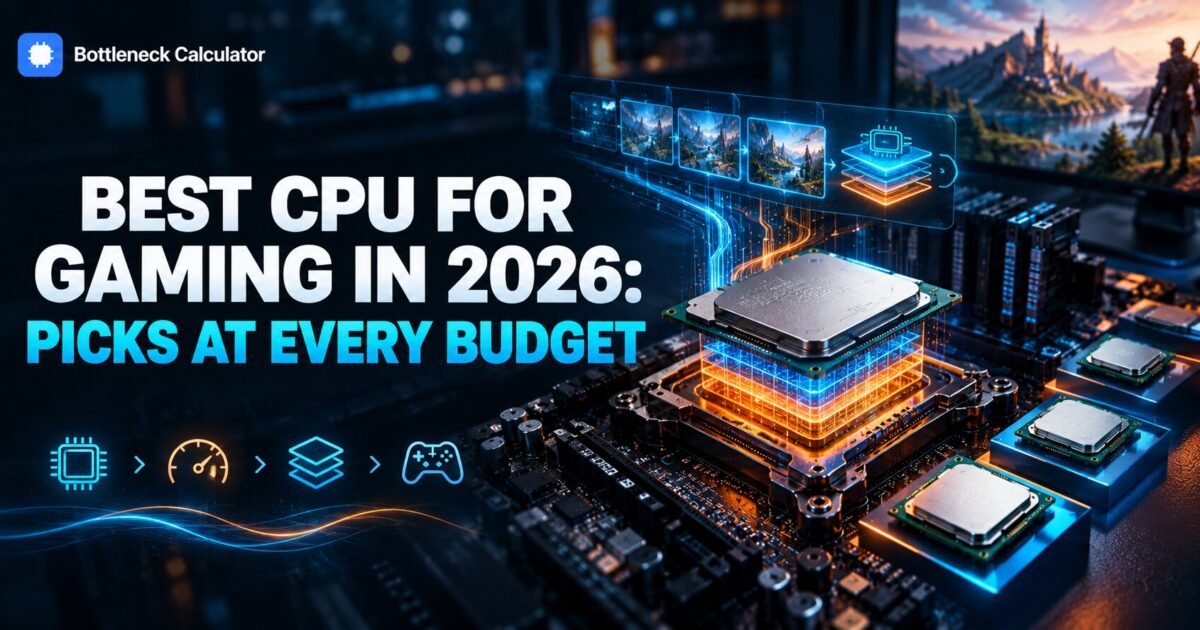
Two processors, same price. One has sixteen cores and a huge benchmark score. The other has eight cores, lower clocks, and wins almost every game you will actually play.
Every buying guide shows you the benchmark chart. Almost none explain why that chart is the wrong tool for this decision.
Here is the thing that took me far too long to accept. Games do not care about your core count past about eight. They care about how long the processor waits for data, and that is a cache problem rather than a core problem.
Which is why the best cpu for gaming in 2026 is not the most expensive chip, not the one with the most cores, and frequently not the one topping the charts you were just reading.
This guide gives you a pick at every budget from 100 dollars to 500, the reasoning behind each, and the three situations where spending more returns you nothing at all.
The honest summary
You will leave with a specific chip chosen for your budget, your resolution, and your monitor, rather than a generic list of expensive parts.
People search for good cpus for gaming pc builds and expect a list of twenty. Four chips cover almost every budget honestly. I cover why cache beats cores in games, the honest picks at each price tier, how AMD and Intel actually compare right now, how many cores you genuinely need, and why your monitor should decide your budget before any benchmark does.
One opinion that will annoy people. Most gamers overspend on the processor and underspend on the graphics card. Unless you play at 1080p on a high refresh monitor, the card matters more, and the money would do more good there.
Out of scope: laptop processors and workstation builds, which are genuinely different decisions. Prices reflect September 2026 and move weekly, so read every figure as a range.
What is the best CPU for gaming in 2026?
The best processor for gaming pc builds in 2026 is the Ryzen 7 9800X3D, which is the fastest gaming processor you can buy thanks to its stacked cache. For most people the Ryzen 7 7800X3D or 9700X delivers nearly the same experience for considerably less. Below 200 dollars the Ryzen 5 7600 is the sensible choice.
| Budget | Pick | Cores | Best for | Approx price |
|---|---|---|---|---|
| Flagship | Ryzen 7 9800X3D | 8 | 1080p high refresh, simulation | $440 to $500 |
| High end | Ryzen 7 7800X3D | 8 | Best value at the top | $330 to $400 |
| Upper mid | Ryzen 7 9700X | 8 | Gaming plus creative work | $280 to $330 |
| Mid range | Ryzen 5 7600 | 6 | 1440p sweet spot | $180 to $220 |
| Budget | Ryzen 5 5600 | 6 | Existing AM4 boards | $100 to $150 |
| Intel mid | Core i5 14600K | 14 | Mixed gaming and productivity | $200 to $260 |
| Intel high | Core i7 14700K | 20 | Streaming while gaming | $300 to $370 |
| Also budget for | Cost | Why it matters |
|---|---|---|
| CPU cooler | to | High end chips ship bare |
| Two memory sticks | to 0 | A single stick costs more than a tier |
| Motherboard | 0 to 0 | Check BIOS support first |
| PSU headroom | Varies | Sized around the card, not the chip |
Those are the best gaming processors on sale at each tier right now. Notice the core counts. The flagship gaming chip has eight cores while the Intel option has twenty, and the eight core part still wins in games.
Why does cache beat core count in games?
Games constantly fetch small, scattered pieces of data such as object positions and physics states. A larger cache keeps more of that data on the processor itself, so it waits less. Extra cores sit idle because most game engines cannot spread work across more than six to eight threads effectively.
Benchmark scores measure the opposite thing. They reward sustained throughput across every available core, which is exactly what rendering and compiling need and exactly what games do not.
That mismatch explains why a chip can post a far higher score and still lose by 20 percent in a city builder. Our explainer on how stacked cache changes gaming performance covers the mechanism properly.
What is the best budget gaming processor?
The Ryzen 5 7600 at roughly 180 to 220 dollars is the best new budget option, because it lands on AM5 and leaves you an upgrade path. If you already own an AM4 motherboard, the Ryzen 5 5600 at 100 to 150 dollars is better value and needs no new board or memory.
Under 150 dollars
The Ryzen 5 5600 is the obvious answer if you have a compatible board. Six cores, low power, and strong 1080p performance.
Our AM4 processor guide works through that upgrade path with current pricing, including when a chip swap beats a whole new platform.
150 to 250 dollars
The Ryzen 5 7600 or the Core i5 14600K. The AMD chip wins on power draw and platform longevity. The Intel chip wins if you also do productivity work.
Above 300 dollars
Stacked cache territory. The 7800X3D is the value pick and the 9800X3D is the outright fastest. Beyond that you are buying productivity performance, not gaming performance.
AMD or Intel for gaming right now?
AMD holds a clear lead in gaming because of stacked cache, and AM5 boards will accept future processors. Intel competes well on mixed workloads and often on price per core, which suits people who stream or render alongside gaming. For pure frame rates, AMD wins today.
My honest read is that this is the widest the gap has been in years, and it is specifically a cache story rather than a general engineering lead.
Platform longevity matters too. An AM5 board bought now will likely take another generation of chips, while recent Intel sockets have changed more frequently.
That said, do not ignore a good Intel deal. A discounted 14600K paired with cheaper DDR5 can beat the AMD equivalent on total build cost.
How many cores do you actually need for gaming?
Six cores is the realistic minimum and eight is the comfortable answer. Almost no game benefits from more than eight, so core counts above that serve streaming, rendering, or compiling rather than frame rates. Buying sixteen cores for gaming alone wastes money.
- Four cores. No longer adequate. Modern titles stutter badly.
- Six cores. Fine for 1080p and 1440p with a mid range card.
- Eight cores. The sweet spot, and where the best gaming chips sit.
- Twelve or more. Useful for streaming and creative work, not for frames.
If you stream at high quality while playing, extra cores genuinely help. Otherwise a hardware encoder on your graphics card handles that job better anyway.
Does clock speed still matter?
Less than the marketing suggests. Modern chips all boost to broadly similar frequencies, so differences of a few hundred megahertz rarely show up in real gameplay. Cache size and memory latency separate good gaming processors from mediocre ones far more reliably than clock speed does.
The clearest proof sits in the product stack itself. The chips with stacked cache run lower clocks than their standard siblings and still beat them in games.
Treat advertised boost figures as marketing rather than a ranking. They describe a best case on one core for a short burst.
Should your processor match your graphics card?
They need to be balanced for the resolution you play, not matched by price. At 1080p the processor does proportionally more work and deserves more budget. At 4K the graphics card carries almost everything, so a mid range chip is perfectly adequate alongside a flagship card.
This is the single most common way people waste money on a build. A flagship processor behind a modest card at 4K changes nothing you can see.
Run your intended pairing through our bottleneck calculator at the resolution you actually play before ordering anything, and read the result alongside our guide to what a good bottleneck percentage means.
How does resolution change which processor you need?
At 1080p with a fast card the processor sets your frame rate, so this is where premium gaming chips earn their price. At 1440p the load splits fairly evenly. At 4K the graphics card dominates and a mid range processor keeps up with almost anything.
Work backwards from your monitor. A 1080p 240 hertz panel justifies a flagship chip. A 4K 60 hertz panel does not, no matter what the charts say.
Check what frame rates a given pairing should produce at your resolution with our FPS calculator before committing to a tier.
Is a last generation processor better value?
Often yes, particularly on AMD. The 7800X3D frequently sits well below the 9800X3D while delivering close performance in most titles. Last generation parts also pair with cheaper boards and memory, which can save more than the chip discount itself.
Price the whole platform rather than the chip alone. Board and memory costs frequently decide which generation makes sense.
Our PC builder lets you price two generations side by side so the comparison includes everything rather than just the processor.
What else do you need to budget for?
A compatible motherboard, two matched memory sticks, and a cooler. Most high end gaming chips ship without a cooler, and running a single memory stick will cost you more performance than choosing the wrong processor tier would.
- Cooler. Budget 30 to 70 dollars unless the chip includes one.
- Memory. Two matched sticks in dual channel, never one.
- Motherboard. Check the support list and update the BIOS first.
- Power supply. Confirm headroom with your card included.
Total your draw with our power supply calculator before you order, since an underpowered supply causes crashes that look exactly like a faulty processor.
What mistakes do people make buying a gaming CPU?
They buy on benchmark scores that reward core count rather than cache. They overspend on the processor while underspending on the graphics card. And they forget the cooler and memory, which together often cost more than the gap between two processor tiers.
The second mistake is the expensive one. At 1440p and above, moving 150 dollars from the processor to the graphics card usually buys more frames than any chip upgrade would.
The third is buying for a monitor you do not own. Plenty of people buy a flagship chip to drive a 60 hertz panel that cannot display the extra frames.
Frequently asked questions
What is the best CPU for gaming in 2026?
The Ryzen 7 9800X3D is the fastest gaming processor available, thanks to its stacked cache. The Ryzen 7 7800X3D delivers close performance for noticeably less money, and the Ryzen 5 7600 is the sensible pick below 220 dollars.
What is a good processor for gaming on a budget?
The Ryzen 5 7600 at roughly 180 to 220 dollars if you are building new, since it lands on AM5 with an upgrade path. If you already own an AM4 board, the Ryzen 5 5600 at 100 to 150 dollars is better value and needs no new motherboard or memory.
Are more cores better for gaming?
Only up to about eight. Most game engines cannot spread work across more than six to eight threads effectively, so cores beyond that sit idle during play. Higher core counts serve streaming, rendering and compiling rather than frame rates.
Is AMD or Intel better for gaming?
AMD currently leads for pure gaming because of stacked cache, and AM5 boards should accept future chips. Intel competes well on mixed workloads and sometimes on total build cost. For frame rates alone, AMD has the clearer advantage today.
Do I need an expensive CPU for 4K gaming?
No. At 4K the graphics card sets your frame rate in nearly every title, so a mid range processor keeps up with almost any card. Put the money into the graphics card instead, unless you play heavy simulation titles that stay processor limited at any resolution.
Does clock speed matter for gaming processors?
Less than marketing implies. Modern chips boost to broadly similar frequencies, so small differences rarely show in gameplay. Cache size and memory latency separate strong gaming processors from mediocre ones far more reliably than advertised clocks.
Should I buy a last generation gaming CPU?
Often yes, especially on AMD. The 7800X3D regularly sits well below the 9800X3D while performing close in most games. Last generation parts also pair with cheaper boards and memory, which can save more than the chip discount alone.
How much should I spend on a gaming CPU?
Roughly a quarter to a third of your total build budget is a sensible guide. At 1080p high refresh lean higher, because the processor sets your frame rate. At 4K lean lower and move the savings to your graphics card.
The practical answer
Back to those two chips at the same price. The sixteen core part wins the benchmark and loses the game, because games measure waiting rather than throughput.
So the short version on picking the best gaming cpu. Buy stacked cache if you game at 1080p or 1440p and can stretch to it. Buy a Ryzen 5 7600 if you cannot. Buy nothing at all if you play at 4K and your current chip is less than five years old.
Start here is to look at your monitor rather than a chart. Resolution and refresh rate decide how much processor you actually need.
What resolution do you play at, and which chip are you weighing up?
Related reading
What Is 3D V-Cache? Why Slower Chips Win at Gaming
Two processors sit on a shelf. One boosts to 5.0 GHz. The other boosts to 4.5 GHz and costs more. Every instinct you have says buy the faster…
Read more about What Is 3D V-Cache? Why Slower Chips Win at Gaming
How to Fix a CPU Bottleneck Without Buying a New CPU
Your graphics card sits at 58 percent while one processor core pins at 100. The frame counter reads 71. In the open world it climbs to 95, then…
Read more about How to Fix a CPU Bottleneck Without Buying a New CPU
Best AM4 CPU for Gaming in 2026 (Ranked and Tested)
Your Ryzen 5 3600 still boots every morning. But your newer graphics card sits half asleep, and crowded game cities stutter. A full AM5 jump costs roughly $500…
Read more about Best AM4 CPU for Gaming in 2026 (Ranked and Tested)