What Is a Good Bottleneck Percentage? The Honest Answer
 Tayyab Rehman
11 min read
Tayyab Rehman
11 min read
You type your parts into a bottleneck calculator. It returns 18 percent and colours it orange. Your stomach drops.
So you open three more calculators. One says 4 percent. Another says 31 percent. The third refuses to answer without your resolution. Now you have four numbers and no decision.
Here is what nobody puts next to that figure. A bottleneck percentage is not a grade. It is a rough description of which part runs out of headroom first, measured under assumptions the tool rarely shows you.
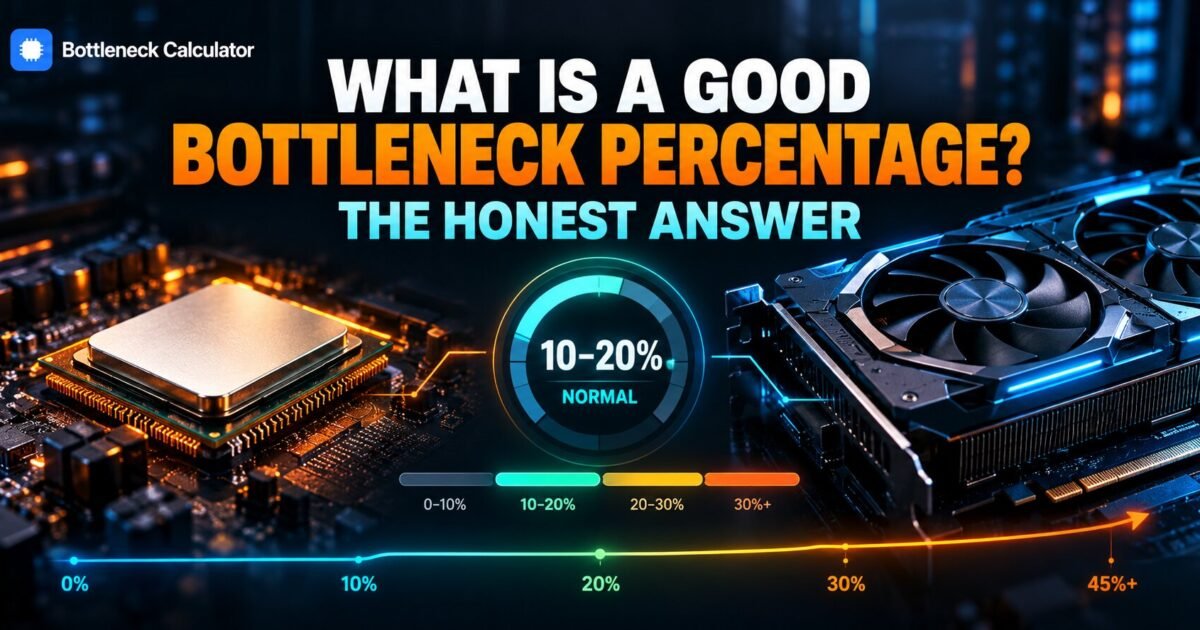
I will give you the direct answer in a moment. Under 10 percent is fine, 10 to 20 percent is normal, and above 20 percent deserves a look. But the number alone is close to useless without three pieces of context, and that is the part these tools skip.
This guide gives you the thresholds, the context that makes them mean something, and the cases where a scary looking figure should be ignored entirely.
You will leave able to read any calculator result correctly and decide whether it justifies spending money. That is the whole point.
I cover the actual thresholds at each resolution, why two calculators disagree so violently on the same parts, and how to measure the real figure on your own machine in about two minutes. You also get a table matching percentage bands to what you will genuinely feel while playing.
One opinion that will annoy some readers. Most people who ask about an acceptable bottleneck percentage are asking the wrong question. The useful question is whether your frame rate clears your monitor refresh rate at the settings you play. Everything else is decoration.
Out of scope: overclocking, undervolting, and synthetic benchmark chasing. Prices and part names reflect September 2026 and shift constantly, so read them as ranges.
What is a good bottleneck percentage?
Under 10 percent counts as a well matched pair and needs no action. Ten to 20 percent is normal in most real builds and rarely worth spending on. Above 20 percent means one component holds the other back enough to notice, and above 30 percent usually justifies an upgrade.
Those bands hold across most tools. What changes is which component gets blamed and at which resolution the test ran.
Treat the bottleneck percentage as a smoke alarm rather than a diagnosis. It tells you where to look. It does not tell you what to buy.
What do these percentages actually measure?
Most calculators compare a benchmark score for your processor against one for your graphics card, then express the gap as a percentage. They estimate how much performance the weaker part costs the stronger one. They do not measure your actual machine, your settings, or the games you play.
That matters more than it sounds. A benchmark score rewards raw throughput. Games reward memory latency, cache size, and how well a title uses multiple cores.
This is why a processor with a modest score can outperform a higher scoring rival in games. Cache beats raw numbers more often than the charts suggest, which our explainer on where your system actually spends its effort covers in detail.
Is a 10 percent bottleneck bad?
No. Ten percent is a healthy, normal result that describes almost every balanced gaming PC ever built. At 90 average frames it costs you roughly nine frames, which nobody perceives above 60. Spending money to remove it is one of the worst value upgrades available.
Run the arithmetic yourself. Ten percent of 120 frames is 12 frames. On a 144 hertz panel you might just notice it in a competitive shooter. On a 60 hertz panel you will never see it at all.
Now flip it. Ten percent of 38 frames is under four frames, but you are already below comfortable. There the problem is the whole system, not the balance between two parts.
Does the acceptable number change with resolution?
Yes, dramatically. At 1080p your processor does proportionally more work, so percentages run higher and matter more. At 4K the graphics card dominates, so the same pair of parts can report a far lower figure. Any result quoted without a resolution is incomplete.
| Reported figure | What it means | What you feel | Action |
|---|---|---|---|
| 0 to 5 percent | Very closely matched | Nothing at all | None |
| 5 to 10 percent | Well matched | Nothing in normal play | None |
| 10 to 20 percent | Normal real world build | Occasionally in demanding scenes | Tune settings |
| 20 to 30 percent | Noticeable imbalance | Stutter in busy areas | Investigate properly |
| 30 to 45 percent | Clear mismatch | Frequent frame drops | Plan an upgrade |
| Above 45 percent | Severe mismatch | Consistently poor | Upgrade the weak part |
Raising resolution is the cheapest way to improve a bad bottleneck percentage. It costs nothing and often looks better too.
Why do two calculators give completely different answers?
They use different benchmark databases, different weightings, and different assumptions about resolution and settings. One may assume 1080p while another assumes 1440p. Neither knows which games you play, so their outputs describe different scenarios rather than contradicting each other.
The three variables that move the result
- Resolution. The single biggest factor by a wide margin.
- Benchmark source. Multi threaded scores flatter high core count chips that lose in games.
- Workload assumed. Competitive shooters and city builders stress completely different parts.
Use one tool that asks for your resolution and stick with it. Comparing outputs across tools tells you nothing useful. Our bottleneck calculator asks for resolution before answering, precisely because the answer changes without it.
Which is worse, a CPU bottleneck or a GPU bottleneck?
A processor bottleneck is worse for the same percentage. It produces sudden stutter in crowded scenes and ignores your graphics settings, so you cannot tune your way out of it. A graphics bottleneck lowers your frame rate evenly and responds immediately to settings changes, which makes it far easier to live with.
The practical test takes 30 seconds. Drop from Ultra to Medium and watch your frame rate. A large jump means the graphics card led. Almost no change means your processor did.
This asymmetry explains why I weight the two differently. I will happily accept 20 percent on the graphics side. On the processor side I start paying attention around 15 percent, because stutter ruins a session in a way that a slightly lower average never does.
Genre matters here too. Simulation, strategy, and city builders lean hard on the processor. Competitive shooters at high refresh rates do the same.
How does upscaling change the number?
Upscaling makes your graphics card render fewer pixels, which shifts work back onto the processor. Turning on DLSS or FSR can move a system from graphics limited to processor limited without changing a single part. Almost no bottleneck calculator accounts for this, which is why their figures are drifting further from reality.
Picture a machine running 1440p native at 65 frames, clearly graphics limited. Switch on quality mode upscaling and it renders closer to 1080p internally. Suddenly the processor is the one struggling.
That flip catches people out constantly. They enable upscaling expecting free frames, gain far less than promised, and blame the feature.
If you plan to use upscaling regularly, read your percentage as though you played one resolution tier lower than you actually do. That single adjustment makes the figure far more honest.
Does memory affect your bottleneck percentage?
Calculators ignore memory entirely, yet it changes real performance a great deal. Running a single stick instead of two matched sticks cuts bandwidth sharply and causes stutter that looks exactly like a processor bottleneck. Memory speed and timings also affect frame consistency more than most buyers expect.
Check this before you spend anything on processors or graphics cards. Open Task Manager, look at your memory tab, and confirm you are running dual channel.
A second matching stick costs very little. I have seen that one change resolve complaints that people were planning to fix with a 400 dollar upgrade.
When does a high percentage genuinely matter?
It matters when your frame rate already sits below your monitor refresh rate, when you play processor heavy genres such as simulation and strategy, and when you are about to buy a new graphics card that the existing processor cannot feed. In those three cases the figure predicts wasted money.
The third case is the expensive one. Someone runs a five year old processor, buys a current flagship card, and gains almost nothing at 1080p. The card was never the limit.
Check the pairing before the order, not after the delivery. On older platforms a chip swap frequently beats a new card, which our guide to the best AM4 processors works through with real pricing.
When should you ignore the number completely?
Ignore it when your frame rate already exceeds your monitor refresh rate, when you play at 4K, and when the cost of the fix outweighs what you gain. A bottleneck you cannot perceive during normal play is a statistic, not a problem.
Here is my honest position after watching this question for years. The percentage has become a source of anxiety rather than a diagnostic. People with perfectly good machines spend hundreds to move a number they will never see change in a game.
If your games run smoothly at the settings you enjoy, you are finished. Close the calculator.
How do you check the real figure on your own PC?
Watch component load during real gameplay rather than trusting an estimate. If graphics card usage holds above 95 percent, the card leads and your balance is healthy. If the card sits near 60 percent while a processor core pins at 100, the processor holds you back.
- Install MSI Afterburner with RivaTuner. Both are free.
- Enable the overlay for processor load, graphics load, and frame rate.
- Play a genuinely demanding scene for two minutes.
- Record the figures during action, not while standing still.
- Repeat at a second resolution to see the balance shift.
That measured result beats any estimate, because it reflects your games and your settings rather than an average.
What should you aim for in a new build?
Aim for the graphics card to be your limiting component at the resolution you actually play. In practice that means a reported figure under 15 percent with the card leading. Start from your monitor, choose the card to match it, then pick a processor that can keep it fed.
Rough budget guidance that holds up. At 1080p high refresh, weight spending toward the processor. At 1440p, split it fairly evenly. At 4K, put the money in the card.
Price the full parts list in our PC builder and confirm your power headroom with the power supply calculator before ordering anything.
Does a zero percent bottleneck exist?
Not in any real machine. Some component always reaches its limit first, which is what defines a bottleneck. A tool showing 0 percent is reporting that the gap falls below its measurement resolution, not that the gap has disappeared.
Chasing zero is the most expensive mistake in this hobby. It has no finish line, because changing one part simply moves the limit somewhere else.
Pick where you want the limit to sit, then stop. That is the entire skill.
What do people get wrong most often?
They upgrade the component the calculator named without checking their own resolution first. They compare results across tools that assume different scenarios. And they ignore memory configuration, which causes more stutter complaints than any imbalance between processor and graphics card.
The second mistake is quieter. People read a figure once, at stock settings, and never check it again after changing resolution or enabling upscaling.
Check expected frame rates at your resolution with the FPS calculator before assuming the balance between parts is at fault.
Frequently asked questions
What is a good bottleneck percentage for gaming?
Under 10 percent is excellent and 10 to 20 percent is normal for most real builds. Above 20 percent is worth investigating, and above 30 percent usually justifies an upgrade. Always read the figure alongside your resolution, because the same parts report very different numbers at 1080p and 4K.
Is 10 percent bottleneck bad?
No. Ten percent describes a healthy, well matched system. At 90 average frames it costs you around nine frames, which you will not notice above 60. Removing it is poor value compared with spending the same money on a monitor or faster memory.
Is 20 percent bottleneck bad?
It sits at the edge of acceptable. At 20 percent you may feel occasional stutter in crowded scenes or demanding titles. Try lowering two heavy settings and enabling upscaling first, because both are free and often close the gap without any purchase.
Why do bottleneck calculators disagree with each other?
They use different benchmark databases and assume different resolutions and workloads. One may model 1080p while another models 1440p. Pick a single tool that asks for your resolution and ignore the rest, since comparing them tells you nothing meaningful.
Are bottleneck calculators accurate?
They are useful for direction, not precision. They compare benchmark scores rather than measuring your machine, so they cannot see your settings or your games. Use one to decide where to look, then confirm with real load figures during actual gameplay.
What is an acceptable CPU bottleneck percentage?
Under 15 percent is comfortable when the processor is the named limit. Processor bottlenecks matter more than graphics ones because they cause stutter rather than a steady lower frame rate. Simulation and strategy players should aim lower than shooter players.
Does resolution change my bottleneck percentage?
Substantially. Higher resolution pushes work onto the graphics card and lowers a processor bottleneck figure. Moving from 1080p to 1440p is the cheapest improvement available, costs nothing, and usually produces a sharper picture at a similar frame rate.
Can I have a zero percent bottleneck?
Not in practice. Every system has a component that runs out of headroom first. A reading of zero means the gap is smaller than the tool can measure. Choose which component should be your limit instead of trying to eliminate the limit.
Should I upgrade if my bottleneck is 25 percent?
Investigate before you spend. Check your real load figures during gameplay, confirm your resolution, and test whether lowering settings or enabling upscaling recovers what you need. Only buy if those free steps leave you short of your monitor refresh rate.
Remember those four calculators disagreeing at the start? They were not broken. They modelled four different scenarios, and none of them knew your monitor or your games.
So here is the short version on what makes a good bottleneck percentage. Under 10 percent needs nothing. Ten to 20 is normal. Above 20 deserves a real look at your own load figures rather than another estimate.
My prediction is that these figures matter less every year. Upscaling keeps shifting where the limit sits, and a single percentage struggles to describe a system running DLSS or FSR at all.
Start here takes two minutes. Run your parts at the resolution you actually play, then compare that against what your overlay shows during a busy scene.
What figure did your calculator give you, and does it match what you feel in game?
Related reading
CPU and GPU Compatibility: What Actually Has to Match
Your cart holds an RTX 5070. Your machine runs a Ryzen 5 3600 from 2019. The card costs more than the rest of the system combined, and you…
Read more about CPU and GPU Compatibility: What Actually Has to Match