What Is a GPU Bottleneck? How to Spot One in Two Minutes

Here is the part that confuses everyone. A GPU bottleneck is usually good news, and people spend money trying to eliminate the one state they should want their machine to be in.
If your graphics card sits at 99% while you play, the most expensive component in your machine is doing all the work it is capable of. Nothing is being wasted. That is the design goal.
The word bottleneck sounds like a fault, so people read a 99% reading as a problem and go looking for a fix. There usually is not one, because there is not a problem.
What follows is how to confirm you have one, what it genuinely costs you, and the narrow set of cases where acting on it makes sense.
The honest summary
You will finish able to confirm whether your card is the limit, understand what that costs you, and know when it is worth doing something about.
I cover the plain language definition, how to spot one in two minutes, why resolution changes everything, whether being graphics limited is bad, what causes it, the fixes, and when to ignore it entirely.
The claim I will defend: for a gaming PC, being graphics limited is the correct state, and a processor limit is the one worth fixing. Most bottleneck anxiety is pointed at the wrong component.
Two numbers to carry. A graphics limited system responds strongly to lowering settings, typically 40% or more. A processor limited one responds by under 15%, and that gap is how you tell them apart.
Out of scope: compute workloads, multi GPU and laptops with hybrid graphics. Reflects desktop behaviour in November 2026.
What is a GPU bottleneck in plain language?
Your graphics card is the slowest link in the chain, so it decides your frame rate. It is rendering as fast as it can and the processor is comfortably keeping it supplied. The card runs at 95% to 99% utilization and the frame rate is whatever that card can manage at those settings.
Every system has a limiting component at every moment. In a gaming machine you want it to be the card, because that is the part you chose for graphics performance.
Why it feels like a problem and is not
The word implies something is being held back. Something is, in the sense that frame rate is capped, but it is capped by the component whose job that is.
The alternative, a processor limit, means the card is idling and you are not getting what you paid for. That is the genuinely bad outcome.
How do you know if your GPU is the bottleneck?
Watch GPU utilization during real gameplay. At 95% to 99% the card is the limit. Confirm with the settings test: drop everything from high to low and if your frame rate jumps 40% or more, the card was clearly the constraint.
| Check | Graphics limited | Processor limited |
|---|---|---|
| GPU utilization | 95% to 99% | Below 85% |
| Settings high to low | Over 40% gain | Under 15% gain |
| Raising resolution | Frame rate drops noticeably | Frame rate barely moves |
| CPU utilization | Moderate, no core pinned | One core at 100% |
Methodology: measured during sustained gameplay in a demanding scene, not in a menu. Menus run uncapped and load the card differently.
Our guide to checking GPU usage while gaming covers the overlay setup, and our 30 second CPU versus GPU test covers the confirming method.
For a pairing you have not bought, our PC bottleneck calculator estimates which part will limit it at your resolution.
Why does resolution change the answer?
Because higher resolutions multiply the card’s work while leaving the processor’s almost unchanged. The same two components are processor limited at 1080p and graphics limited at 4K, with nothing swapped.
| Resolution | Pixels relative to 1080p | Usual limit |
|---|---|---|
| 1080p | 1.0x | Processor, often |
| 1440p | 1.78x | Graphics card mostly |
| Ultrawide 1440p | 2.37x | Graphics card |
| 4K | 4.0x | Graphics card, almost always |
Methodology: pixel counts are exact. The limit column reflects typical high settings with a mid to high end card.
This is why raising your resolution is a legitimate response to a processor limit. You are not making the machine faster, you are moving the constraint onto the component that has headroom, and you get a better picture for free.
Is being GPU bound actually bad?
No, it is the target state. A graphics limited system is one where your most expensive component is fully used. The question is only whether the resulting frame rate is acceptable to you, and if it is, nothing needs fixing.
Three situations where it is genuinely worth acting:
- The frame rate is below what you can live with at settings you can live with.
- You are far below what the card should deliver, suggesting something else is wrong.
- You are running out of VRAM, which looks like a graphics limit and is fixed differently.
Compare your result with our FPS calculator. If you are close to the expected figure, your system is working correctly and the card is simply the card you own.
How many frames does being GPU bound actually cost you?
Nothing, relative to what that card can do. It costs you only the difference between your card and a faster one. That is a purchasing question, not a fault to diagnose.
People ask how much performance a bottleneck is costing them, expecting a number like 20%. For a graphics limit the honest answer is that your frame rate is exactly what that card produces at those settings, and no configuration change recovers hidden performance.
What a processor limit costs is measurable and different: it is the gap between what your card could do and what it is being allowed to do. Our guide to what counts as a good bottleneck percentage covers how to read those figures.
What causes a GPU bottleneck?
High settings, high resolution, ray tracing, and a card that is modest relative to what you are asking of it. All four are choices rather than faults, which is why the fixes are all adjustments rather than repairs.
| Cause | Effect | Adjustment |
|---|---|---|
| Ray tracing enabled | 18% to 35% cost | Turn it off or down |
| Volumetric lighting high | 8% to 14% | Lower it |
| Shadow quality ultra | 7% to 12% | High looks nearly identical |
| High resolution | Scales with pixel count | Upscaling, or accept it |
| Upscaling off | Foregoing 25% to 40% | Turn it on at quality |
| VRAM exhausted | Stutter, not lower average | Lower textures one step |
Methodology: typical costs across current titles at 1440p. The last row behaves differently from the others and is covered below.
The VRAM case is different
Running out of graphics memory looks like a graphics limit and is not one. The signature is a normal average frame rate with 1% lows cut roughly in half, texture pop in, and stutter that worsens over a long session.
Our guide to how much VRAM you need covers the thresholds. Lowering texture quality one step fixes it immediately, which no other graphics limit responds to that cleanly.
How do you fix a GPU bottleneck?
Lower the two or three expensive settings, enable upscaling at quality preset, confirm the card is not throttling, then buy a faster card if you still want more. The first two are free and together are worth more than most upgrades.
- **Turn down ray tracing, volumetric lighting and shadow quality.** Those three carry most of the cost.
- **Enable upscaling at quality preset,** worth 25% to 40% for a visual difference most people cannot identify blind.
- **Check temperatures.** Our GPU temperature range guide covers throttle thresholds.
- **Clean the dust,** worth up to 15 degrees and often several percent of sustained performance.
- **Buy a faster card** if the above leaves you short. Our graphics card guide and 1080p guide cover the choice.
Will my GPU bottleneck my CPU?
In the sense people mean, no. A graphics card does not hold a processor back. If the card is the limit, the processor simply has spare capacity, which is normal and harmless. The phrase describes a situation that is not a problem.
What people usually mean is whether the pairing is sensible. That is a balance question rather than a bottleneck question, and the answer depends on your resolution more than on the parts.
Our guide to CPU and GPU compatibility covers what genuinely has to match, and the PC builder confirms the parts work together.
When should you ignore it completely?
When your frame rate is comfortably above your monitor’s refresh rate, when you game at 4K, or when your result already matches what the pairing should produce. In all three cases there is nothing to recover.
That first case catches people. If you have a 144Hz panel and you are getting 160 frames, a graphics limit is costing you literally nothing you can perceive. Cap the frame rate slightly below refresh and enjoy steadier pacing instead.
What do most people get wrong about bottlenecks?
Treating the word as a diagnosis, chasing a zero percent figure, and trying to fix the state they should want.
- **Reading graphics limited as a fault.** It is the target state for a gaming PC.
- **Chasing a zero percent bottleneck.** It does not exist and would not help.
- **Upgrading the card when the processor was the limit.** The expensive version of this mistake.
- **Testing in menus.** They load the card differently from real gameplay.
- **Mistaking VRAM exhaustion for a graphics limit.** Different signature, different fix.
- **Ignoring resolution.** The same pairing changes verdict entirely between 1080p and 4K.
Where to go next
- CPU bottleneck versus GPU bottleneck for the thirty second test.
- How to check GPU usage while gaming for the readings.
- What counts as a good bottleneck percentage for reading the numbers.
- How much VRAM do you need for the case that looks similar and is not.
- Fixing a CPU bottleneck if the test pointed the other way.
- Our FPS calculator and the PSU calculator before any purchase.
PassMark’s G3D chart compares cards for free, and a current mid range card is the usual purchase when the card genuinely is the constraint.
GPU bottleneck questions
What is a GPU bottleneck?
Your graphics card is the slowest link, so it decides your frame rate. It renders as fast as it can while the processor comfortably keeps it supplied, which shows as 95% to 99% GPU utilization. For a gaming machine this is the target state, because the component you bought for graphics is fully used.
Is a GPU bottleneck bad?
Usually it is good news. It means your most expensive component is doing all the work it can, with nothing wasted. The genuinely bad outcome is a processor limit, where the card idles and you are not getting what you paid for. The only question is whether the resulting frame rate suits you.
How do I know if my GPU is bottlenecking?
Watch GPU utilization during real gameplay, not in a menu. Between 95% and 99% means the card is the limit. Confirm it by dropping every graphics setting from high to low. A gain over 40% means the card was clearly the constraint, while under 15% points at the processor instead.
How do I fix a GPU bottleneck?
Lower ray tracing, volumetric lighting and shadow quality, which carry most of the cost. Enable upscaling at quality preset for 25% to 40% more frames at a visual cost most people cannot identify. Check the card is not thermally throttling. Buy a faster card only after all that.
Will my GPU bottleneck my CPU?
Not in the sense people mean. A graphics card does not hold a processor back. If the card is the limit, the processor simply has spare capacity, which is normal and harmless. What people usually mean is whether the pairing is sensible, which is a balance question decided mostly by your resolution.
Does resolution affect GPU bottlenecks?
Enormously. Higher resolutions multiply the card’s work while leaving the processor’s almost unchanged. 1440p is 1.78 times the pixels of 1080p and 4K is four times. The same two components can be processor limited at 1080p and graphics limited at 4K with nothing swapped.
How much FPS does a GPU bottleneck cost me?
Nothing relative to what that card can do. It costs you only the difference between your card and a faster one, which is a purchasing question rather than a fault. No configuration change recovers hidden performance from a card that is already running flat out.
Is 99 percent GPU usage a bottleneck?
Yes, and it is the outcome you want. Full utilization means the card is doing all the work it is capable of. Modern cards manage their own clocks, power and temperature and throttle automatically long before anything is at risk. Low utilization is the reading that should concern you.
Can running out of VRAM look like a GPU bottleneck?
Yes, and the two get confused constantly. VRAM exhaustion produces a normal average frame rate with 1% lows cut roughly in half, texture pop in, and stutter that worsens over a session. A true graphics limit produces a lower but steady frame rate. Lower texture quality one step to tell them apart.
Should I aim for a zero percent bottleneck?
No, because it does not exist and would not help if it did. Every system is limited by something at every moment, and the limit moves scene by scene. What matters is whether your frame rate is acceptable in the scenes you actually play, not what a percentage figure says.
Where this leaves you
If your card sits at 99% and your frame rate suits you, nothing is wrong and nothing needs doing.
If the frame rate does not suit you, the free moves are the two or three expensive settings and upscaling at quality preset. Together those are worth more than most people expect, often enough to make an upgrade unnecessary for another year.
And if the test pointed at your processor instead, that is the result worth acting on, because that is the one where the card you already own is being wasted.
My prediction. As upscaling becomes standard, more systems will drift into processor limited territory, and the advice to fix a graphics bottleneck will become less relevant than the advice to check whether you have one at all.
What does your card read during the scene that bothers you most?
Images: webandi, Sonel, blickpixel and cygig via Pixabay.
Related reading
How to Check GPU Health (Before Assuming It Is Dying)
Wondering is my gpu dying? It usually starts the same way. Artifacts appear in a game. Or the screen goes black for a second and recovers. Or a…
Read more about How to Check GPU Health (Before Assuming It Is Dying)
GPU Temperature Range: What Is Normal and What Is Not
Someone posts a screenshot showing 78 degrees and asks whether their card is dying. Three people say it is fine. Two say to repaste it immediately. One says…
Read more about GPU Temperature Range: What Is Normal and What Is Not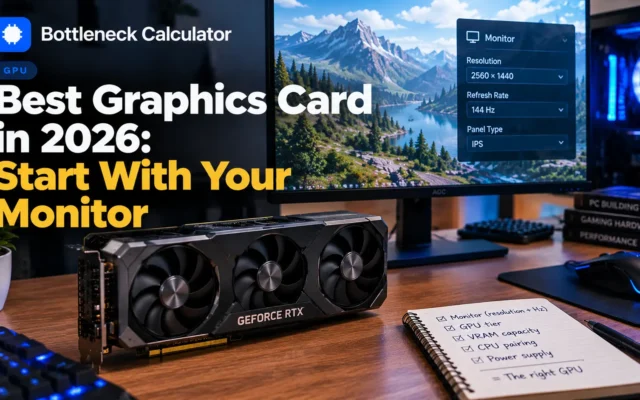
Best Graphics Card in 2026: Start With Your Monitor
Every graphics card guide opens the same way. A ranked list, the fastest card at the top, prices that assume you have no budget. That list is almost…
Read more about Best Graphics Card in 2026: Start With Your Monitor