How to Fix a CPU Bottleneck Without Buying a New Processor


Most advice on how to fix CPU bottleneck problems amounts to one sentence. Buy a faster processor.
That is sometimes correct and usually premature. A processor limit is a symptom, and several of the things that cause it cost nothing to change.
So the real answer to how to fix CPU bottleneck symptoms starts long before the shopping. This page ranks the fixes from free to expensive. Work down the list in order. A good number of people stop at step three and never buy anything.
First, confirm you actually have one
Do this before anything else. A large share of people who believe they are bottlenecked by CPU limits are not.
Open an overlay that shows processor usage, graphics card usage and frame rate together. Play a real game in a busy scene for several minutes. Menus and loading screens tell you nothing.
Then read the two numbers.
| Graphics card usage | Processor usage | What it means |
|---|---|---|
| 96 to 99 percent | anything | Graphics limited, normal, nothing to fix |
| 60 to 85 percent | one or more threads near 100 | Processor limited, this page applies |
| Under 60 percent | low on everything | Something else, often a frame cap or power setting |
| Swinging wildly | spiky | Thermal throttling or a background process |
The detail that catches people is the second column. Games rarely use every core. A processor can be completely saturated with total usage showing 40 percent, because one thread is pinned at 100 while seven sit idle. Watch per core usage, not the overall figure.
Our guide to telling a processor limit from a graphics limit walks through a 30 second version of this test, and reading graphics card usage correctly explains why Task Manager misleads here. If you want a prediction before you test, the bottleneck checker takes your two parts and tells you what to expect.
Fix 1. Raise your resolution or settings. Free.
This feels backwards and it is the most effective free fix there is.
A processor does the same amount of work per frame no matter what resolution you run. The graphics card does far more work at higher resolutions. So raising the resolution gives the card more to do, which lets the processor keep up.
Moving from 1080p to 1440p routinely converts a processor limit into a graphics limit. You lose a few frames and gain a much smoother experience, because the frames you do get are consistently paced.
The same applies to settings that only load the graphics card. Ray tracing, higher texture quality, better anti aliasing and higher shadow resolution all push work onto the card without touching the processor.
If your monitor is 1440p and you have been running games at 1080p to chase frame rate, stop. Our page on the best graphics card for 1440p covers what each tier delivers at that resolution.
Fix 2. Turn down the settings that load the processor. Free.
The opposite move, for the settings that are the processor’s job rather than the card’s.
These are the ones to reduce.
- Draw distance and view distance
- Crowd density and population
- Shadow distance, which is different from shadow quality
- Physics detail and destruction
- Object detail and foliage density
- Simulation quality in strategy and city building games
These are the ones to leave alone, because the card handles them.
- Texture quality, as long as you have enough video memory
- Anti aliasing
- Ambient occlusion
- Reflection quality
- Ray tracing
Getting this split right is most of the skill. People turn textures down and wonder why nothing changed, because textures were never the problem.
Fix 3. Close what is running behind the game. Free.
A browser with 40 tabs, a chat client with hardware acceleration, recording software, RGB control panels and a storefront overlay all take processor time. On a four or six core machine that is enough to matter.
Three things to check.
Open Task Manager, sort by CPU, and look at what is using time while the game runs. Anything above a couple of percent that you are not using should go.
Check startup programs and disable what you do not need. Most of them put themselves there without asking.
Look specifically for hardware accelerated overlays. Several of them cost more than people expect. Our page on hardware accelerated GPU scheduling covers the Windows setting that interacts with this, which is worth testing both ways.
Fix 4. Check you are not thermal throttling. Free.
A processor that is too hot reduces its own clock speed to survive. The result looks exactly like a slow processor, because for those moments it is one.
Watch temperatures during a long session, not for 30 seconds. Throttling usually appears after 10 or 20 minutes when the case heats up.
Sustained figures above 90 degrees mean you have a cooling problem rather than a performance problem. The usual causes are a cooler that was never adequate, dust in the fins, poor case airflow, or paste that was applied badly years ago.
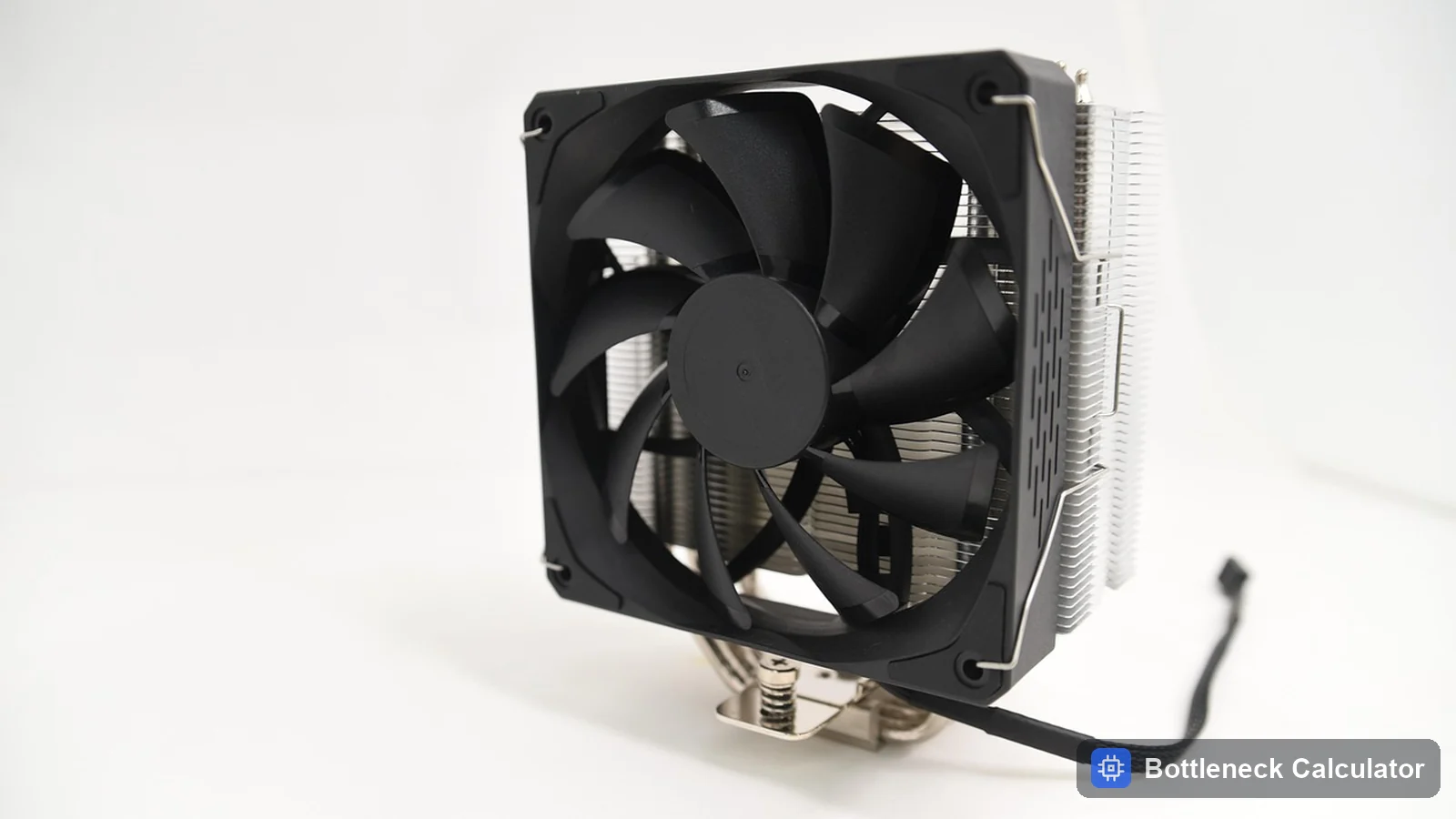
Our page on what processor temperatures are actually normal sets the thresholds, mounting matters more than paste brand covers reseating, and airflow beats looks covers the case itself. If the cooler is genuinely undersized, our cooler comparison has sensible options and a capable tower cooler costs under 40 dollars.
Fix 5. Fix your memory configuration. Usually free.
This one is quietly responsible for a lot of apparent processor limits.
Three things to check in BIOS and in Task Manager.
**Is the memory profile enabled?** Memory sold as DDR4 3600 or DDR5 6000 runs at 2133 or 4800 out of the box until you turn on the XMP or EXPO profile. A large number of machines have never had it enabled. Turning it on is free and can be worth 10 to 15 percent in processor limited games.
**Are you running dual channel?** Two sticks in the correct slots, which are usually slots two and four. A single stick halves memory bandwidth and hurts frame rate badly.
**Do you have enough?** 16GB is the floor in 2026 and 32GB is comfortable. If the system is paging to disk during a game, everything stalls.
Our memory guide covers the configuration rules in detail, and DDR4 against DDR5 explains how much the generation itself actually matters, which is less than the marketing suggests.
Fix 6. Update the right things. Free.
Graphics drivers first. Chipset drivers second, and people forget those entirely. On AMD systems the chipset driver controls how work is assigned to cores and an old one genuinely costs frames.
Windows power plan next. Balanced can park cores aggressively. High performance or the AMD balanced plan keeps them awake.
BIOS last, and only if your board is on an old version. A BIOS update can improve memory compatibility and core boost behaviour, especially on boards that launched before your processor did.
Fix 7. Overclock, or undervolt. Free, with effort.
If your processor is unlocked and your cooling is adequate, a modest overclock is worth 5 to 10 percent.
Undervolting is often better. It lowers voltage, which lowers heat, which lets the chip hold its boost clocks for longer. On AMD the Curve Optimizer does this well. The result is frequently faster than stock despite using less power.
Neither of these turns a six core chip from 2018 into a modern one. They are worth a tier of performance, not a generation.
Fix 8. Buy a faster processor. Expensive, and last.
This is where how to fix CPU bottleneck advice usually begins, and it belongs at the end. If you have worked through everything above and a single thread still pins at 100 percent while your graphics card idles in the 60s, the chip is the limit and nothing else will fix it.
Before you buy, check what the upgrade actually costs. On AM4 a drop in chip needs no new board or memory. On AM5 or a new Intel platform you are buying three things. Our AM4 against AM5 comparison lays out both totals, and the best AM4 processors covers the cheap path.
For what to buy, our processor buying guide splits by budget and our piece on 3D V-Cache explains why the cheaper looking chip sometimes wins. Also confirm the part fits what you own, which our page on what has to match covers.
The three mistakes people make
**Buying the processor first.** It is the most expensive item on this list and the fifth or sixth most likely cause. Work down in order and you will often find the real problem is free to fix.
**Testing in the wrong place.** Standing still in a safe zone produces a graphics limit in almost any game. Processor limits show up in busy scenes, big fights, dense cities and late game saves. Test there.
**Reading total processor usage.** It is the single most misleading number in this whole topic. A saturated game thread can sit inside a 35 percent overall reading. Always expand to per core.
There is a fourth, and it is subtler. People fix one thing, see no change, and conclude the fix was useless. Several of these changes are worth 5 percent each. Individually invisible, together substantial. Do them all before judging.
What order to do this in
| Step | Cost | Typical gain | Effort |
|---|---|---|---|
| Raise resolution or graphics settings | free | large | 2 minutes |
| Lower processor heavy settings | free | moderate to large | 10 minutes |
| Close background software | free | small to moderate | 10 minutes |
| Check thermal throttling | free | large if present | 30 minutes |
| Enable memory profile and dual channel | free | moderate | 20 minutes |
| Update chipset and graphics drivers | free | small | 20 minutes |
| Overclock or undervolt | free | small to moderate | 2 hours |
| New processor | 200 to 600 | large | half a day |
A note on expectations
A processor limit is not a fault. Every machine is limited by something. If your graphics card is at 99 percent you are limited by the card, and nobody writes worried forum posts about that.
A balanced machine is one where the limit sits on the part you spent the most on. If you bought a strong graphics card, you want to be graphics limited. That is the card earning its price rather than waiting around.
The question is never whether a limit exists. It is whether the limit is costing you frames you would actually notice. Our page on what counts as an acceptable bottleneck puts numbers on that, and the short version is that under 10 percent is not worth acting on.
Independent testing of how resolution shifts the limit is covered well in the processor section at Tom’s Hardware, and AMD documents its own power and boost behaviour on the Ryzen desktop pages.
Images: ArtificialOG, CompileIdeas, rabeca and SlimeyFox via Pixabay.
Fixing a processor bottleneck
How do I know if my CPU is bottlenecking my GPU?
Watch both while gaming. If graphics card usage sits in the 60s or 70s while one processor thread is pinned near 100 percent, the processor is the limit. If the card is at 96 to 99 percent, it is not.
Does raising the resolution really fix a CPU bottleneck?
It shifts the limit rather than removing it. The processor does the same work per frame at any resolution, so giving the graphics card more to do lets the processor keep up. You lose a few frames and gain much smoother pacing.
Can more RAM fix a CPU bottleneck?
Sometimes, and more often the configuration is the problem rather than the amount. Running a single stick, or never enabling the XMP or EXPO profile, costs real performance. Both are free to fix.
Will overclocking fix a CPU bottleneck?
It helps by roughly 5 to 10 percent, which is a tier rather than a generation. Undervolting is often better, because lower heat lets the chip hold its boost clocks for longer.
What CPU usage counts as a bottleneck?
Look at per core usage rather than the total. One thread at 100 percent with a graphics card in the 60s is a bottleneck, even if overall processor usage reads 40 percent. Games rarely spread load evenly.
Is a CPU bottleneck bad?
Not inherently. Every system is limited by something. It only matters when it costs frames you would notice, which generally means a gap above 10 to 15 percent against what the graphics card could deliver.
Do background programs cause CPU bottlenecks?
They make an existing one worse. Browsers, chat clients, recording software and storefront overlays all take processor time, and on a four or six core machine that is enough to cost frames.
Can thermal throttling look like a CPU bottleneck?
Yes, and it is commonly mistaken for one. An overheating processor lowers its own clock speed, which behaves exactly like a slower chip. Watch temperatures over a long session rather than a short one.
Should I upgrade my CPU or my GPU first?
Whichever one is at its limit. If the card is at 99 percent, upgrade the card. If a processor thread is pinned while the card idles, upgrade the processor. Upgrading the wrong one changes almost nothing.
Does a CPU bottleneck cause stuttering?
It can, and the pattern is distinctive. Processor limits produce uneven frame pacing and dips when the scene gets busy with objects or units, rather than a steady low frame rate.
Related reading
Best Intel CPU for Gaming in 2026 (An Honest Case)
Let me start where most Intel buying guides will not. AMD currently holds the gaming performance crown, and has since the X3D parts arrived. Any guide that pretends…
Read more about Best Intel CPU for Gaming in 2026 (An Honest Case)
Best CPU Coolers 2026: Air vs Liquid, Honestly
Cooler marketing is built around a number that does not mean much. A 360mm radiator sounds twice as capable as a 180mm one, and a tower cooler with…
Read more about Best CPU Coolers 2026: Air vs Liquid, Honestly
Thermal Paste for CPU: Mounting Matters More Than Brand
CPU thermal paste is the cheapest component in your machine and the one most likely to be applied wrongly, re-applied unnecessarily, or blamed for problems it did not…
Read more about Thermal Paste for CPU: Mounting Matters More Than Brand