CPU Benchmarks 2026: Why the Top Score Loses at Gaming
 Tayyab Rehman
7 min read
Tayyab Rehman
7 min read
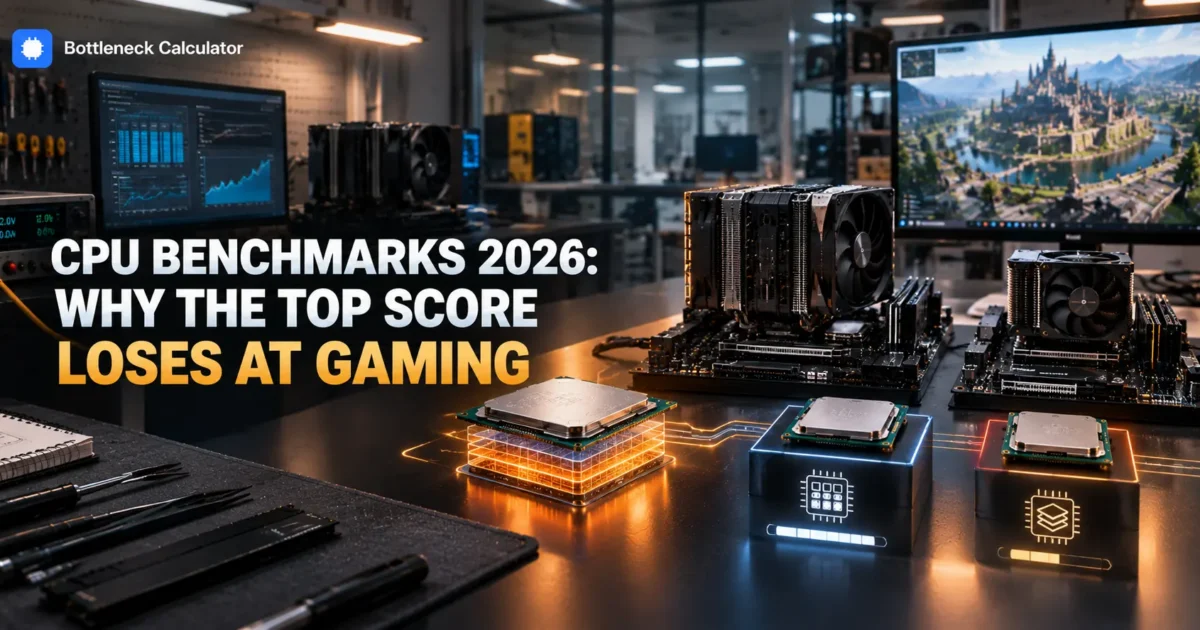
A Ryzen 9 5950X scores 45,249. A Ryzen 7 5800X3D scores 28,287. One is clearly 60 percent faster than the other.
Except in games, where the 28,287 chip wins. Not narrowly either. In simulation and strategy titles it can lead by 20 percent or more.
That single comparison explains why most people misread processor rankings. The score measures total throughput across every core under a sustained artificial load. Games use a handful of cores and spend their time waiting for memory.
So a cpu benchmark comparison tells you how well a chip renders video. It tells you remarkably little about how it plays games, which is what most people are actually asking.
This guide explains what the scores measure, when they are genuinely useful, and how to read a processor ranking for the workload you actually run.
You will finish able to read any processor chart correctly and translate a score into something meaningful for gaming, creative work, or everyday use.
I cover the difference between single core and multi core scores, why cache breaks the ranking for games, which chart to use for which job, and how to sanity check a chip against your graphics card before buying.
My blunt position. If you are buying for gaming, close the multi core chart entirely. It is actively misleading for that decision, and it is the chart most buying guides put first.
What this skips: server processors and synthetic overclocking records. Rankings reflect September 2026 and shift with new releases and firmware updates.
What does a CPU benchmark score actually measure?
Most headline scores measure multi threaded throughput, meaning how much work every core completes together under sustained load. That predicts rendering, compiling and encoding well. It predicts gaming poorly, because games rarely use more than six to eight threads effectively.
Single core scores are the more useful number for gaming, and they appear far less prominently on most charts.
Even then, single core results miss cache size entirely, which is the factor that separates good gaming chips from mediocre ones.
How should you read a CPU ranking for gaming?
Ignore the multi core column and look at single core performance plus cache size. A chip with 96MB of L3 cache will outperform one with 32MB in games even when the larger cache chip scores lower overall. Core counts above eight add nothing for gaming.
| What you do | Which score matters | What to ignore |
|---|---|---|
| Gaming only | Single core plus cache | Multi core totals |
| Gaming plus streaming | Both, weighted to single | Nothing much |
| Video rendering | Multi core totals | Cache size |
| Code compiling | Multi core totals | Cache size |
| Office and browsing | Single core | Almost everything |
| Simulation and strategy | Cache size above all | Core count |
The bottom row is the one most charts cannot express at all. Cache rarely appears as a column, yet it decides those genres.
Why do high scoring processors lose in games?
Because games are latency bound rather than throughput bound. They fetch small scattered pieces of data constantly, so the processor spends much of its time waiting for memory. A larger cache reduces that waiting, which a throughput benchmark never measures.
This is the entire reason stacked cache chips exist, and why they beat higher scoring siblings in the one workload most buyers care about.
Our explainer on how stacked cache changes gaming performance covers the mechanism, and why a slower clocked chip can win by a wide margin.
How much of a score difference actually matters?
Below 10 percent you will not perceive it in any workload. Between 10 and 25 percent is one meaningful tier. Above 25 percent is a genuine generational step. For gaming specifically, treat even large multi core gaps as irrelevant unless single core performance moves with them.
Run the arithmetic against your own situation. A 20 percent faster processor behind a graphics card already at full load returns you nothing.
Check which component limits you first with our bottleneck calculator at the resolution you actually play.
Are laptop CPU benchmarks comparable to desktop ones?
Not directly. A laptop cpu benchmark reflects whatever power limit the manufacturer set, so the same chip name can score very differently across machines. A 45 watt configuration and a 28 watt configuration of one processor are effectively different products.
Check the sustained power figure in the specification rather than trusting the model number. That single number explains most of the variation between laptops.
Thermals matter too. A thin chassis will throttle a capable chip within minutes, which no benchmark run captures.
Should you rank all CPUs by performance in one list?
A single list of all cpus ranked by performance is convenient and misleading. Performance is workload dependent, so any one ordering privileges one use case over others. Two separate lists, one for gaming and one for productivity, describe reality far better.
The same chips swap positions dramatically between those two lists. That is not an error in the data, it is the data being honest.
When you see a single authoritative ranking, check which benchmark produced it before trusting the order.
Does your benchmark score match the chart?
Often not, and the usual causes are memory configuration, cooling and power settings. Published figures come from systems with two sticks of fast memory, good cooling and performance power profiles. A single memory stick alone can drop your result by double digits.
- Single channel memory. Not running dual channel is the most common cause by a wide margin.
- Memory profile disabled. Kits run slow until you enable XMP or EXPO.
- Thermal throttling. Dust and old paste cost real performance.
- Power plan. Balanced mode can cap boost behaviour on some systems.
Fix those four before concluding your chip underperforms. They are free and they explain most of the gap people see.
Which benchmark should you actually trust?
Use synthetic scores to group chips into tiers, then use real game results at your resolution to decide between them. Synthetics are consistent across machines, which is their value. Game results reflect cache, memory latency and driver behaviour, which decides your experience.
Look for results in the specific titles you play. A chip that leads in shooters may trail badly in city builders.
Pay attention to 1 percent lows rather than averages, since they describe stutter and averages hide it.
How do you use a ranking to actually buy something?
Start with your resolution and workload, shortlist three chips in budget, check cache size and single core results, then confirm the pairing against your graphics card. The ranking narrows the field. It should never make the final choice.
Our guide to the best processors for gaming applies exactly this method with current pricing at each budget tier.
Price the complete build in our PC builder, since board and memory costs frequently decide which chip actually makes sense.
What do people get wrong about processor rankings?
They buy gaming chips using multi core charts, they treat small score gaps as real differences, and they ignore cache entirely because it rarely appears as a column. All three lead to spending more for a chip that games worse.
The cache blindness is the costly one. It is the single most important specification for gaming and the one most charts omit.
The second mistake is buying a processor when the graphics card was the limit. Confirm that before spending anything.
Frequently asked questions
What does a CPU benchmark score measure?
Most headline scores measure multi threaded throughput, meaning how much work all cores complete together under sustained load. That predicts rendering and compiling well but gaming poorly, because games rarely use more than six to eight threads effectively.
Why does a higher scoring CPU lose in games?
Games are latency bound rather than throughput bound. They fetch small scattered pieces of data constantly, so the processor waits on memory. A larger cache reduces that waiting, and no throughput benchmark measures it.
Which benchmark matters for gaming?
Single core performance plus cache size, not multi core totals. A chip with 96MB of L3 cache beats one with 32MB in games even when it scores lower overall. Core counts above eight add essentially nothing for gaming.
How much benchmark difference is noticeable?
Below 10 percent you will not perceive it in any workload. Between 10 and 25 percent is one meaningful tier. Above 25 percent is a genuine generational step. For gaming, large multi core gaps are often irrelevant.
Are laptop CPU benchmarks comparable to desktop?
Not directly. A laptop result reflects the power limit the manufacturer set, so the same chip scores very differently across machines. Check the sustained wattage in the specification rather than trusting the model name.
Can you rank all CPUs by performance in one list?
You can, but it misleads. Performance depends on workload, so any single ordering privileges one use case. Separate gaming and productivity lists describe reality far better, and the same chips swap positions dramatically between them.
Why is my CPU scoring lower than the chart?
Usually memory configuration, cooling or power settings. Published figures use two sticks of fast memory with good cooling. A single memory stick alone can cost double digits, and a disabled XMP profile costs more.
Is single core or multi core more important?
Single core for gaming, browsing and most everyday use. Multi core for video rendering, compiling and encoding. Most buyers are gaming, which makes the prominent multi core column the wrong one to read.
Do more cores mean better performance?
Only in workloads that can use them. Games rarely spread beyond six to eight threads, so a sixteen core chip offers no gaming advantage over an eight core one with better cache. Extra cores serve streaming and creative work.
The practical answer
Back to 45,249 against 28,287. Both numbers are accurate. Only one of them answers the question most people are asking.
So decide what you do first, then pick the chart that measures it. Gaming means single core and cache. Rendering means multi core totals. They are different questions with different answers.
My prediction is that cache becomes a standard column on these charts within a couple of years, because its absence has made them misleading for the largest group of buyers.
Where to begin is to take the chips on your shortlist and compare cache size alongside single core results rather than the headline figure.
Which processors are you comparing, and what are you actually running on them?
Related reading
Best CPU Cooler for Ryzen 7 9800X3D (Air Is Enough)
The 9800X3D has a 120 watt package power target. By modern standards that is modest, well below the flagship Intel chips that pull past 250. So why does…
Read more about Best CPU Cooler for Ryzen 7 9800X3D (Air Is Enough)
Best CPU for RTX 5080 (Depends on Your Resolution)
You are about to spend roughly a thousand dollars on an RTX 5080. The processor question is the one that decides whether that money does anything. Pair it…
Read more about Best CPU for RTX 5080 (Depends on Your Resolution)
AM4 vs AM5: Should You Upgrade in 2026?
Your B550 board still works. Your DDR4 kit still works. And a 5700X3D costs about 200 dollars. Or you could move to AM5. New board, new memory, new…
Read more about AM4 vs AM5: Should You Upgrade in 2026?