PSU Tier List 2026: How to Read One Without Getting It Wrong
 Tayyab Rehman
9 min read
Tayyab Rehman
9 min read
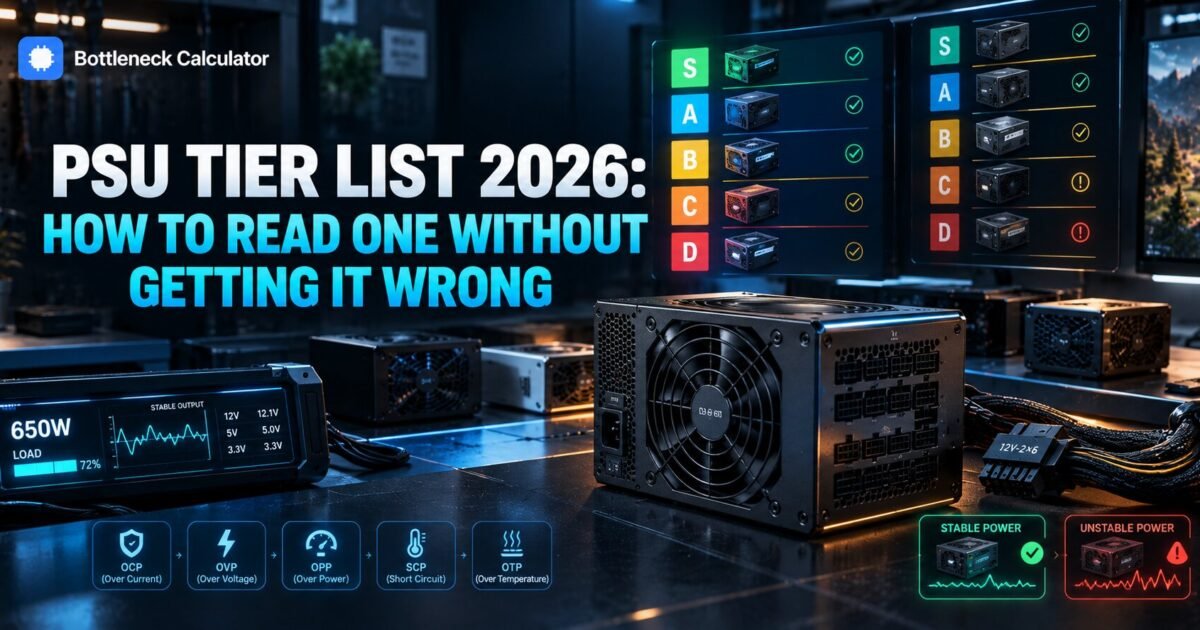
You search for a psu tier list and find six of them. One ranks a unit in tier A. Another drops the same unit two tiers lower. A Reddit thread insists both are outdated and links a seventh.
Meanwhile you just want to know whether the 80 dollar supply in your cart will kill your graphics card.
Here is what nobody explains before handing you a spreadsheet. These lists disagree because they measure different things. Some rank by internal build quality, some by protection circuitry, some by review data, and some simply by brand reputation.
So the tier letter alone is close to useless unless you know which list produced it and what that list was measuring.
This guide explains what each major list actually measures, how to read a tier ranking properly, and the three specifications that matter more than any letter grade.
Quick summary
You will finish able to read any power supply tier list correctly and decide whether a specific unit is safe for your build, without needing to trust a stranger’s spreadsheet.
I cover what the named lists are and how they differ, what the tiers actually mean, why the same unit lands in different tiers, the ATX 3.1 standard and why it matters for modern graphics cards, and how to size a supply for your own parts.
Here is my blunt opinion. Most people reading a psu tier list are solving the wrong problem. They want to know if a unit is good when they should first work out what wattage they need, because an excellent supply that is too small is still the wrong purchase.
Not covered here: server supplies, redundant units, and mining rigs. Pricing and model availability reflect September 2026 and change constantly.
What is a PSU tier list?
A psu tier list is a community maintained ranking that sorts power supply models into quality bands, usually labelled A through F or S through D. The rankings draw on teardown reviews, protection circuit testing, and failure reports. They exist because wattage labels alone tell you almost nothing about whether a unit is safe.
Two supplies can both claim 750 watts. One delivers it cleanly for a decade. The other sags under load, trips protection, or fails in a way that takes other components with it.
You will see it written as psu tierlist, psu teir list, and power supply tierlist, and they all describe the same thing. The lists exist to close that gap. They are genuinely useful. They are also routinely misread.
Which power supply tier list should you trust?
No single list is authoritative, and the well known ones measure different things. Cross reference at least two before buying. If a unit sits in the top three tiers on two independent lists, it is almost certainly fine for a normal gaming build.
| List | What it emphasises | Best used for |
|---|---|---|
| SPL psu tier list | Platform and OEM build quality | Judging the actual hardware inside |
| Cultist psu tier list | Protections and review teardowns | Safety focused buying |
| LTT power supply tier list | Mainstream availability and value | Quick consumer shortlists |
| ZTT builds psu tier list | Budget tiers and regional stock | Lower price brackets |
| Manufacturer marketing | Wattage and efficiency badge | Nothing, treat with suspicion |
| Your build | Sensible wattage | Minimum tier |
|---|---|---|
| Office, integrated graphics | 400 to 450W | Tier C acceptable |
| Entry gaming | 550 to 650W | Tier B |
| Mid range gaming | 650 to 750W | Tier B |
| High end gaming | 850 to 1000W | Tier A or B |
| Flagship card | 1000W plus, ATX 3.1 | Tier A |
| Protection | What it prevents | Essential? |
|---|---|---|
| OCP, over current | Damage from a shorted component | Yes |
| OVP, over voltage | Voltage spikes reaching parts | Yes |
| OPP, over power | Sustained overload | Yes |
| SCP, short circuit | Direct short damage | Yes |
| OTP, over temperature | Thermal runaway | Strongly preferred |
That last row matters more than it looks. An 80 Plus Gold badge describes efficiency, not safety, and plenty of poor units carry one.
What do the psu tiers actually mean?
Top tiers indicate units with full protection suites, quality capacitors, and tight voltage regulation under load. Middle tiers are safe for mainstream builds but less tolerant of sustained heat or overload. Bottom tiers lack basic protections and can damage other components when they fail.
- Tier A or S. Safe for any build including flagship graphics cards.
- Tier B. Fine for mainstream gaming, the value sweet spot.
- Tier C. Acceptable for office machines and light gaming only.
- Tier D or lower. Avoid. Missing protections, not worth any saving.
Most gaming builds want tier B or better. Chasing tier A on a mid range machine is usually spending money for headroom you will never use.
Why do psu rankings disagree with each other?
Because they weight different evidence. One list may downgrade a unit for a missing protection circuit while another keeps it high because real world failure reports are rare. Manufacturers also change the internal platform mid production without changing the model name, which quietly invalidates older entries.
That last point causes more confusion than anything else. A unit reviewed favourably in 2023 may ship with completely different internals today under the same name.
Check the revision code on the box where one exists. If the list entry predates your unit by two years, treat it as a hint rather than a verdict.
What matters more than the tier letter?
Three things. Sufficient wattage with real headroom, the correct connectors for your graphics card, and a protection suite that includes over current and over power protection. A tier B unit of the right size beats a tier A unit that is 200 watts too small every single time.
This is where most buying goes wrong. People obsess over the ranking and then pick a wattage from a forum guess.
Total your actual draw first with our power supply calculator, which accounts for your processor, graphics card, drives and fans rather than the figure printed on a card box.
How many watts do you actually need?
Add your component draw, then leave 20 to 30 percent headroom. A mid range build typically lands between 650 and 750 watts. A flagship graphics card with a strong processor usually wants 850 to 1000 watts, mainly to absorb the brief power spikes modern cards produce.
Those spikes are the reason headroom matters more than it used to. Current cards can draw well above their rated figure for a few milliseconds, and a supply running near its limit will simply shut down.
A shutdown under load looks exactly like a failing graphics card, which sends people chasing the wrong fault for weeks.
Does ATX 3.1 matter in 2026?
Yes, if you are buying a current high end graphics card. ATX 3.1 supplies handle transient power spikes properly and include the native 12V-2×6 connector modern cards use. Older supplies need an adapter, which adds a failure point exactly where the most current flows.
Any psu tier list 2026 edition worth reading should flag which units meet this standard. My position is simple. If you are buying new and intend to run a high end card, buy ATX 3.1 and skip the adapter entirely.
For a mid range build with eight pin connectors, a good older unit remains perfectly fine. This is not a reason to replace a working supply.
Which brands consistently rank well?
Seasonic, Corsair on their higher ranges, be quiet, and Super Flower appear in upper tiers across most lists. Brand alone is not a guarantee though, because nearly every manufacturer sells budget ranges built by different factories to a lower standard.
Always check the specific model rather than the brand. A strong manufacturer’s entry level line can sit three tiers below their flagship range.
Budget brands such as AresGame appear on the lists precisely because people ask about them. Appearing on a list is not an endorsement.
What happens when a cheap power supply fails?
A good unit shuts down safely when it exceeds its limits. A poor one can send a voltage spike through the system, damaging your motherboard, drives, or graphics card. That is the real argument against bottom tier units, rather than any performance difference.
Work out the maths before you economise. Saving 40 dollars on a supply to protect a 600 dollar graphics card is a poor trade.
Symptoms of an overloaded or failing unit include random restarts under load, shutdowns during demanding scenes, and coil whine that worsens over time.
If your machine crashes only when gaming, check power before replacing anything, and confirm your draw properly rather than guessing.
How do you use a tier list properly?
Work out your wattage first, shortlist units at that capacity within your budget, then use the tier list to eliminate the unsafe ones. Using the list as your starting point rather than your filter is what leads people to buy excellent supplies in the wrong size.
- Total your component draw and add 20 to 30 percent headroom.
- Confirm which connectors your graphics card needs.
- Shortlist units at that wattage in your price range.
- Check each against two independent tier lists.
- Discard anything below tier B, then buy on warranty and price.
Warranty length is a useful final tiebreaker. Manufacturers offering ten or twelve years are making a statement about their own failure data.
Price the whole build including the supply in our PC builder so the power budget is part of the plan rather than an afterthought.
What do people get wrong about psu ratings?
They treat the 80 Plus badge as a quality rating when it only measures efficiency. They buy far more wattage than they need believing it adds safety. And they trust a tier entry that was written before the manufacturer quietly changed the internals.
Published power supply ratings also vary in what they measure, which is why two charts can rank the same unit differently. The efficiency confusion is the most common. A Gold badge tells you how much power is wasted as heat, nothing about protection circuits or build quality.
Oversizing is the second. A 1200 watt unit in a machine drawing 400 watts runs less efficiently and costs more, with no safety benefit.
If a supply is causing crashes that look like a card fault, our guide to diagnosing graphics performance problems covers how to tell power issues from genuine limits.
Frequently asked questions
What is a PSU tier list?
It is a community maintained ranking that sorts power supply models into quality bands, usually A through F or S through D. The rankings draw on teardown reviews, protection circuit testing and failure reports, because wattage labels alone say nothing about whether a unit is safe.
Which power supply tier list is most accurate?
None is authoritative on its own, because they weight different evidence. Cross reference at least two. If a unit sits in the top three tiers on two independent lists, it is almost certainly fine for a normal gaming build.
What does tier A mean on a psu tier list?
Top tier units carry a full protection suite, quality capacitors and tight voltage regulation under load. They are safe for any build including flagship graphics cards. Most mainstream gaming machines do not need to go above tier B.
Why do psu rankings disagree?
They weight different evidence, and manufacturers change internal platforms mid production without changing the model name. An entry written two years ago may describe completely different hardware from the unit you are about to buy.
Is an 80 Plus Gold power supply automatically good?
No. The 80 Plus badge measures efficiency, meaning how much power is wasted as heat. It says nothing about protection circuits, capacitor quality or voltage regulation. Plenty of poor units carry a Gold badge.
How many watts does my PC need?
Total your component draw and add 20 to 30 percent headroom. Mid range builds usually land between 650 and 750 watts. A flagship card with a strong processor typically wants 850 to 1000 watts to absorb brief power spikes.
Does ATX 3.1 matter?
Yes if you are buying a current high end graphics card. ATX 3.1 units handle transient spikes properly and include the native 12V-2×6 connector. For a mid range build using eight pin connectors, a good older supply is still fine.
Can a bad power supply damage other components?
Yes, and that is the real argument against bottom tier units. A good supply shuts down safely at its limits. A poor one can send a voltage spike through the system and take the motherboard, drives or graphics card with it.
Is more wattage always safer?
No. Oversizing wastes money and runs less efficiently at low load. A 1200 watt unit in a machine drawing 400 watts offers no safety benefit over a quality 750 watt model with proper headroom for spikes.
Which psu brands rank highest?
Seasonic, higher Corsair ranges, be quiet and Super Flower appear in upper tiers across most lists. Check the specific model rather than the brand though, since nearly every manufacturer also sells budget lines built to a lower standard.
Does PSU efficiency rating affect my electricity bill?
Barely. The difference between Bronze and Gold on a typical gaming machine is a few pounds a year. Buy for protection circuits and build quality rather than for the efficiency badge.
Are modular power supplies better?
Only for cable management, not performance. Fully modular units let you fit only the cables you need, which improves airflow and makes building tidier. Electrically they are identical to non modular equivalents.
How long does a power supply last?
Typically seven to ten years, though capacitors degrade gradually and output capacity falls with age. A unit that was adequate when new may struggle with the same components a decade later.
Should I buy a used power supply?
No, and this is the one component I would never buy used. Degradation is invisible from the outside, and a failing unit can take other components with it. The saving is not worth the risk.
Where this leaves you
Remember those six lists disagreeing about the same unit? They were not wrong. They were answering different questions, and none of them knew what you were building.
So use them in the right order. Wattage first, connectors second, tier list third as a safety filter rather than a shopping list.
Where to begin takes two minutes. Total your real draw, then go back to whichever list you were reading and filter by that wattage first.
What wattage are you working with, and which unit are you weighing up?
Related reading
Best CPU for Gaming in 2026: Picks at Every Budget
Two processors, same price. One has sixteen cores and a huge benchmark score. The other has eight cores, lower clocks, and wins almost every game you will actually…
Read more about Best CPU for Gaming in 2026: Picks at Every Budget
Hardware-Accelerated GPU Scheduling: On or Off in 2026?
A Reddit thread tells you to turn it on. The next reply says it tanked their frame rate. A YouTube comment swears it fixed their stutter. Someone else…
Read more about Hardware-Accelerated GPU Scheduling: On or Off in 2026?
How Much VRAM Do You Need for Gaming in 2026?
The game loads. You set textures to High because your card handles everything else fine. Ten minutes later the world starts hitching, textures turn to mud, and your…
Read more about How Much VRAM Do You Need for Gaming in 2026?